- Mark as New
- Bookmark
- Subscribe
- Mute
- Subscribe to RSS Feed
- Permalink
- Report Inappropriate Content
01-14-2026 04:59 PM
I spun up a databricks environment on AWS via the AWS marketplace.
All the required infrastructure such as S3, VPC, Subnets are automatically created during the process
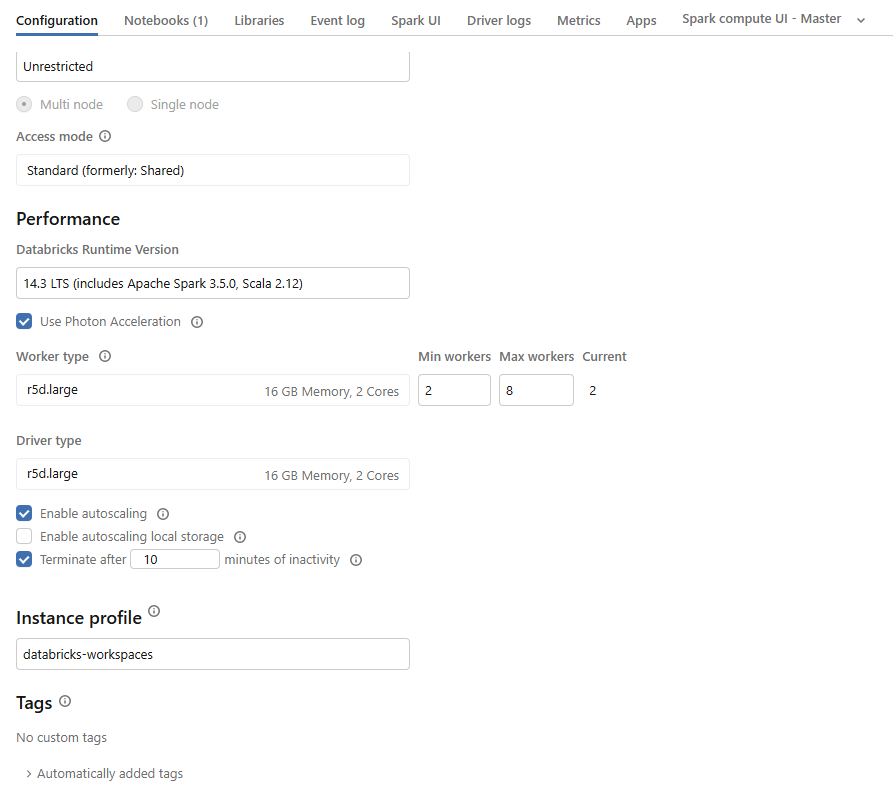
Once I get the Databricks environment up and running - I created a cluster. I attached that cluster with a notebook and tried running simple query: Show Catalogs; The query is running indefinitely and eventually timing out, If I run select 1 that is working correctly
I can explore the catalogs, explore the volumes if I attach serverless cluster to the notebook
What is wrong with the compute that I am creating?
- Labels:
-
Partner

- Mark as New
- Bookmark
- Subscribe
- Mute
- Subscribe to RSS Feed
- Permalink
- Report Inappropriate Content
01-14-2026 11:47 PM
Hi,
I believe this is happening as you haven't got the right ports open to connect between your classic compute and the UC Metatstore. When you try to select 1 it works as it doesn't need to talk to the metastore but when you do show catalogs it is trying to reach the metastore and time out. You can verify this by running the following code.
import subprocess
workspace_url=spark.conf.get("spark.databricks.workspaceUrl")
ports = [443, 3306, 8443, 8444,]
for port in ports:
    check_cmd = f"nc -w2 -vz $(dig +short {workspace_url} | tail -n1) {port}"
    result = subprocess.run(check_cmd, shell=True, capture_output=True, text=True)
    print(f"Port {port}:", "Success" if result.returncode == 0 else "Failure")
Note in the future you will also need ports 8445-8451 open as well as the ones in the code above. If any of these fail when you run the above script then you will need to open access to these ports. More details here https://docs.databricks.com/aws/en/security/network/classic/customer-managed-vpc
- Mark as New
- Bookmark
- Subscribe
- Mute
- Subscribe to RSS Feed
- Permalink
- Report Inappropriate Content
01-15-2026 01:10 AM