
Turn on suggestions
Auto-suggest helps you quickly narrow down your search results by suggesting possible matches as you type.
Showing results for
Machine Learning
Dive into the world of machine learning on the Databricks platform. Explore discussions on algorithms, model training, deployment, and more. Connect with ML enthusiasts and experts.
Turn on suggestions
Auto-suggest helps you quickly narrow down your search results by suggesting possible matches as you type.
Showing results for
- Databricks Community
- Machine Learning
- Re: Genie connection to copilot agent in copilot s...
Options
- Subscribe to RSS Feed
- Mark Topic as New
- Mark Topic as Read
- Float this Topic for Current User
- Bookmark
- Subscribe
- Mute
- Printer Friendly Page

Options
- Mark as New
- Bookmark
- Subscribe
- Mute
- Subscribe to RSS Feed
- Permalink
- Report Inappropriate Content
12-04-2025 09:48 AM
Hello!
I’m trying to add a tool — Azure Databricks Genie — in Microsoft Copilot Studio for my agent, but I’m running into some difficulties. Is it possible to establish this connection using a Pro cluster, or does it only work with a serverless cluster?


1 ACCEPTED SOLUTION
Accepted Solutions

Options
- Mark as New
- Bookmark
- Subscribe
- Mute
- Subscribe to RSS Feed
- Permalink
- Report Inappropriate Content
12-04-2025 10:58 AM
It can be either a serverless or classic SQL warehouse that it uses. You do need to have enabled the Managed MCP servers preview in your databricks workspace.
9 REPLIES 9
Options
- Mark as New
- Bookmark
- Subscribe
- Mute
- Subscribe to RSS Feed
- Permalink
- Report Inappropriate Content
12-04-2025 10:58 AM
It can be either a serverless or classic SQL warehouse that it uses. You do need to have enabled the Managed MCP servers preview in your databricks workspace.
Options
- Mark as New
- Bookmark
- Subscribe
- Mute
- Subscribe to RSS Feed
- Permalink
- Report Inappropriate Content
12-05-2025 04:46 AM
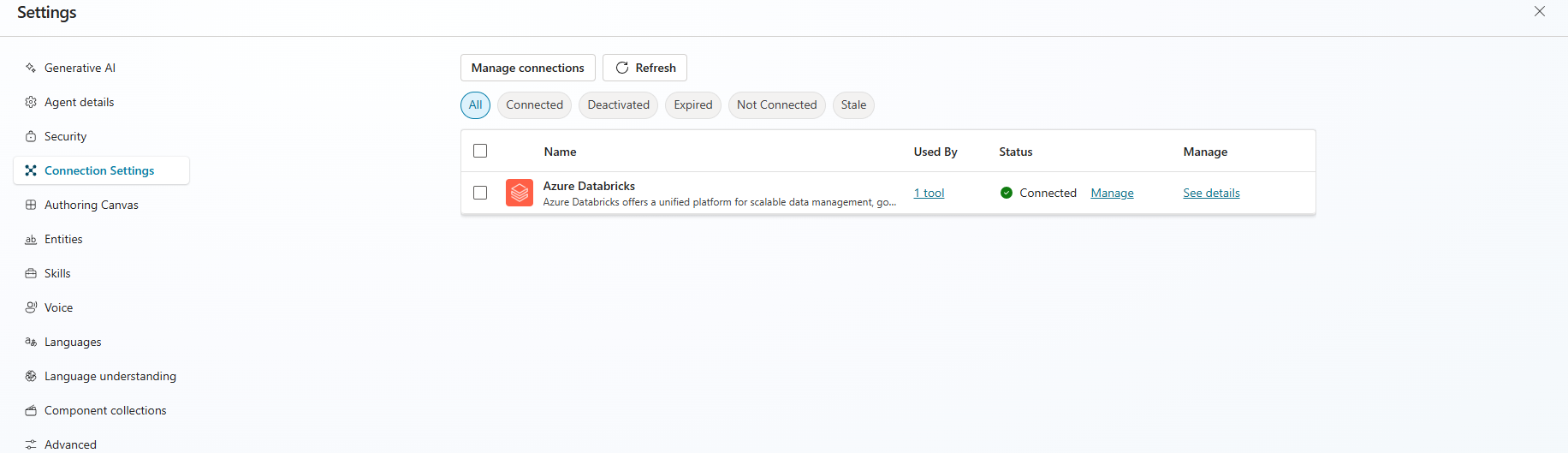
Thank you for your answer @Emma ! The agent is now working and i add the microsoft 365 channel. I can add the agent and talk with him from my side, but when I share the agents with my colleagues, they cannot talk with him.
I already gave permissions to my colleagues in unity catalog, schema and table, in cluster and in genie. I also add the user in a security group and add this group to the permissions in the channels tab.
What is missing?
Thank you!
Options
- Mark as New
- Bookmark
- Subscribe
- Mute
- Subscribe to RSS Feed
- Permalink
- Report Inappropriate Content
12-08-2025 09:59 AM
When you say they can't talk to him, what do you mean? Can they see him at all? or is it that Genie returns no results to them? Have you published the agent? https://learn.microsoft.com/en-us/microsoft-copilot-studio/publication-add-bot-to-microsoft-teams
Options
- Mark as New
- Bookmark
- Subscribe
- Mute
- Subscribe to RSS Feed
- Permalink
- Report Inappropriate Content
12-09-2025 02:21 AM
They can talk with genie (directly in databricks) without problems. In copilot the agent is published and i can add it and talk with him. My colleagues can add it in teams and Microsoft 365 but when they try to make questions it give an error and the cluster in databricks don't turn on.
Options
- Mark as New
- Bookmark
- Subscribe
- Mute
- Subscribe to RSS Feed
- Permalink
- Report Inappropriate Content
12-09-2025 08:50 AM
If you are using a classic SQL warehouse you would need this on when they try to use it, it won't automatically spin up in the background. This is why a Serverless SQL endpoint is recommended, then it just spins up for the queries to run. The users would need permision to use the Warehouse.
Options
- Mark as New
- Bookmark
- Subscribe
- Mute
- Subscribe to RSS Feed
- Permalink
- Report Inappropriate Content
12-09-2025 09:49 AM
@emma_s We are using a serverless cluster, but when my colleagues talk with copilot agent the cluster doesn't turn on / or simply answer if we already have the cluster on.
We also had already provide permissions to the users to use the Warehouse, but it continues not working.
Here’s the behaviour I’m observing:
- What Works:
- The user who created the agents, configured both connections (using oAuth and service principal), and published the agent (in Teams/M365) can interact with the agents without any issues.
- Other users tested genie inside the workspace and they have accees and can use it properly
- What’s Failing:
- Users who receive the shared agent are not able to interact with it.
- We have also tested by sharing the connectivity through the Power Apps connection but this didn’t work as well
- Workaround
- As part of the investigation, we asked one of the affected users to create the connection directly in Copilot Studio using their own identity. In this scenario, the user was able to interact with Genie successfully during the test. However, we don’t want to have to request every user to create manual connections to the workspace and cluster, and also this would require every user to have edit capabilities on coPilot
In summary:
The issue is with the shared agent using an existing connection—meaning the identity is not flowing through when the agent is shared, even though it works for the creator and for users who create their own connection.
Even when sharing the agent for development purposes, the users still cannot interact using the existing connectivity configuration.
Do you have more suggestions?
Options
- Mark as New
- Bookmark
- Subscribe
- Mute
- Subscribe to RSS Feed
- Permalink
- Report Inappropriate Content
12-09-2025 10:02 AM
So I think I see the issue now: Shared agents in Copilot Studio (Teams/M365) using pre-configured connections (either OAuth or service principal) do not successfully flow user identity to downstream resources for users other than the creator; only the agent owner or users who manually create their own connections can interact with the agent as intended. This is due to how the identity/authentication delegation works in Microsoft Power Platform and Copilot Studio.
This is why it works when they set up the connection themselves but not when they try to use the one you created. The workaround other than setting it up themselves would be to set it up using a service principal instead. This means the Service principal permissions would be used by all users.
SPs are machine-to-machine identities that are not associated with any specific end user. When you share an agent configured to use an SP, all users interact with the Databricks backend as the SP—not as themselves. This means user-level governance, auditing, or personalized data access cannot be enforced beyond what the SP has been granted.
But bear in mind if you take this approach then you won't be using the individual users permissions on the genie so granular access control won't apply. It will be based on the service principal permissions.
Options
- Mark as New
- Bookmark
- Subscribe
- Mute
- Subscribe to RSS Feed
- Permalink
- Report Inappropriate Content
12-10-2025 03:11 AM
Hello @emma_s we are already testing one agent with Service Principal connection using Microsoft authentication but it has the same behaviour. We also shared the service principal connection with all the users through a security group. The service principal has all the permissions in databricks as well.
Options
- Mark as New
- Bookmark
- Subscribe
- Mute
- Subscribe to RSS Feed
- Permalink
- Report Inappropriate Content
12-11-2025 05:41 AM
I'm afraid I don't have much further suggestions. I'd suggest you raise a ticket with Microsoft on this.

Announcements



Related Content
- Databricks & Microsoft Expand Partnership to 2030s: Architectural Impact on Azure Databricks in Administration & Architecture
- From STTM to Databricks Pipelines: Can Metadata Become the Source Code of Data Engineering? in Data Engineering
- Feedback not showing up in Genie from Copilot Studio Genie Agent in Generative AI
- How do I get at the schedules of scheduled queries? in Data Engineering
- Managed MCP Server for Visual Studio Code and GitHub Copilot? in Generative AI