Accidentally dropping a table in production is every data engineer’s nightmare. One wrong command, one missing WHERE clause or worse, a rushed DROP TABLE and suddenly critical data is gone.
Thankfully, Azure Databricks with Unity Catalog gives us a safety net: the UNDROP command.
In this article, I’ll walk you through what UNDROP is, how it works, its limitations, and practical examples you can start using immediately.
What Is the UNDROP Command in Azure Databricks?
The UNDROP command allows you to recover accidentally dropped tables or materialized views that are managed by Unity Catalog.
This feature is available in:
Retention period:
You have 7 days from the time a table or materialized view is dropped to recover it. After that, recovery is no longer possible.
UNDROP Syntax
UNDROP { MATERIALIZED VIEW | TABLE }
{ relation_name | WITH ID relation_id }
You can recover your dropped tables:
Key Features of UNDROP
1. Recover by Name
If a table or materialized view was dropped recently and no name conflict exists, recovery is straightforward.
To demonstrate, I've got sales_tbl_from_excel table in the learning_schema of the learning catalog that I am going to drop and undrop.
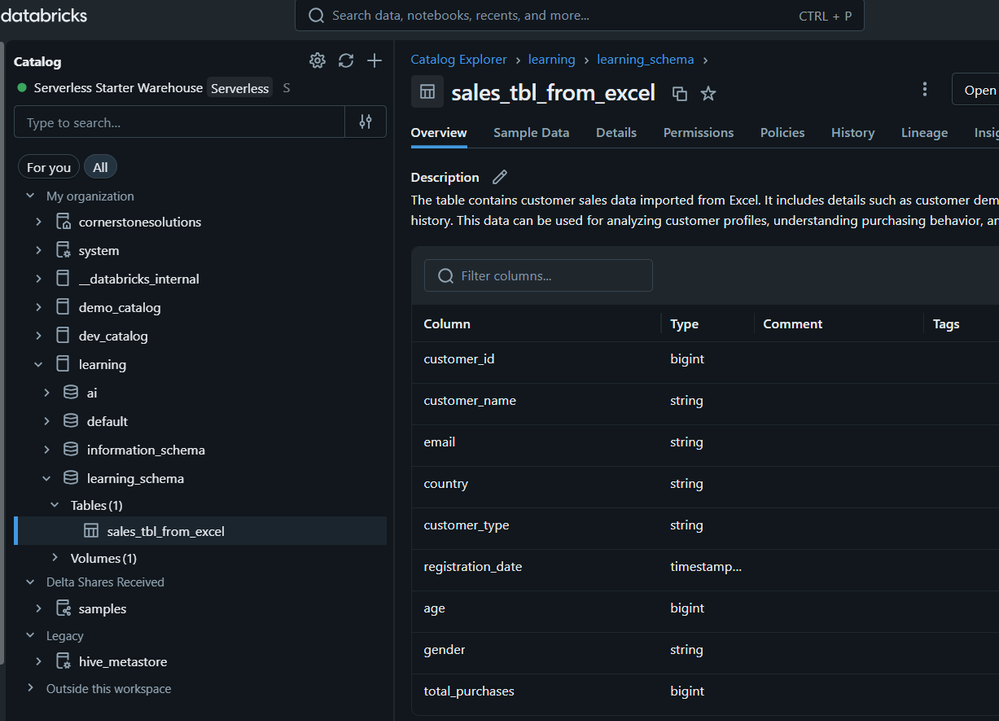
To drop the table, I executed the code below in the SQL Editor
DROP TABLE sales_tbl_from_excel
As seen in the screenshot below, the table is dropped from the learning catalog.
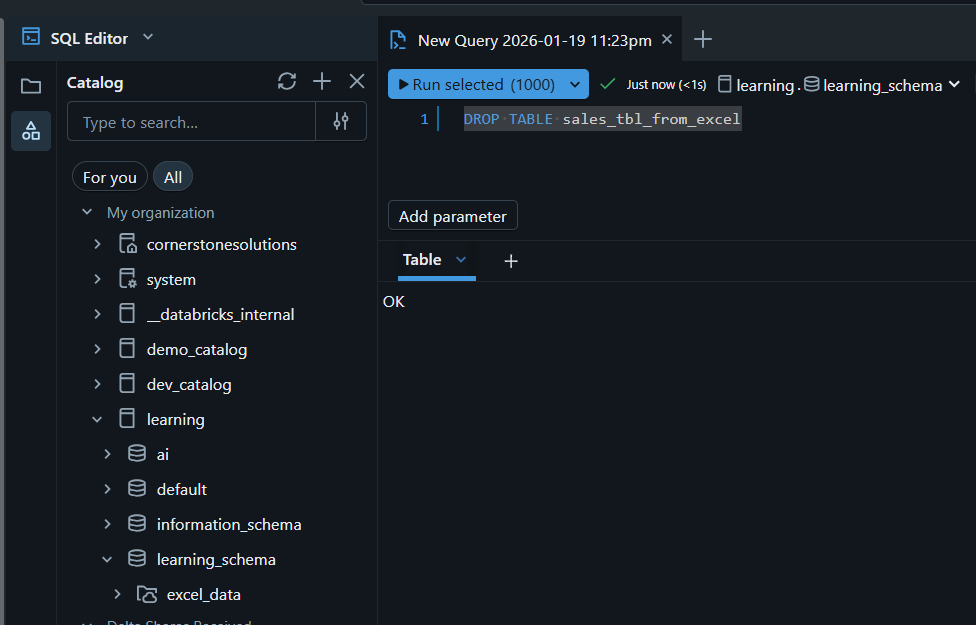
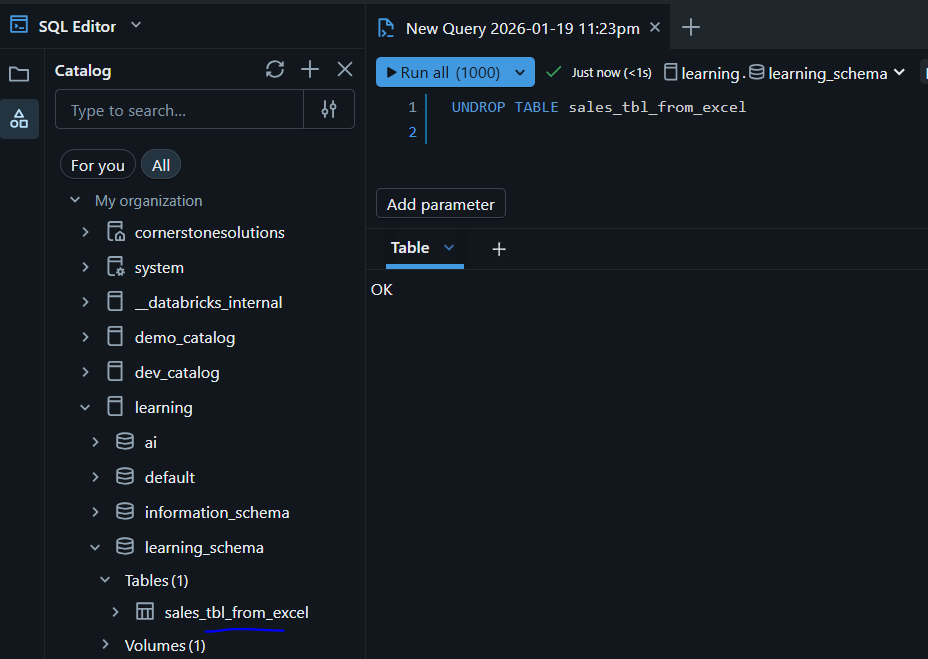
To recover the table by name, I will leverage the UNDROP SQL function. In the same SQL Editor, I executed the query below:
UNDROP TABLE sales_tbl_from_excel
As seen below, the table is back to the learning_schema of the learning catalog!
2. Recover by ID (When Names Clash)
If a table was dropped, recreated, and dropped again or if multiple objects shared the same name you can recover a specific version using its relation ID.
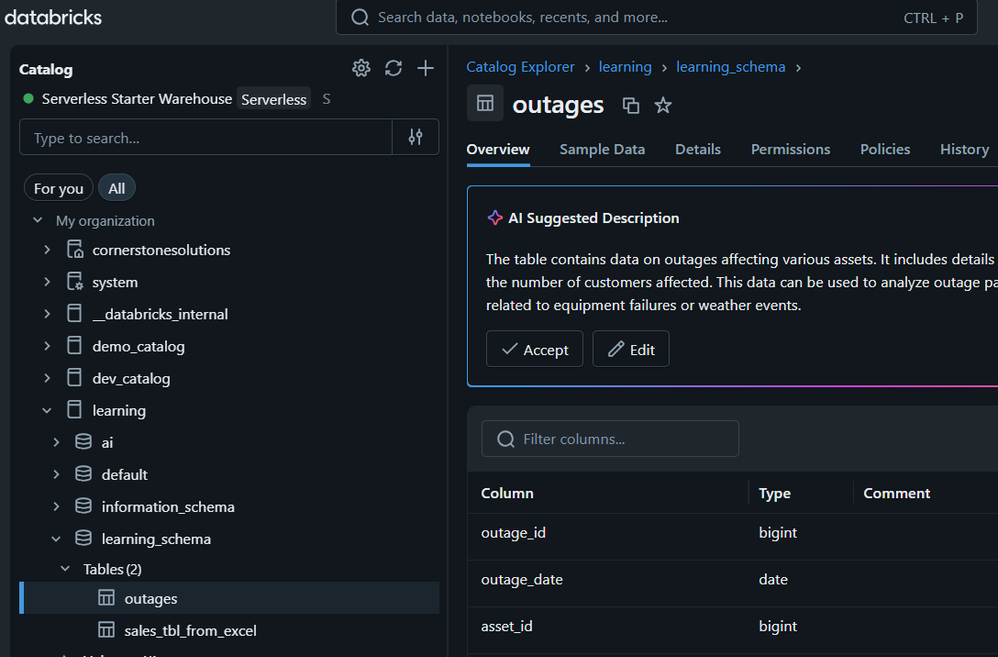
In the demonstration below, I created a new table named outages in the learning schema as seen below
I will drop the table and use the query below to list all dropped table within the learning schema
SHOW TABLES DROPPED IN learning_schema;
The show tables dropped is handy to trace tables dropped from a schema, useful for recovery purposes.
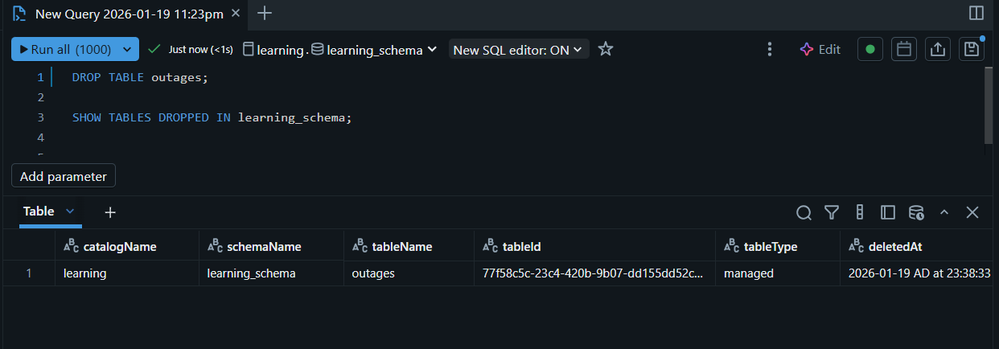
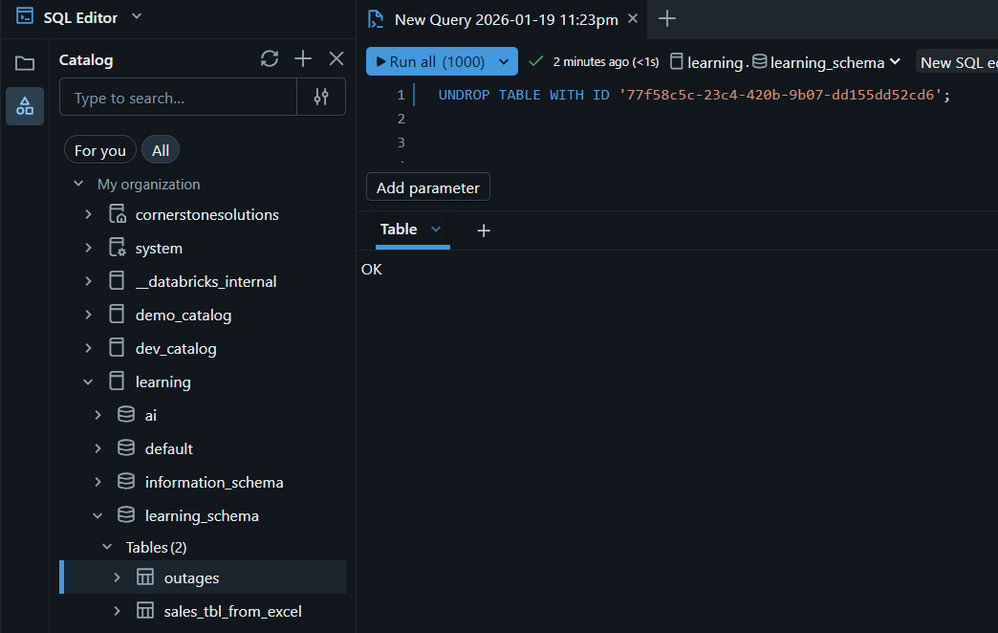
To recover the outages table using the tableId visible in the Show Tables Dropped Output and also in the URL, I executed the query below:
UNDROP TABLE WITH ID '77f58c5c-23c4-420b-9b07-dd155dd52cd6';
After refreshing the catalog, I can see the table is recovered successfully using tableId as seen below
This is especially useful in CI/CD pipelines or shared environments.
Required Permissions
To execute the UNDROP command, you must have one of the following:
OR
Permissions such as:
CREATE TABLE
USE SCHEMA
USE CATALOG
External Tables
For external tables, additional permission is required:
Limitations You Should Know
While UNDROP is powerful, it’s not magic.
Materialized View Limitations
Streaming Tables can only be restored if the backing pipeline still exists
Time Constraint: Recovery is only possible within 7 days


