How to Get Access to All-Purpose Compute Cluster While on Free Trial

- Mark as New
- Bookmark
- Subscribe
- Mute
- Subscribe to RSS Feed
- Permalink
- Report Inappropriate Content
04-28-2025 11:58 AM
Hi everyone,
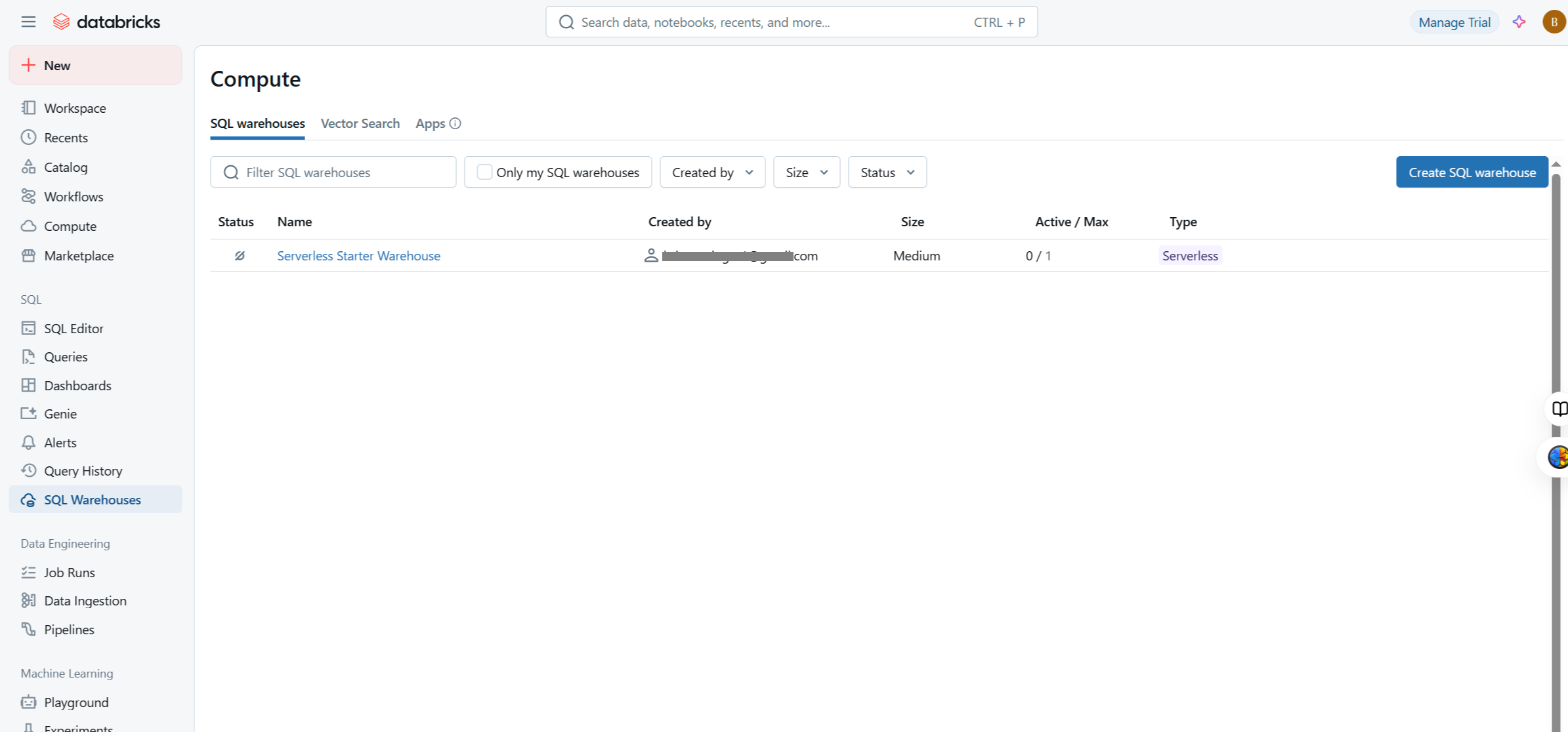
I signed up for the Databricks Community Edition free trial with the intention of testing a 3rd-party integration with Databricks. When trying to set up the integration, the account only showed the SQL Warehouses compute option, and not the all-purpose compute cluster. Is there is a way to access the all-purpose compute cluster as part of the free trial? If not, is there is a minimum paid tier that would provide that capability?
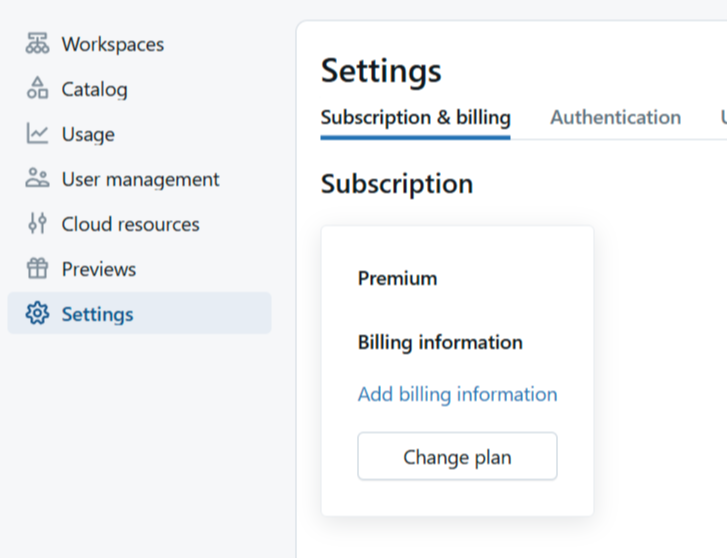
Please see the attached screenshots of the "Compute" tab in my account as well as the screenshot of my account tier info.
Thanks in advance,
GP

- Mark as New
- Bookmark
- Subscribe
- Mute
- Subscribe to RSS Feed
- Permalink
- Report Inappropriate Content
05-07-2025 09:28 AM
Hey greenPlatypus -
Free trials only offer serverless/SQL compute clusters (due to resource and cost controls). Standard or Premium tiers provide all-purpose compute clusters, and the Premium tier is recommended for full features and future proofing.
It is a bit confusing, but the Premium label in your subscription reflects the trial tier, not a paid subscription yet. Paid subscription + sufficient cloud quota are needed for all-purpose clusters.You can create all-purpose clusters after upgrading from free trial.

- Mark as New
- Bookmark
- Subscribe
- Mute
- Subscribe to RSS Feed
- Permalink
- Report Inappropriate Content
3 weeks ago
I am also having the same problem and How can Update from Serverless compute to Compute Cluster?