List files in Databricks Workspace with Databricks CLI

- Mark as New
- Bookmark
- Subscribe
- Mute
- Subscribe to RSS Feed
- Permalink
- Report Inappropriate Content
10-31-2024 01:40 PM
I want to list all files in my Workspace with the CLI
There's a command for it:
databricks fs ls dbfs:/When I run this, I get this result:
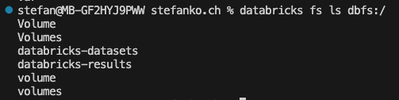
I can then list the content of databricks-datasets, but no other directory.
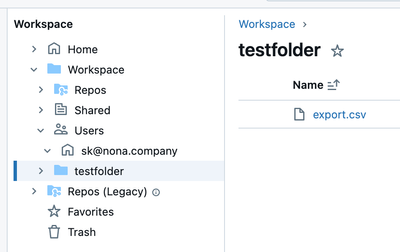
How can I list the content of the Workspace? Or how can I list as example this:

- Mark as New
- Bookmark
- Subscribe
- Mute
- Subscribe to RSS Feed
- Permalink
- Report Inappropriate Content
10-31-2024 02:53 PM - edited 10-31-2024 02:56 PM
Hello,
workspace files are not stored in the DBFS.
If you want to use the CLI :
first :
- Mark as New
- Bookmark
- Subscribe
- Mute
- Subscribe to RSS Feed
- Permalink
- Report Inappropriate Content
10-31-2024 09:27 PM
I know it's possible with Databricks SDK, but I want to solve it with the CLI on the Terminal.
