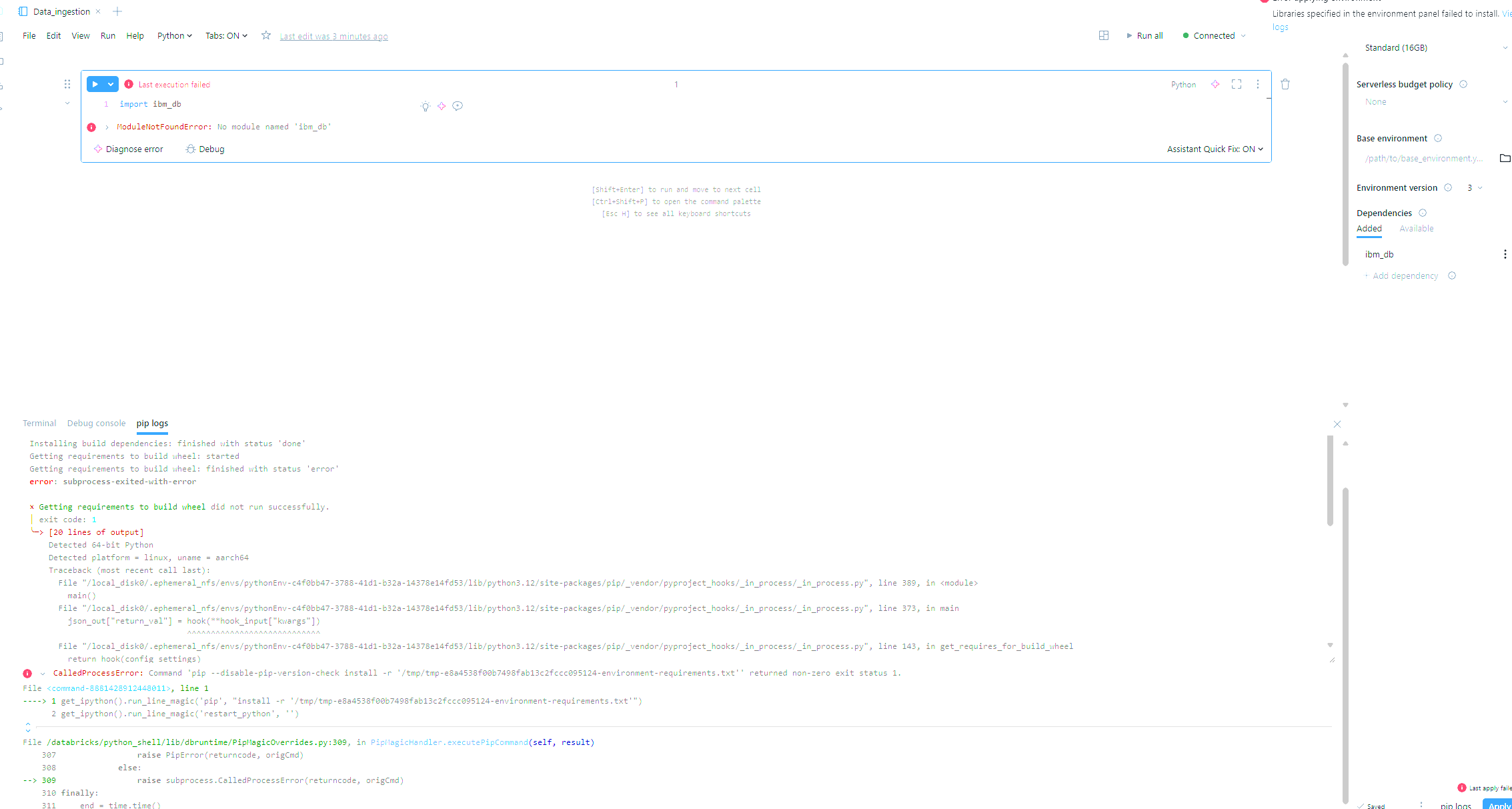
Error installing python dependencies

- Mark as New
- Bookmark
- Subscribe
- Mute
- Subscribe to RSS Feed
- Permalink
- Report Inappropriate Content
07-29-2025 02:14 PM
Hi guys! At first, I am sorry if my question is dumb but I am newbie to Databricks!
I am just starting and as I try to install ibm_db as a dependency for my python notebook, I get this error :
Collecting ibm_db (from -r /tmp/tmp-e8a4538f00b7498fab13c2fccc095124-environment-requirements.txt (line 1))
  Downloading ibm_db-3.2.6.tar.gz (262 kB)
  Installing build dependencies: started
  Installing build dependencies: finished with status 'done'
  Getting requirements to build wheel: started
  Getting requirements to build wheel: finished with status 'error'
  error: subprocess-exited-with-error

  × Getting requirements to build wheel did not run successfully.
  │ exit code: 1
  ╰─> [20 lines of output]
      Detected 64-bit Python
      Detected platform = linux, uname = aarch64
      Traceback (most recent call last):
        File "/local_disk0/.ephemeral_nfs/envs/pythonEnv-c4f0bb47-3788-41d1-b32a-14378e14fd53/lib/python3.12/site-packages/pip/_vendor/pyproject_hooks/_in_process/_in_process.py", line 389, in <module>
          main()
        File "/local_disk0/.ephemeral_nfs/envs/pythonEnv-c4f0bb47-3788-41d1-b32a-14378e14fd53/lib/python3.12/site-packages/pip/_vendor/pyproject_hooks/_in_process/_in_process.py", line 373, in main
          json_out["return_val"] = hook(**hook_input["kwargs"])
                                   ^^^^^^^^^^^^^^^^^^^^^^^^^^^^
        File "/local_disk0/.ephemeral_nfs/envs/pythonEnv-c4f0bb47-3788-41d1-b32a-14378e14fd53/lib/python3.12/site-packages/pip/_vendor/pyproject_hooks/_in_process/_in_process.py", line 143, in get_requires_for_build_wheel
          return hook(config_settings)
                 ^^^^^^^^^^^^^^^^^^^^^
        File "/usr/local/lib/python3.12/dist-packages/setuptools/build_meta.py", line 334, in get_requires_for_build_wheel
          return self._get_build_requires(config_settings, requirements=[])
                 ^^^^^^^^^^^^^^^^^^^^^^^^^^^^^^^^^^^^^^^^^^^^^^^^^^^^^^^^^^
        File "/usr/local/lib/python3.12/dist-packages/setuptools/build_meta.py", line 304, in _get_build_requires
          self.run_setup()
        File "/usr/local/lib/python3.12/dist-packages/setuptools/build_meta.py", line 320, in run_setup
          exec(code, locals())
        File "<string>", line 376, in <module>
      NameError: name 'arch_' is not defined
      [end of output]

  note: This error originates from a subprocess, and is likely not a problem with pip.
error: subprocess-exited-with-error

× Getting requirements to build wheel did not run successfully.
│ exit code: 1
╰─> See above for output.

note: This error originates from a subprocess, and is likely not a problem with pip.
CalledProcessError: Command 'pip --disable-pip-version-check install -r '/tmp/tmp-e8a4538f00b7498fab13c2fccc095124-environment-requirements.txt'' returned non-zero exit status 1.
File <command-8881428912448011>, line 1
----> 1 get_ipython().run_line_magic('pip', "install -r '/tmp/tmp-e8a4538f00b7498fab13c2fccc095124-environment-requirements.txt'")
      2 get_ipython().run_line_magic('restart_python', '')
File /databricks/python_shell/lib/dbruntime/PipMagicOverrides.py:309, in PipMagicHandler.executePipCommand(self, result)
    307                 raise PipError(returncode, origCmd)
    308             else:
--> 309                 raise subprocess.CalledProcessError(returncode, origCmd)
    310 finally:
    311     end = time.time()
- Mark as New
- Bookmark
- Subscribe
- Mute
- Subscribe to RSS Feed
- Permalink
- Report Inappropriate Content
07-30-2025 07:37 AM
Hi @FRB1984 ,
It looks like the ibm_db package doesn’t support the Python version currently used in your Databricks environment.
Instead of relying on ibm_db, you can use Spark’s JDBC connector with the IBM DB2 JDBC driver for a more stable and supported way to connect to DB2 from Databricks.
You can refer to this related post for setup guidance: https://community.databricks.com/t5/data-engineering/db2-jdbc-connection-from-databricks-cluster/m-p...