- Mark as New
- Bookmark
- Subscribe
- Mute
- Subscribe to RSS Feed
- Permalink
- Report Inappropriate Content
04-26-2026 04:44 PM
I built Databricks Cost Observability — a full-stack observability dashboard
that runs natively as a Databricks App and reads directly from system tables.
No data leaves your workspace, no external BI tools needed.
What it covers across 11 tabs:
• Executive spend KPIs + AI_FORECAST() contract-year projection
• ML-powered anomaly detection (Isolation Forest) with cost impact
• Compute right-sizing — clusters, warehouses, DBR version sprawl
• Per-user query attribution with 30/60/90-day cost breakdown
• AI Gateway token usage by model (GPT-4, Claude, Mixtral, LLaMA, DBRX)
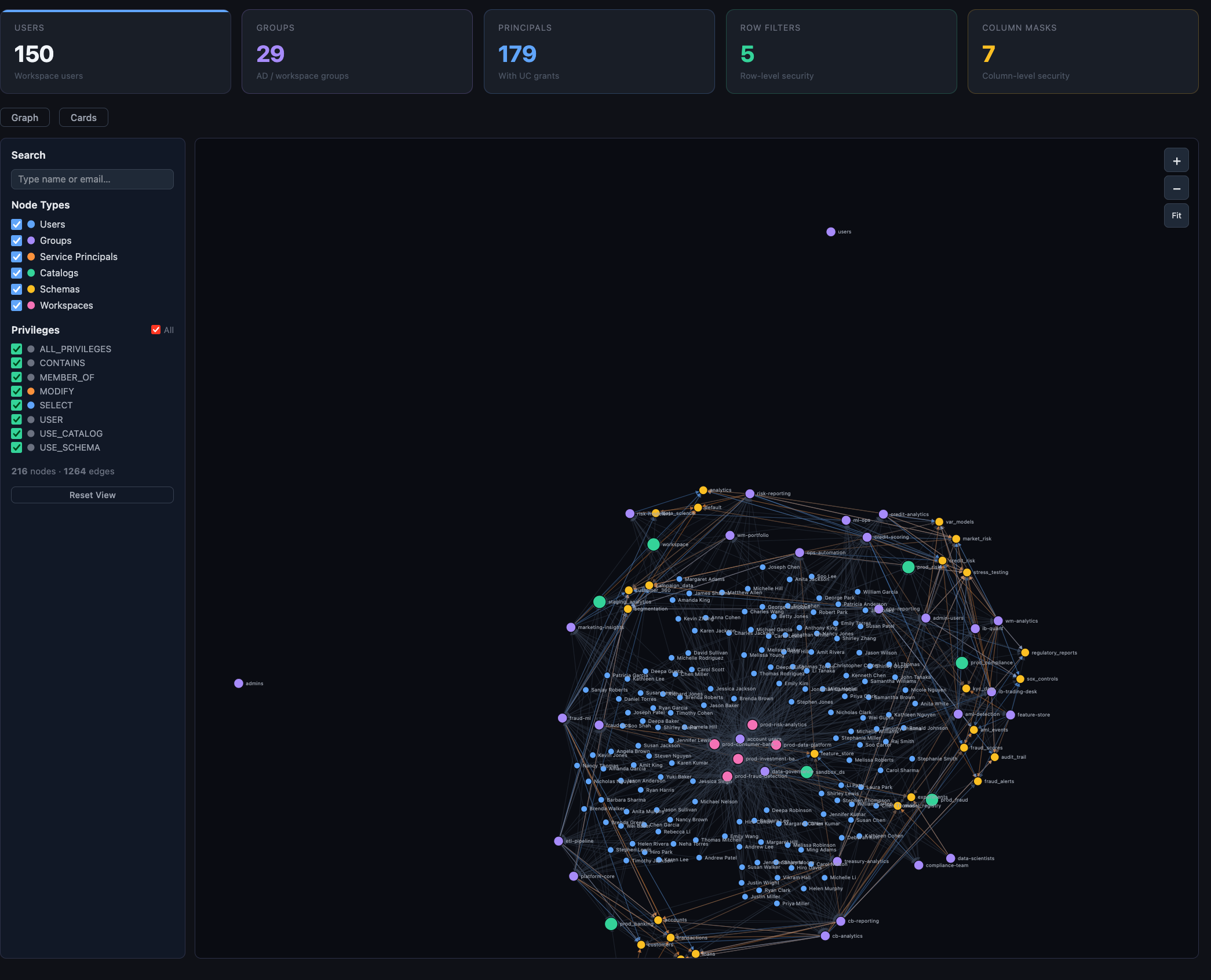
• Unity Catalog permission graph (interactive — users, groups, SPs, catalogs)
• Job SLA tracking — success rates, failure trends, DLT pipeline health
• Data lineage (bronze→silver→gold), MLflow, model registry
Works on free-tier workspaces via MOCK_MODE — no system table access needed.
Deploys in one git push via GitHub Actions + Databricks Asset Bundle.
GitHub: https://github.com/vijayakunuri1/databricks-cost-observability
Would love feedback — especially from AWS/GCP/Azure users. Happy to take feature
requests via GitHub Issues.
- Labels:
-
Partner

- Mark as New
- Bookmark
- Subscribe
- Mute
- Subscribe to RSS Feed
- Permalink
- Report Inappropriate Content
04-29-2026 04:30 PM
That is really good, would be better to get platform cost in it as well, like Azure costing for subscription triggered using cost api and saved to databricks tables.
- Mark as New
- Bookmark
- Subscribe
- Mute
- Subscribe to RSS Feed
- Permalink
- Report Inappropriate Content
04-29-2026 09:21 PM

- Mark as New
- Bookmark
- Subscribe
- Mute
- Subscribe to RSS Feed
- Permalink
- Report Inappropriate Content
04-29-2026 06:40 PM
The main tradeoff: Azure Cost Management API has a 1-2 day lag, so the data is never truly real-time, but that's fine for a cost observability use case. We can have a ingestion notebook would run daily to get those cost ingested.
Azure Cost Management → Databricks tables → Dashboard tab