How/where can I see a list of my dbfs files?

- Mark as New
- Bookmark
- Subscribe
- Mute
- Subscribe to RSS Feed
- Permalink
- Report Inappropriate Content
05-29-2022 04:32 PM
When using the Community Edition, I'm trying to find a place in the UI where I can browse the files that I've uploaded to dbfs. How/where can I do that? When I try to view them from the Data sidebar I see nothing, yet I know they're there, as if I use a %fs cell and do an ls I can see them. (And I can read them into dataframes, etc.) Help? Thx! (BTW, it's kind of annoying IMO that they are silently versioned with -1, -2, etc. name changes. My wish would be for a "replace" option when uploading.)
- Labels:
-
Community Edition
-
DBFS FileStore

- Mark as New
- Bookmark
- Subscribe
- Mute
- Subscribe to RSS Feed
- Permalink
- Report Inappropriate Content
05-30-2022 04:18 AM
@Michael Carey, The only UI I am aware of is the one in the sidebar (Data -> DBFS).
Where do you store your files? In FileStore?
- Mark as New
- Bookmark
- Subscribe
- Mute
- Subscribe to RSS Feed
- Permalink
- Report Inappropriate Content
05-30-2022 09:46 AM
Thanks! I'm in the community edition so I didn't realize that some things like that would be disabled but enable-able. Found it and enabled it.
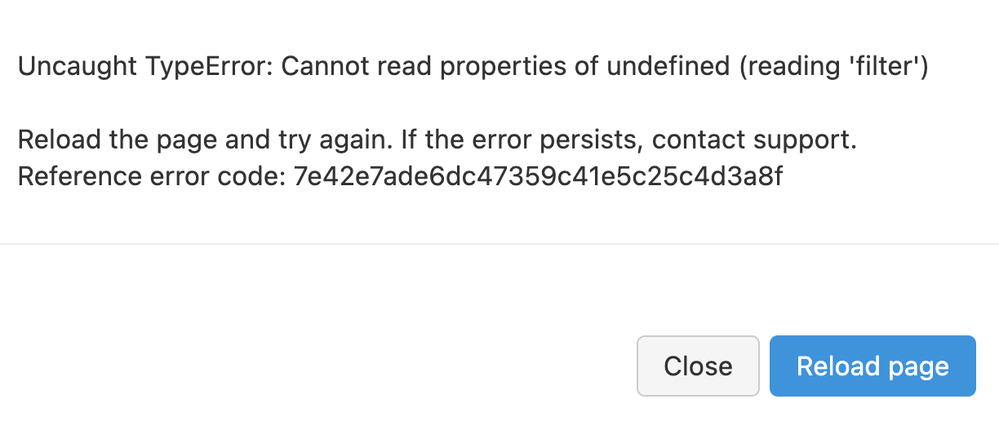
BUT NOW - I am getting (for the last 24 hours or so, independent of having enabled this) the following persistent error. Suggestions? I get this when I click on the Data browser icon on the left pane which should now be enabled.
- Mark as New
- Bookmark
- Subscribe
- Mute
- Subscribe to RSS Feed
- Permalink
- Report Inappropriate Content
05-30-2022 09:51 AM
UPDATE: Tried clearing browser history and cached stuff; no change. Tried restarting Chrome, bingo. It's working now and I can browse my data files. Thx!
SUGGESTION: Enable this by default for community edition users since we are always going to be the only user and an admin user. 🙂
- Mark as New
- Bookmark
- Subscribe
- Mute
- Subscribe to RSS Feed
- Permalink
- Report Inappropriate Content
05-30-2022 10:00 AM
FURTHER UPDATE: I am intermittently getting that persistent error - it's definitely a bug of some sort and I need to know how to make it disappear.

- Mark as New
- Bookmark
- Subscribe
- Mute
- Subscribe to RSS Feed
- Permalink
- Report Inappropriate Content
11-06-2024 02:09 AM - edited 11-06-2024 02:17 AM
1. Enable it from the settings->advanced-> dbfs browser
2. Refresh the page
3. You can browse by clicking Catalog->Browse DBFS


- Mark as New
- Bookmark
- Subscribe
- Mute
- Subscribe to RSS Feed
- Permalink
- Report Inappropriate Content
05-01-2025 08:06 AM
This is helpful.After enabling i can able to see it.

