- Mark as New
- Bookmark
- Subscribe
- Mute
- Subscribe to RSS Feed
- Permalink
- Report Inappropriate Content
11-14-2022 11:48 AM
I have looked everywhere but I am unable to find the option but doing the training indicates I need to do this to create a pipeline.
I must be missing something obvious as I am new to this
Thanks
Steve
- Labels:
-
Azure

- Mark as New
- Bookmark
- Subscribe
- Mute
- Subscribe to RSS Feed
- Permalink
- Report Inappropriate Content
11-14-2022 11:52 AM
Hi @Stephen Robinson ,
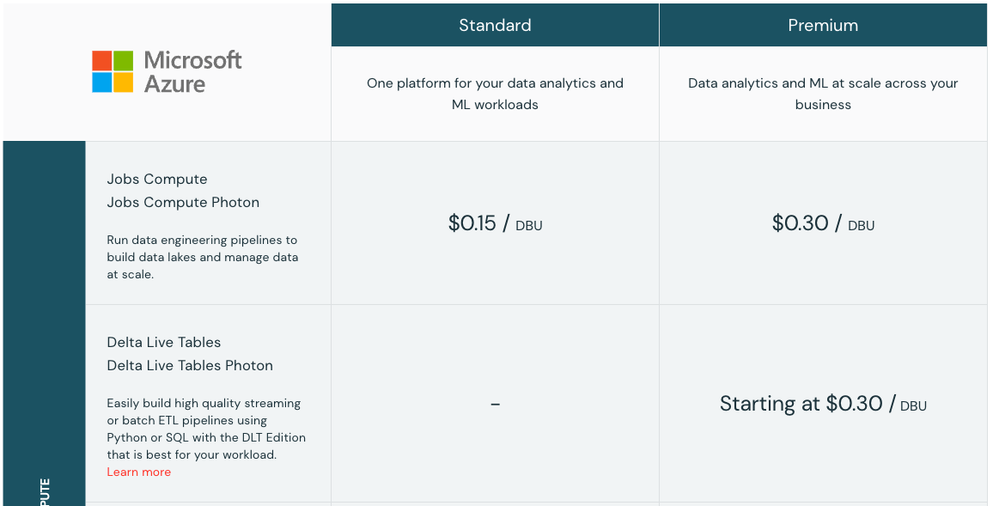
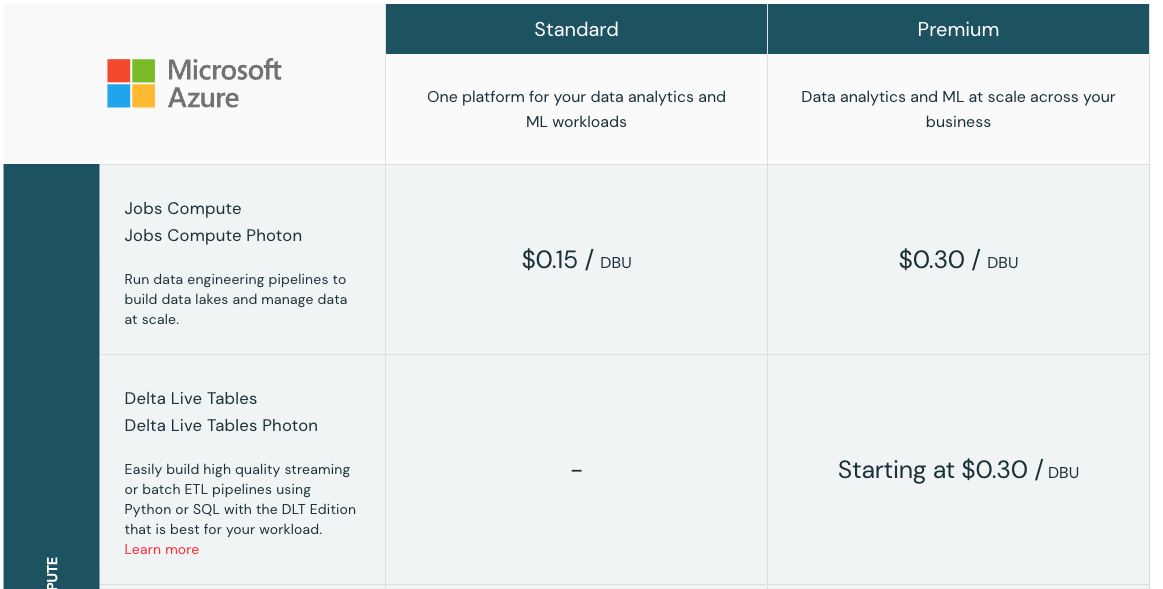
What Databricks plan are you using? Right now Delta Live Tables is only available on the Premium plan which may be why you can't see the tab
- Mark as New
- Bookmark
- Subscribe
- Mute
- Subscribe to RSS Feed
- Permalink
- Report Inappropriate Content
11-20-2022 11:55 PM
thank you for this - really appreciate you taking the time to respond. I will give it a go

- Mark as New
- Bookmark
- Subscribe
- Mute
- Subscribe to RSS Feed
- Permalink
- Report Inappropriate Content
11-14-2022 11:02 PM
Delta Live Tables (DLT) is the first ETL framework that uses a simple declarative approach to building reliable data pipelines and automatically managing your infrastructure at scale so data analysts and engineers can spend less time on tooling and focus on getting value from data. With DLT, engineers are able to treat their data as code and apply modern software engineering best practices like testing, error handling, monitoring and documentation to deploy reliable pipelines at scale.
Delta live tables is a Databricks Premium feature so it is only available in a premium workspace.
This picture capture found from there https://www.databricks.com/product/azure-pricing