- Mark as New
- Bookmark
- Subscribe
- Mute
- Subscribe to RSS Feed
- Permalink
- Report Inappropriate Content
03-08-2022 09:02 AM
I am trying to import some data from a public repo in GitHub so that to use it from my Databricks notebooks.
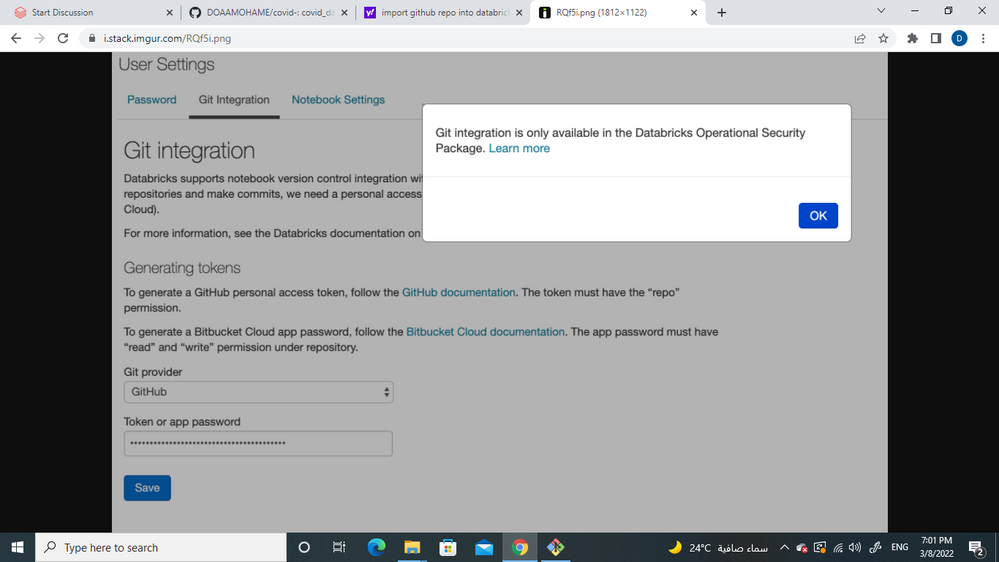
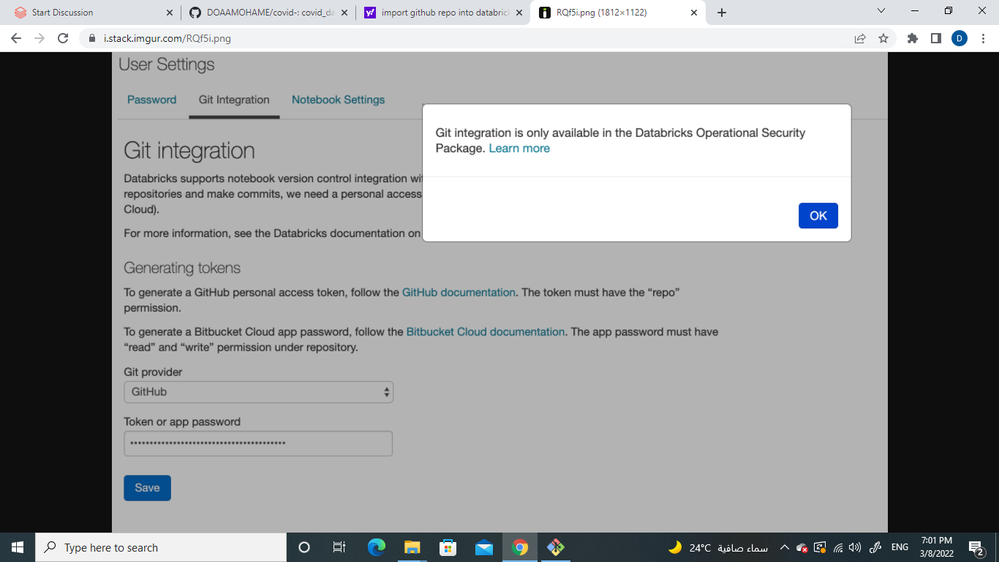
So far I tried to connect my Databricks account with my GitHub as described here, without results though since it seems that GitHub support comes with some non-community licensing. I get the following message when I try to set the GitHub token which is required for the GitHub integration
- Labels:
-
Databricks Notebooks

- Mark as New
- Bookmark
- Subscribe
- Mute
- Subscribe to RSS Feed
- Permalink
- Report Inappropriate Content
03-08-2022 09:36 AM
I recommend to enable Repos and in left menu in Repos just add your gitHub repo.
My blog: https://databrickster.medium.com/
- Mark as New
- Bookmark
- Subscribe
- Mute
- Subscribe to RSS Feed
- Permalink
- Report Inappropriate Content
03-08-2022 10:46 AM
thank you, but I would ask you enable repo on databriks
- Mark as New
- Bookmark
- Subscribe
- Mute
- Subscribe to RSS Feed
- Permalink
- Report Inappropriate Content
03-08-2022 11:28 AM
Here is manual how to enable it https://docs.databricks.com/repos/index.html
My blog: https://databrickster.medium.com/
- Mark as New
- Bookmark
- Subscribe
- Mute
- Subscribe to RSS Feed
- Permalink
- Report Inappropriate Content
03-09-2022 11:30 AM
thanks, but repo doesn't available on databriks, so I try to use cli databriks but I install it on shell but give me this databriks not recognize, if you help me please

- Mark as New
- Bookmark
- Subscribe
- Mute
- Subscribe to RSS Feed
- Permalink
- Report Inappropriate Content
03-11-2022 01:05 AM
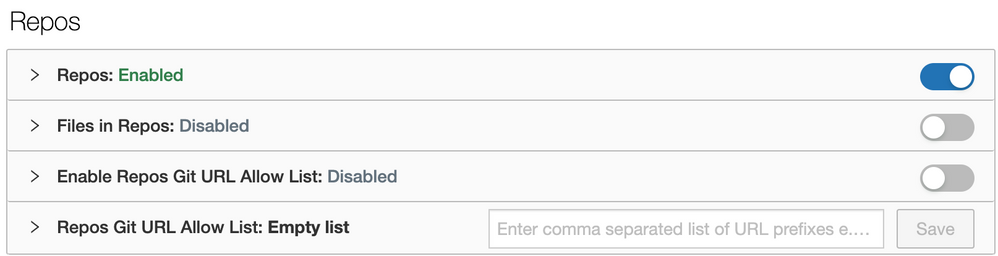
Hi @Doaa MohamedRashad , To access this setting, you must be an Admin.
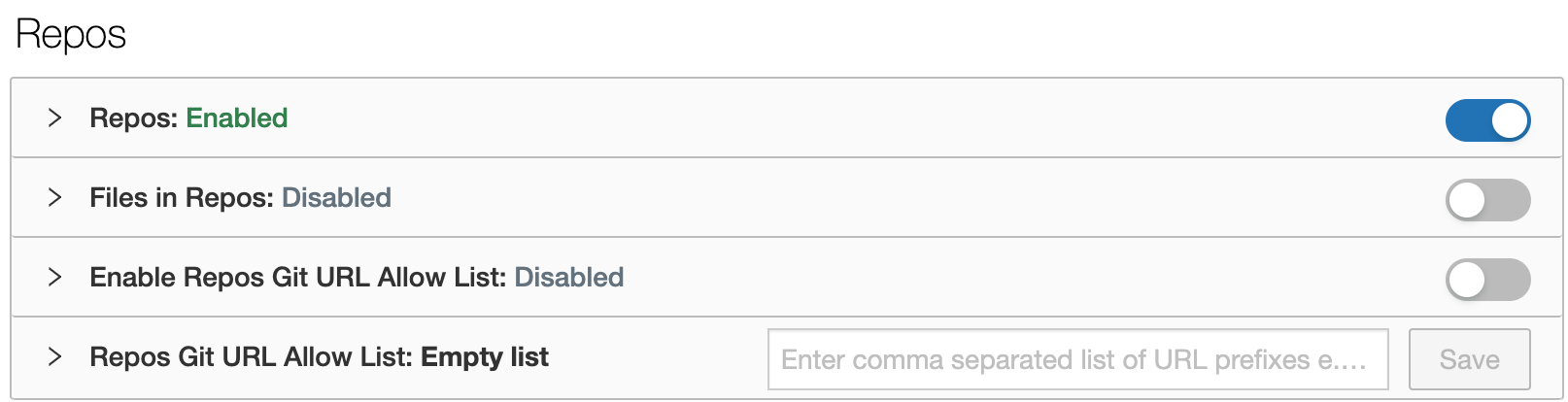
Please check if you have 'Repos' enabled in the Admin Console --> Workspace settings--> Repos.
- Mark as New
- Bookmark
- Subscribe
- Mute
- Subscribe to RSS Feed
- Permalink
- Report Inappropriate Content
03-12-2022 12:57 PM
@Kavya Manohar Parag , yes, it enable I try to upload code from Databricks on GitHub can you help me please?

- Mark as New
- Bookmark
- Subscribe
- Mute
- Subscribe to RSS Feed
- Permalink
- Report Inappropriate Content
05-17-2022 10:36 AM
Hi @Doaa MohamedRashad,
Just a friendly follow-up. Do you still need help or any of the responses help you to resolve your issue? Please let us know