- Mark as New
- Bookmark
- Subscribe
- Mute
- Subscribe to RSS Feed
- Permalink
- Report Inappropriate Content
10-01-2022 03:06 AM
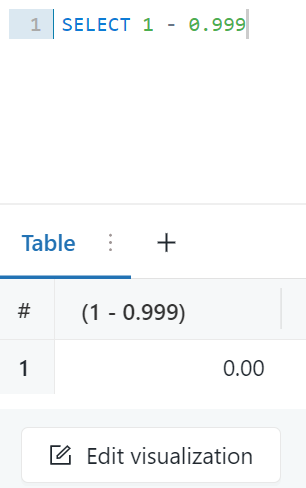
In SQL editor (inside SQL experience), executing expressions 1 – 0.999 gives the result 0.
My blog: https://databrickster.medium.com/
- Labels:
-
Databricks SQL
-
SQL
- Mark as New
- Bookmark
- Subscribe
- Mute
- Subscribe to RSS Feed
- Permalink
- Report Inappropriate Content
10-01-2022 03:10 AM
The incorrect result is because of default rounding to format 0.00. We can implement the below solution to solve the problem. It must be applied to every individual query.
Option 1: Edit Visualisation
After clicking Edit visualization, we can change the default Number format to 0.000

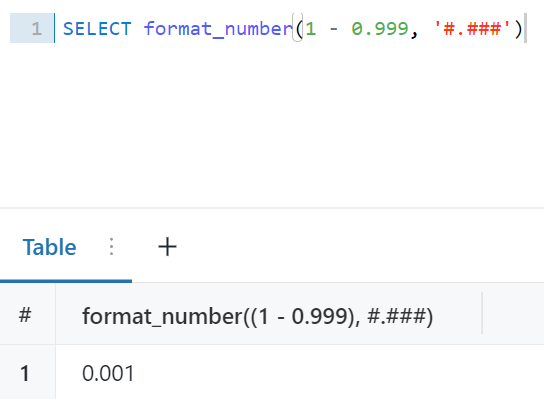
We can use the format_number function to override the default rounding format.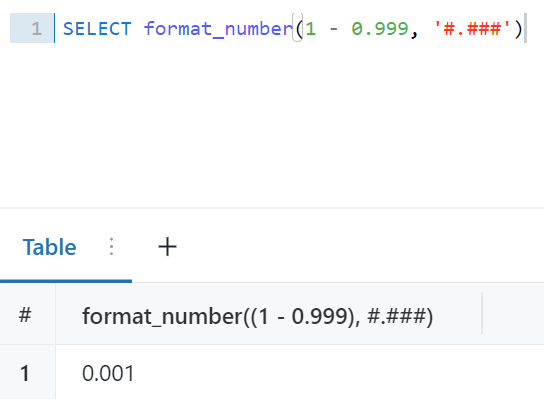
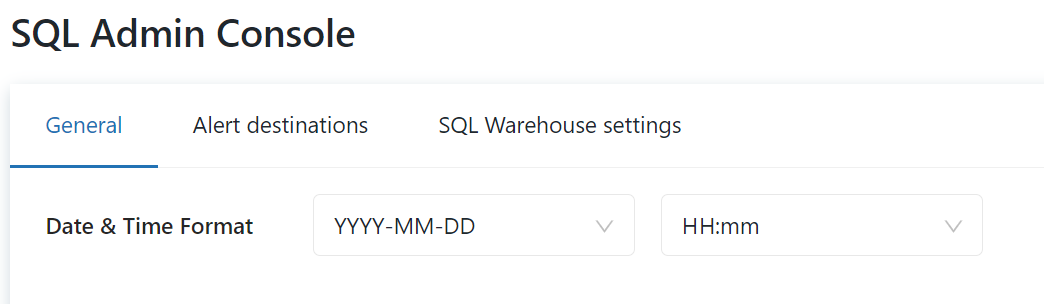
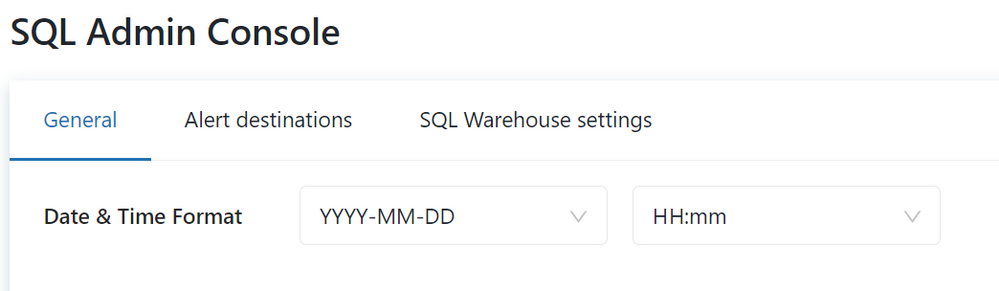
Setting the default format for numbers in SQL Editor should be possible. Currently, when we go to “SQL Admin Console”, there is only the possibility to change the default date & time format.
@Lindsay Olson @Prabakar Ammeappin @Werner Stinckens @Jose Gonzalez , please pass it on as feedback if possible.
My blog: https://databrickster.medium.com/

- Mark as New
- Bookmark
- Subscribe
- Mute
- Subscribe to RSS Feed
- Permalink
- Report Inappropriate Content
10-01-2022 03:15 AM
- Mark as New
- Bookmark
- Subscribe
- Mute
- Subscribe to RSS Feed
- Permalink
- Report Inappropriate Content
10-02-2022 11:39 AM
Thank you @Prabakar Ammeappin
My blog: https://databrickster.medium.com/

- Mark as New
- Bookmark
- Subscribe
- Mute
- Subscribe to RSS Feed
- Permalink
- Report Inappropriate Content
10-04-2022 12:24 AM
Nice find