- Mark as New
- Bookmark
- Subscribe
- Mute
- Subscribe to RSS Feed
- Permalink
- Report Inappropriate Content
04-12-2023 08:04 AM
I am following the documentation on query parameters (https://docs.databricks.com/sql/user/queries/query-parameters.html) and it's not working for me. I can't get a parameter inserted at the text caret and I can't get cmd + p to work. I've changed spacing around the curly braces, I've added and removed single quotations. I've tried iterations of ctrl + shift + p, ctrl + tab + p, ctrl + alt + p, etc to get the parameter dialogue to pop up.
Here's my text as it stands now:
select EOWinventory, Monday_Date
from snapshot.weekly_inventory_status
where Monday_Date = '{{projection_date}}'
Does anyone have best practices?
- Labels:
-
Databricks SQL
-
Query Parameters
-
SQL

- Mark as New
- Bookmark
- Subscribe
- Mute
- Subscribe to RSS Feed
- Permalink
- Report Inappropriate Content
04-14-2023 12:04 AM
I think you can try this.
Please try adding a space between the Curly brackets "{ { param_name } } "
- Mark as New
- Bookmark
- Subscribe
- Mute
- Subscribe to RSS Feed
- Permalink
- Report Inappropriate Content
04-14-2023 12:04 AM
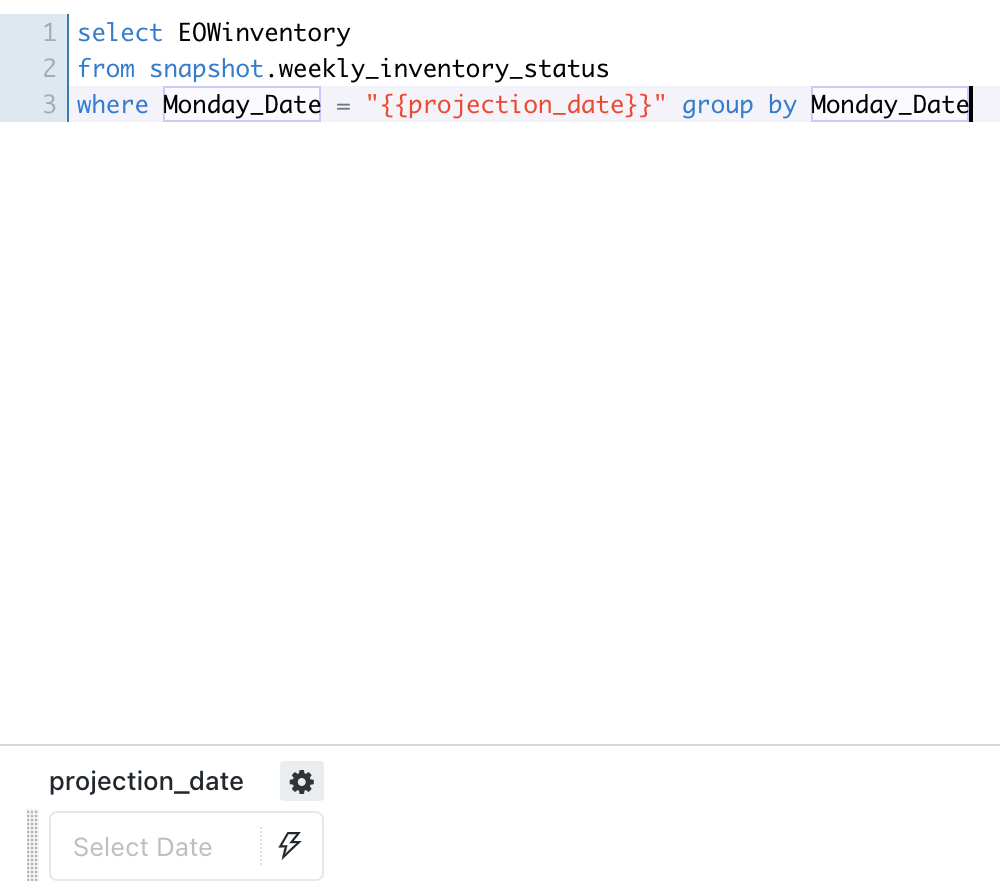
- select EOWinventory
- from snapshot.weekly_inventory_status
- where Monday_Date = '{{projection_date}}' group by Monday_Date
Can you try this

- Mark as New
- Bookmark
- Subscribe
- Mute
- Subscribe to RSS Feed
- Permalink
- Report Inappropriate Content
04-14-2023 12:29 AM
Hello @Anne Walter ,
Are you calling this from the sql query editor or a workflow?
Thanks & Regards,
Nandini
- Mark as New
- Bookmark
- Subscribe
- Mute
- Subscribe to RSS Feed
- Permalink
- Report Inappropriate Content
04-18-2023 09:02 AM
This was the issue! I wasn't calling it from the sql editor. Thank you!
- Mark as New
- Bookmark
- Subscribe
- Mute
- Subscribe to RSS Feed
- Permalink
- Report Inappropriate Content
04-14-2023 12:40 AM
You do have to put a space between the brackets on either side of the parameter and it should work
{{ schema_name }}
SELECT * FROM {{ schema_table_name }}
Databricks requires that you wrap date and time values in single quotes (')
SELECT *
FROM usage_logs
WHERE date = '{{ date_param }}'
- Mark as New
- Bookmark
- Subscribe
- Mute
- Subscribe to RSS Feed
- Permalink
- Report Inappropriate Content
04-14-2023 03:54 AM
Hello @User16756723392331126896 (Customer) ,
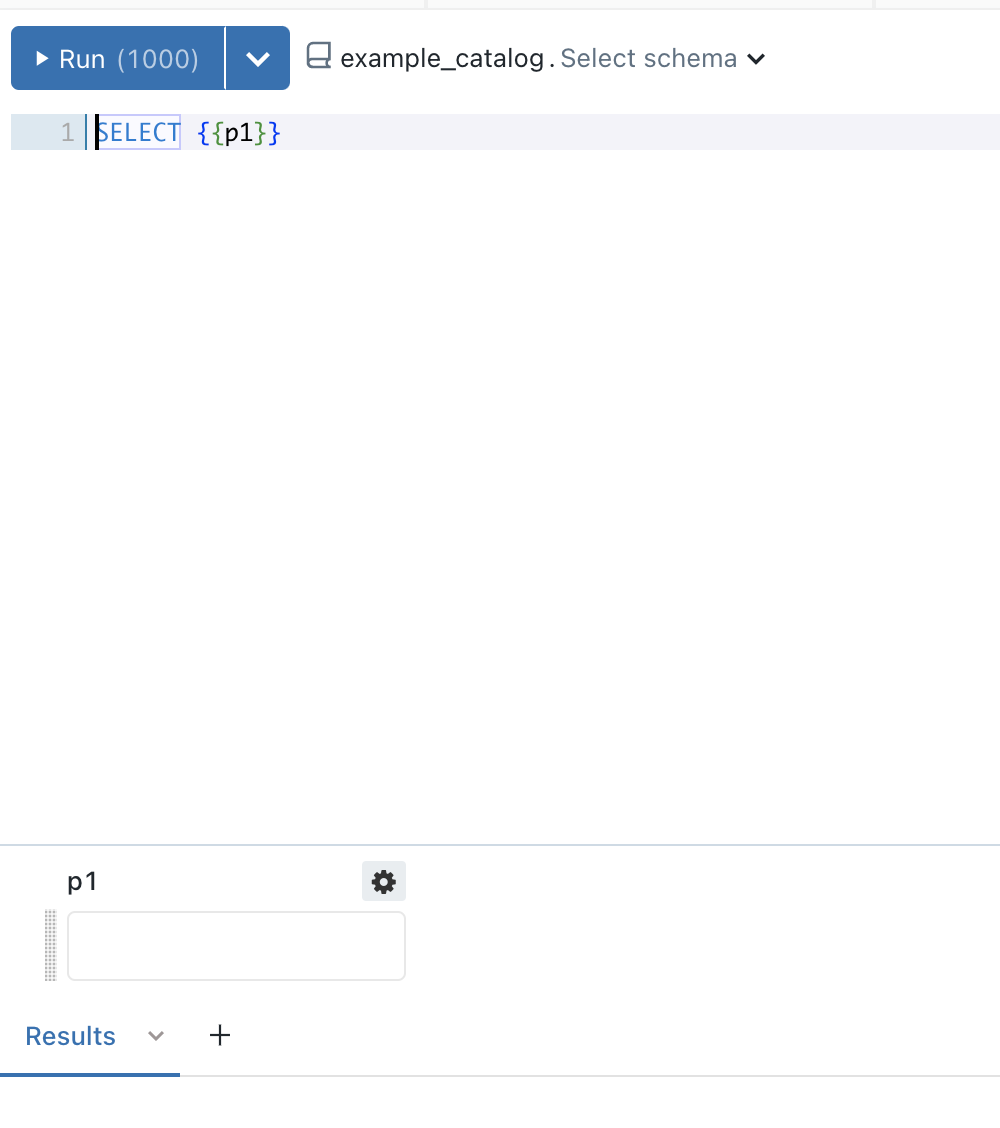
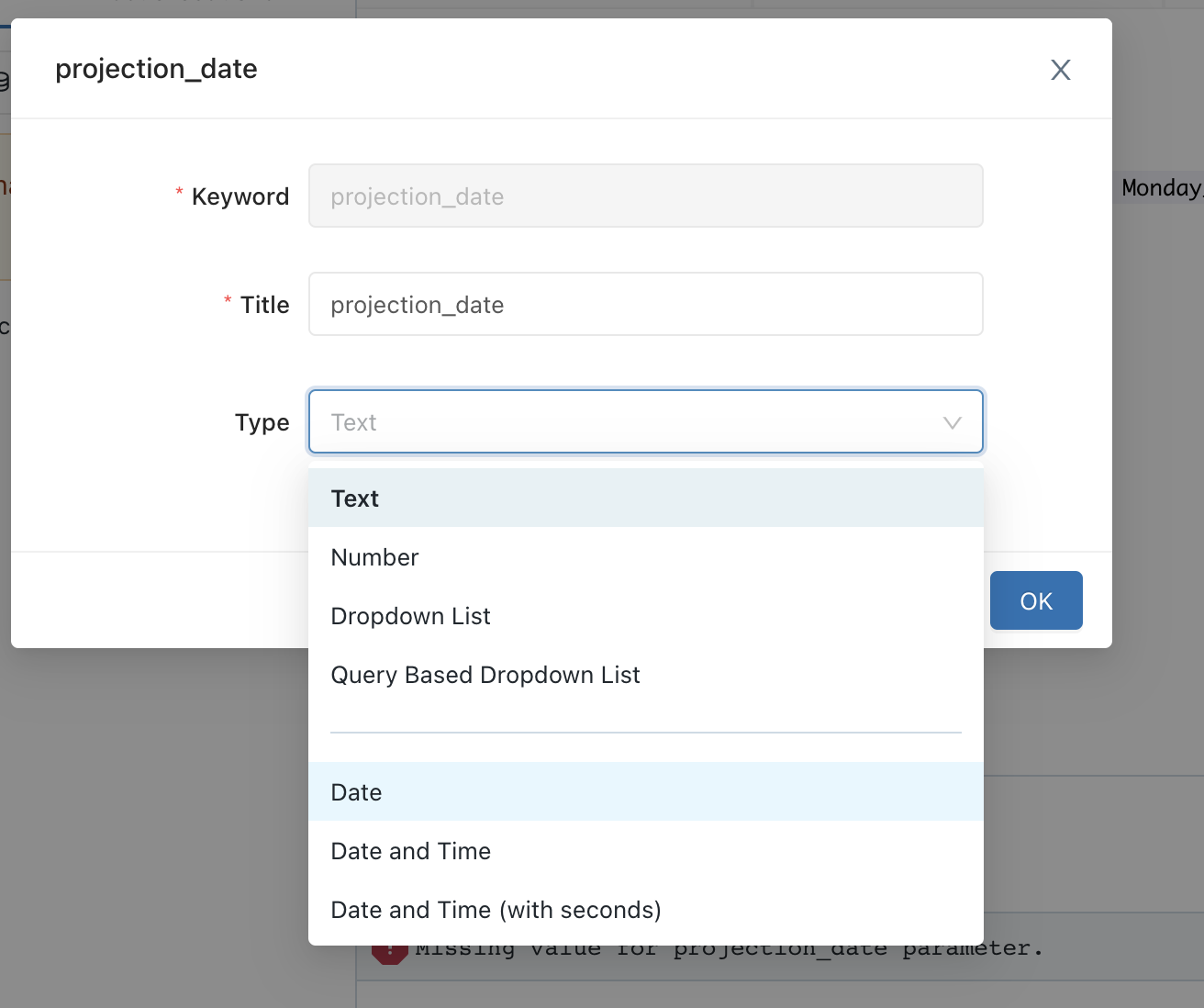
I tried this out, I was able to get the text query parameter by default which I changed to date by clicking on the gear button.
Here are a few things -
In mac I typed Control + P (not Command + P)
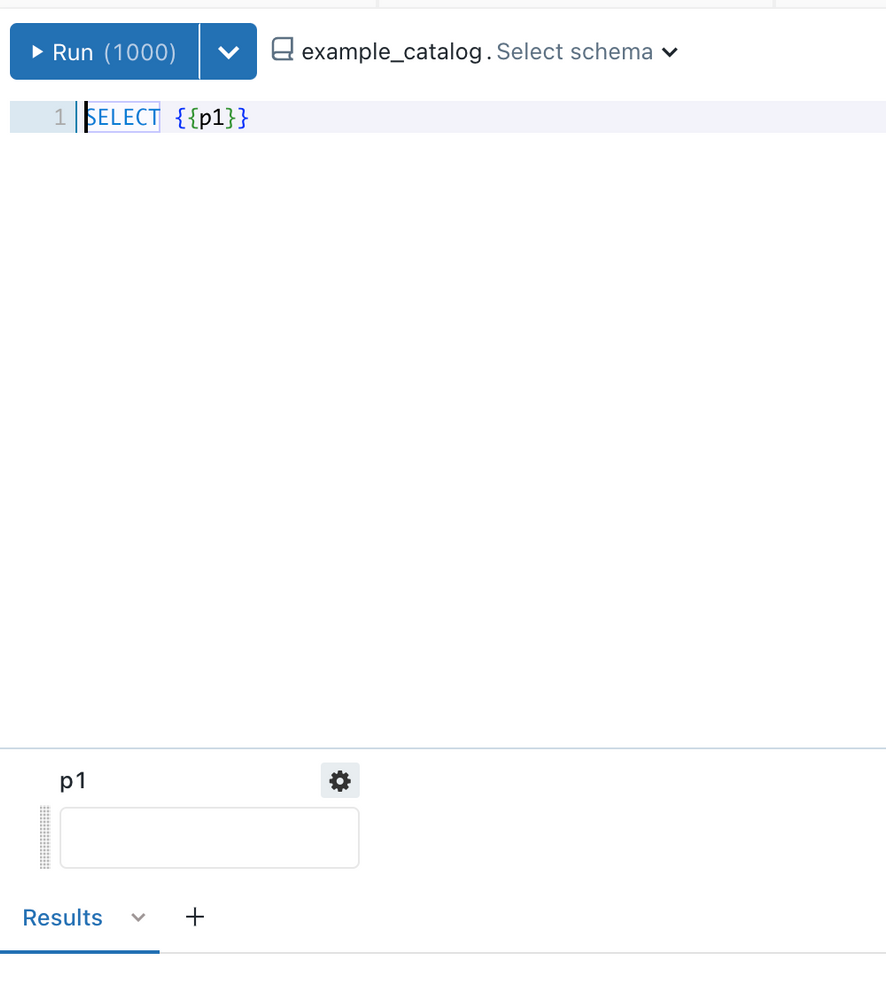
When I tried your query, it actually still did not give me a date parameter, but it was text, I clicked on the gear button and changed it to date from drop down.
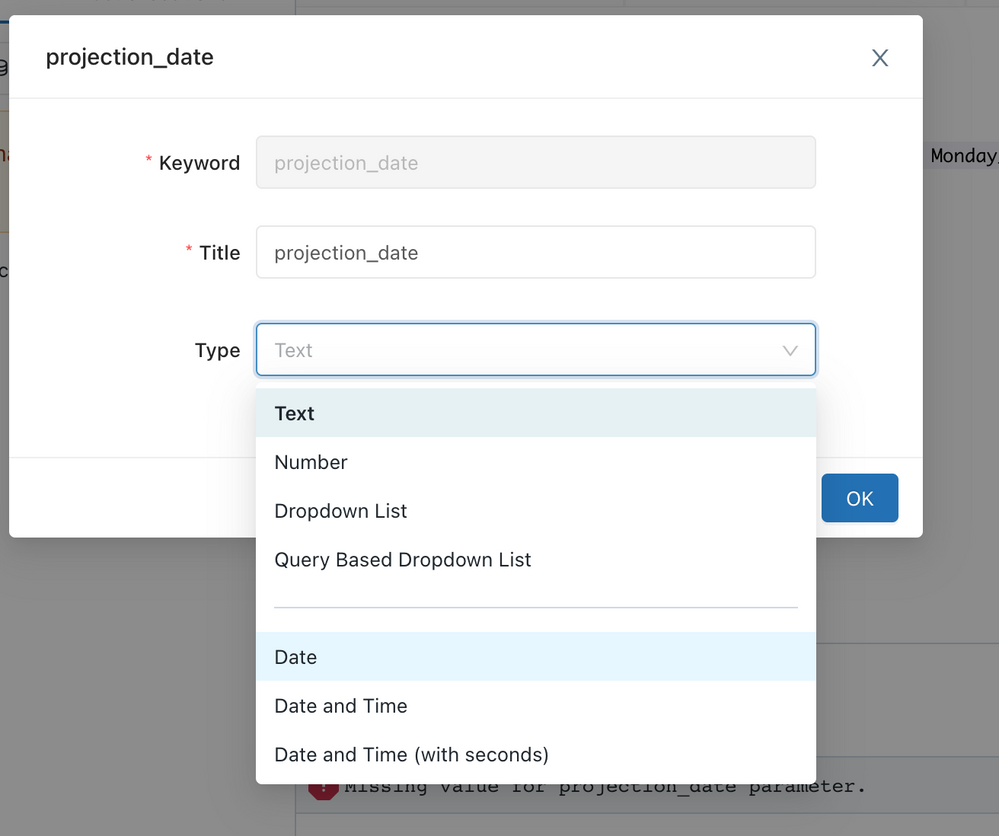
Using double quotes seems to have solved it.
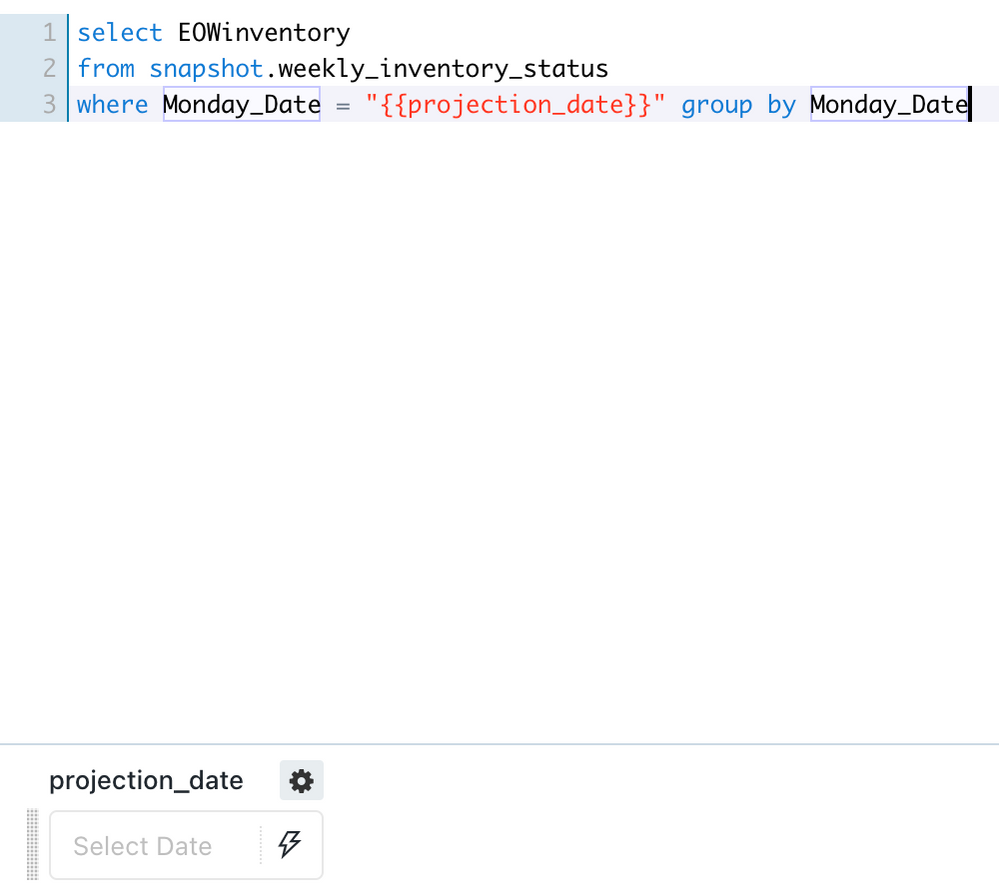
I know the document needs update and I will get that going but I hope this helps.
In case it does, please select it as the answer that resolved your issue and let me know if you still face any issue.
Thanks &. Regards,
Nandini

- Mark as New
- Bookmark
- Subscribe
- Mute
- Subscribe to RSS Feed
- Permalink
- Report Inappropriate Content
04-14-2023 04:09 AM
- Mark as New
- Bookmark
- Subscribe
- Mute
- Subscribe to RSS Feed
- Permalink
- Report Inappropriate Content
04-14-2023 10:13 AM
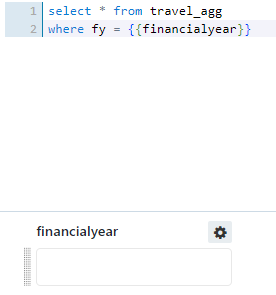
Correct, that was an older workaround, which is now fixed in the later versions, sorry about that.
@Brian Labrom if my answer helps, it would be great if you could upvote it or mark is at Best answer to close the loop.