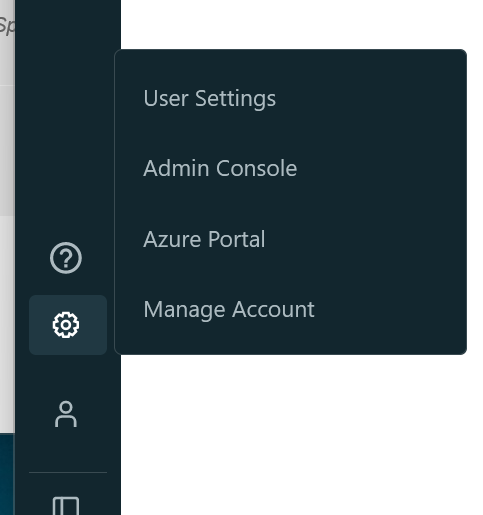
Where did the settings button move to - where is the admin console?

- Mark as New
- Bookmark
- Subscribe
- Mute
- Subscribe to RSS Feed
- Permalink
- Report Inappropriate Content
09-21-2022 06:39 AM
I'm new to databricks and the gui just changed and I am trying to find answers in the release notes but can't find what I'm looking for
- Labels:
-
Console

- Mark as New
- Bookmark
- Subscribe
- Mute
- Subscribe to RSS Feed
- Permalink
- Report Inappropriate Content
09-21-2022 10:40 AM
- Mark as New
- Bookmark
- Subscribe
- Mute
- Subscribe to RSS Feed
- Permalink
- Report Inappropriate Content
09-21-2022 10:53 AM
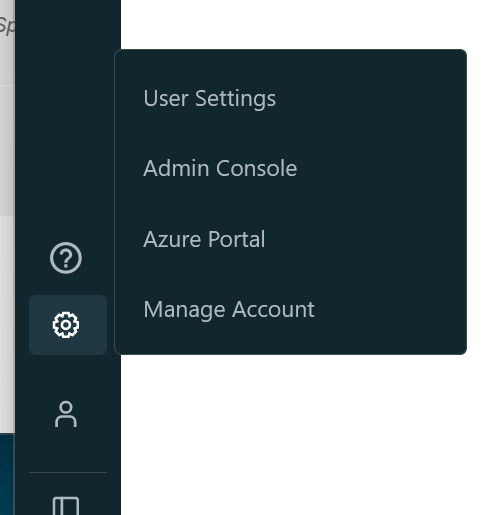
Oh no - Maybe I lost my administrator role. I presume someone else would need to set that up for me now? or is there a way I can re-add myself. I elevated my access in Privileged Identity Management to Owner on the subscription but that didn't change anything on the databricks side.
- Mark as New
- Bookmark
- Subscribe
- Mute
- Subscribe to RSS Feed
- Permalink
- Report Inappropriate Content
09-21-2022 11:06 AM
It is a role inside databricks "Azure Databricks account admins" or "Azure Databricks workspace admins" which can make someone admin https://learn.microsoft.com/en-us/azure/databricks/administration-guide/ I think that there needs to be at least 1 admin.
My blog: https://databrickster.medium.com/
- Mark as New
- Bookmark
- Subscribe
- Mute
- Subscribe to RSS Feed
- Permalink
- Report Inappropriate Content
09-21-2022 11:48 AM
I have found the Administrator Console. It is in the top right under my name. My ui is different.
Thanks community for your support. I am a junior on this product.