How Install Pyrfc into AWS Databrick using Volumes

- Mark as New
- Bookmark
- Subscribe
- Mute
- Subscribe to RSS Feed
- Permalink
- Report Inappropriate Content
10-21-2024 12:05 PM
I'm trying to install Pyrfc in a Databricks Cluster (already tried in r5.xlarge, m5.xlarge, and c6gd.xlarge). I'm following these link.
But I am still having problems installing Pyrfc
Set environment variables in cluster sets, and put an init script in cluster.
- Mark as New
- Bookmark
- Subscribe
- Mute
- Subscribe to RSS Feed
- Permalink
- Report Inappropriate Content
10-21-2024 12:26 PM
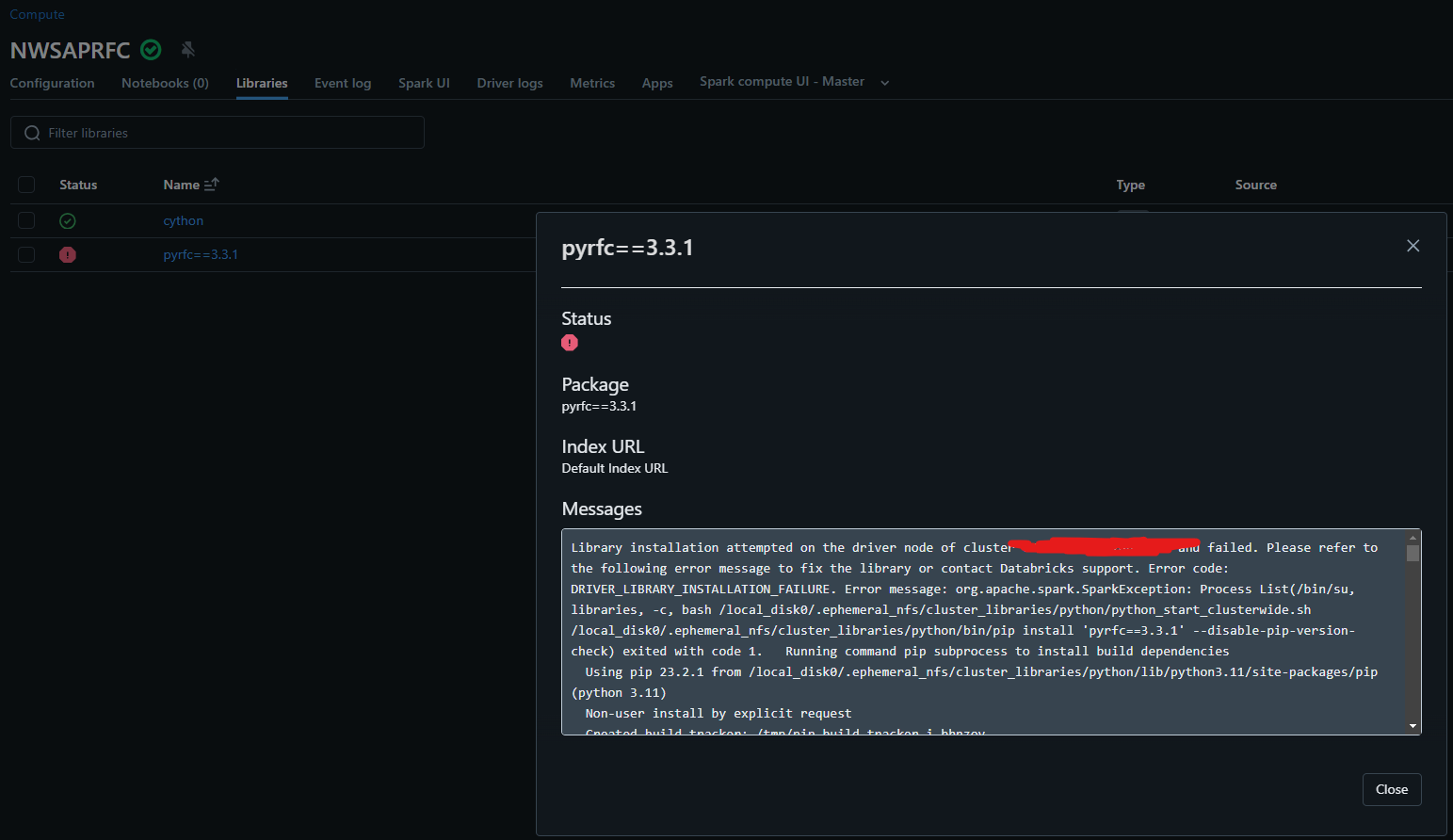
More details about the error
Library installation attempted on the driver node of cluster 0000-000000-00000 and failed. Please refer to the following error message to fix the library or contact Databricks support. Error code: DRIVER_LIBRARY_INSTALLATION_FAILURE. Error message: org.apache.spark.SparkException: Process List(/bin/su, libraries, -c, bash /local_disk0/.ephemeral_nfs/cluster_libraries/python/python_start_clusterwide.sh /local_disk0/.ephemeral_nfs/cluster_libraries/python/bin/pip install 'pyrfc==3.3.1' --disable-pip-version-check) exited with code 1.   Running command pip subprocess to install build dependencies
  Using pip 23.2.1 from /local_disk0/.ephemeral_nfs/cluster_libraries/python/lib/python3.11/site-packages/pip (python 3.11)
  Non-user install by explicit request
  Created build tracker: /tmp/pip-build-tracker-xk61ox_k
  Entered build tracker: /tmp/pip-build-tracker-xk61ox_k
  Created temporary directory: /tmp/pip-install-y24e5y8f
  Created temporary directory: /tmp/pip-ephem-wheel-cache-462pfql0
Looking in indexes: https://pypi.org/simple, 
- Mark as New
- Bookmark
- Subscribe
- Mute
- Subscribe to RSS Feed
- Permalink
- Report Inappropriate Content
11-17-2025 04:19 PM
Thanks for the details. The PyRFC package is a Python binding around the SAP NetWeaver RFC SDK and requires the SAP NW RFC SDK to be present at build/run time; it does not work as a pure Python wheel on Linux without the SDK.
The project is archived and no longer maintained by SAP, so installation can be brittle, and your environment must match what the SDK supports.
On Linux, PyRFC builds from source and needs a C toolchain plus Cython; prebuilt wheels are only provided for some platforms (Windows/macOS and certain Ubuntu builds in the GitHub releases).
PyRFC 3.x added Python 3.11 support, so using DBR with Python 3.11 is fine from a version perspective; the failures you’re seeing are almost certainly due to missing SDK headers/libs or environment variables not being visible to the install process.
Step-by-step fix (Databricks cluster)
1) Acquire the SDK: Download SAP NW RFC SDK 7.50 PL12 from the SAP Support Portal and store the ZIP somewhere accessible (e.g., DBFS, S3). You need proper SAP credentials to access downloads.
2) Upload the SDK to DBFS: Put the ZIP at /dbfs/FileStore/nwrfcsdk/nwrfc750P_12.zip (adjust name as needed).
3) Create a global init script that:
- Installs build tooling and Cython (Linux).
- Unzips the SDK to a fixed path on every node.
- Exports SAPNWRFC_HOME and LD_LIBRARY_PATH so they’re visible to all processes (including the “libraries” user).