Notebook ID in DESCRIBE HISTORY not showing

- Mark as New
- Bookmark
- Subscribe
- Mute
- Subscribe to RSS Feed
- Permalink
- Report Inappropriate Content
05-23-2025 06:23 AM
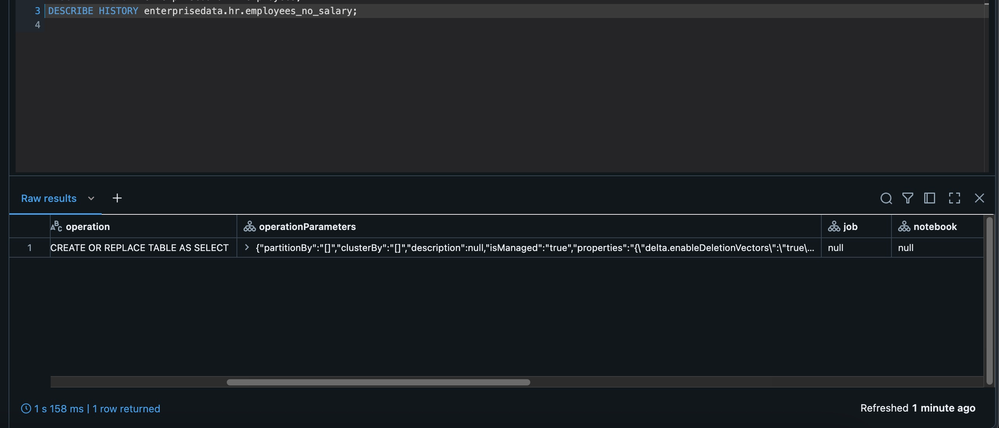
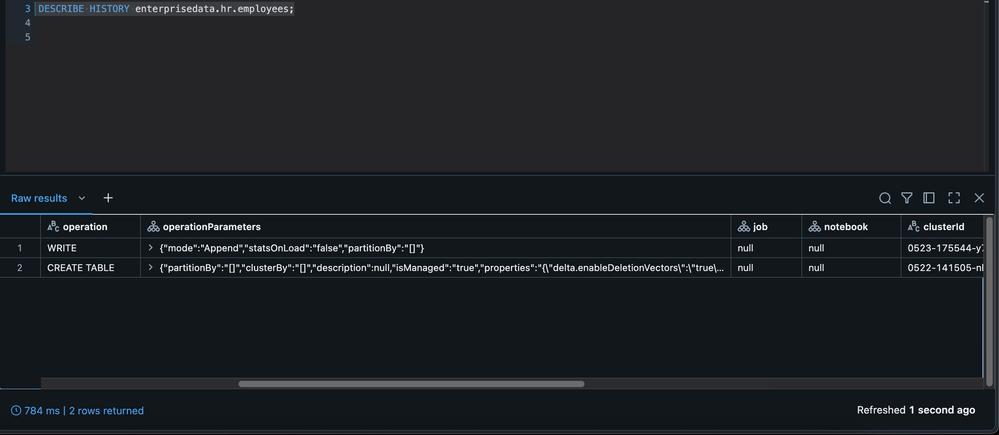
We've recently installed Databricks 14.3 LTS with Unity Catalog and for some reason that is escaping me the Notebook Id is not showing up when I execute the DESCRIBE HISTORY SQL command. Example below for table
Can you help? What's strange to me is that in the history table everything else is populated, except the Notebook. Could this be some configuration that I'm missing ?


- Mark as New
- Bookmark
- Subscribe
- Mute
- Subscribe to RSS Feed
- Permalink
- Report Inappropriate Content
05-23-2025 07:10 AM - edited 05-23-2025 07:11 AM
Hi @lumen, Generally, notebook Id will be populated if the version was created via notebook. I suspect these versions are created by other means?
Here is an example where I created first 2 versions via a notebook and the 3rd version created via SQL Editor. As expected notebook id appears for the first 2 versions, but not for the 3rd one.

- Mark as New
- Bookmark
- Subscribe
- Mute
- Subscribe to RSS Feed
- Permalink
- Report Inappropriate Content
05-23-2025 10:53 AM
Hi @RameshRetnasamy first off thank you so much for taking the time to reply to my question. In my case they were indeed created via Notebooks, but I'll re-evaluate on my end as I might've missed something. If the issue persists, I'll re-assert the question.
Cheers
- Mark as New
- Bookmark
- Subscribe
- Mute
- Subscribe to RSS Feed
- Permalink
- Report Inappropriate Content
05-23-2025 11:11 AM
Yeah in my case I'm starting to think this could be an installation thing, or a unset property. So I created the following sample code and got the below history. What could this be? I never had this problem before.
spark.sql("CREATE TABLE IF NOT EXISTS enterprisedata.hr.employees(name STRING, salary INT)")
spark.sql("DROP TABLE IF EXISTS enterprisedata.hr.employees_no_salary")
spark.sql("INSERT INTO enterprisedata.hr.employees VALUES ('Todd',10000)")

## READ TABLE IN UC
emp = spark.read.table("enterprisedata.hr.employees")

## RENAME A COLLUMN
emp = emp.withColumnRenamed("name", "name_employee" )

## DROP COLUMNS
emp = emp.drop("salary")

## WRITE
emp.write.mode("overwrite").saveAsTable("enterprisedata.hr.employees_no_salary")