Comparing 2 dataframes and create columns from values within a dataframe

- Mark as New
- Bookmark
- Subscribe
- Mute
- Subscribe to RSS Feed
- Permalink
- Report Inappropriate Content
01-11-2023 08:08 AM
Hi,
I have a dataframe that has name and company
from pyspark.sql import SparkSession
spark = SparkSession.builder.appName('SparkByExamples.com').getOrCreate()
columns = ["company","name"]
data = [("company1", "Jon"), ("company2", "Steve"), ("company1", "Kim"), ("company3", "Sam"), ("company4", "Jim"), ("company4", "Tony"), ("company5", "Stan"),
]
df = spark.createDataFrame(data=data, schema = columns).show()
Then I have another dataframe that has the company names
columns2 = ["job_comany","num"]
data2 = [("company1",1), ("company2",2), ("company3",3), ("company4",4), ("company5",5),]
df2 = spark.createDataFrame(data=data2, schema = columns2).show()
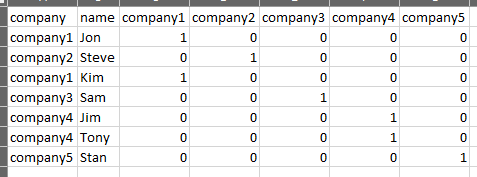
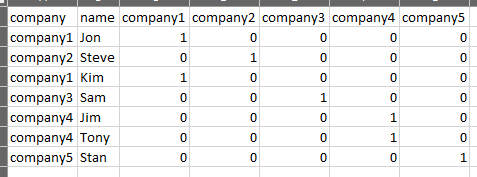
What I would like to do is use the company names dataframe to search the dataframe with the person names and identify the companies associated with the people and create a dataframe with the company names as columns with a 0 or 1 with if the person is with that company. Here is a picture of what I would like to see as my final dataframe.

- Mark as New
- Bookmark
- Subscribe
- Mute
- Subscribe to RSS Feed
- Permalink
- Report Inappropriate Content
01-11-2023 08:59 AM
- Mark as New
- Bookmark
- Subscribe
- Mute
- Subscribe to RSS Feed
- Permalink
- Report Inappropriate Content
01-11-2023 11:47 AM
Thanks....that is perfect. 😀
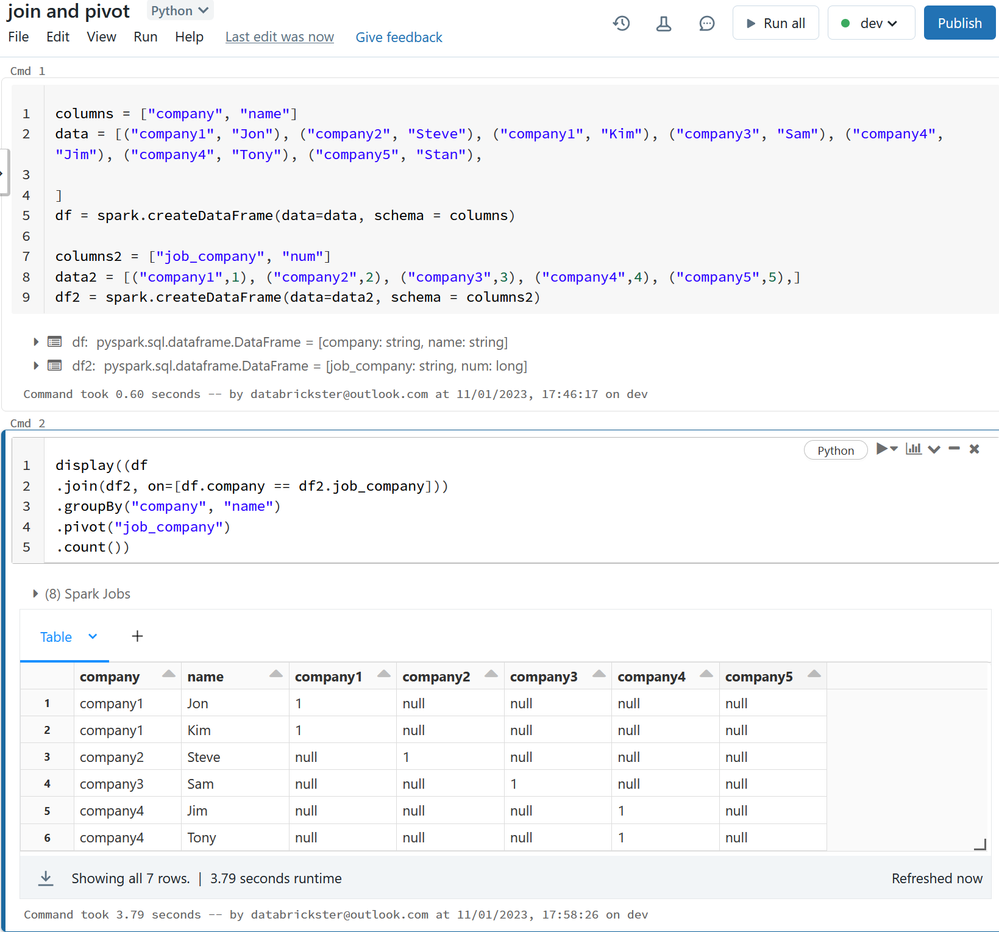
Another question to take it a step further. From this code how would I alter the name of the produced column name. In your example there is company1, company2, etc. Is it possible to change those names to company1_a, company2_a, etc.?