- Mark as New
- Bookmark
- Subscribe
- Mute
- Subscribe to RSS Feed
- Permalink
- Report Inappropriate Content
07-19-2022 04:43 AM
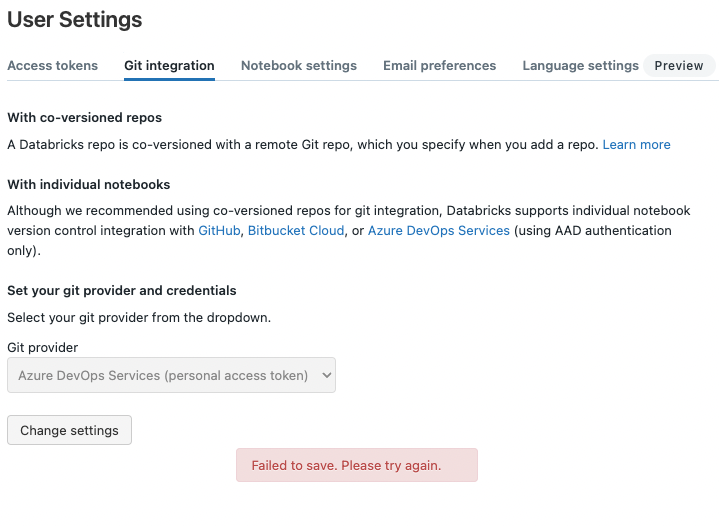
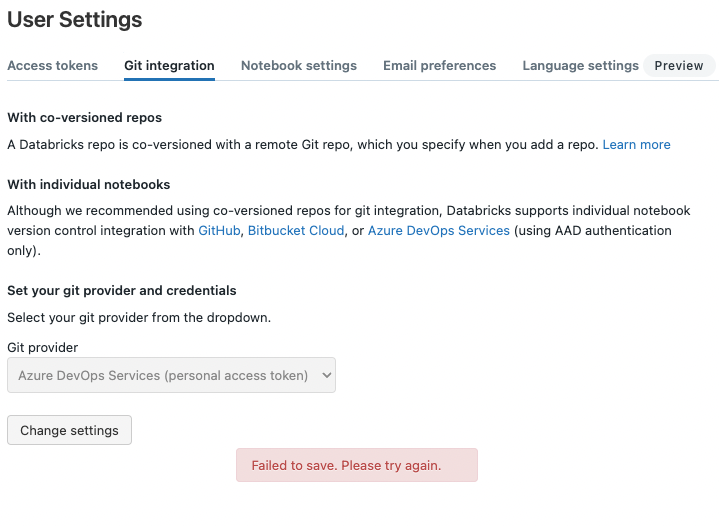
When updating an expired Azure DevOps personal access token (PAT) for git integration, I get the error message "Failed to save. Please try again.".
The error persists with different tokens. Previously (months ago), updating the token did not result in an error message.

- Mark as New
- Bookmark
- Subscribe
- Mute
- Subscribe to RSS Feed
- Permalink
- Report Inappropriate Content
07-19-2022 04:51 AM
Another way to update token is to use Git Credential API2.0
Check the documentation for endpoint update the credential.
- Mark as New
- Bookmark
- Subscribe
- Mute
- Subscribe to RSS Feed
- Permalink
- Report Inappropriate Content
07-19-2022 06:51 AM
Thanks a lot for the tip! Unfortunately, I also get an error using the API (PATCH /git-credentials/{credential_id}).
ERROR 500
{
"error_code": "INTERNAL_ERROR",
"message": "There was an error performing the operation. Please try again or open a support ticket."
}
- Mark as New
- Bookmark
- Subscribe
- Mute
- Subscribe to RSS Feed
- Permalink
- Report Inappropriate Content
08-02-2022 03:16 AM
Thanks @Aman Sehgal! Updating the token through the API did not work, but I fixed the problem by deleting the repo:
- DELETE /repos/{repo_id}
- POST /repos

- Mark as New
- Bookmark
- Subscribe
- Mute
- Subscribe to RSS Feed
- Permalink
- Report Inappropriate Content
07-19-2022 06:20 AM
Is this happening for all users @Pencho Yordanov
- Mark as New
- Bookmark
- Subscribe
- Mute
- Subscribe to RSS Feed
- Permalink
- Report Inappropriate Content
07-19-2022 06:52 AM
It seems to be happening only to me. I have checked with three other users who do not experience the problem.