Unable to write structured streaming

- Mark as New
- Bookmark
- Subscribe
- Mute
- Subscribe to RSS Feed
- Permalink
- Report Inappropriate Content
12-30-2022 03:50 AM
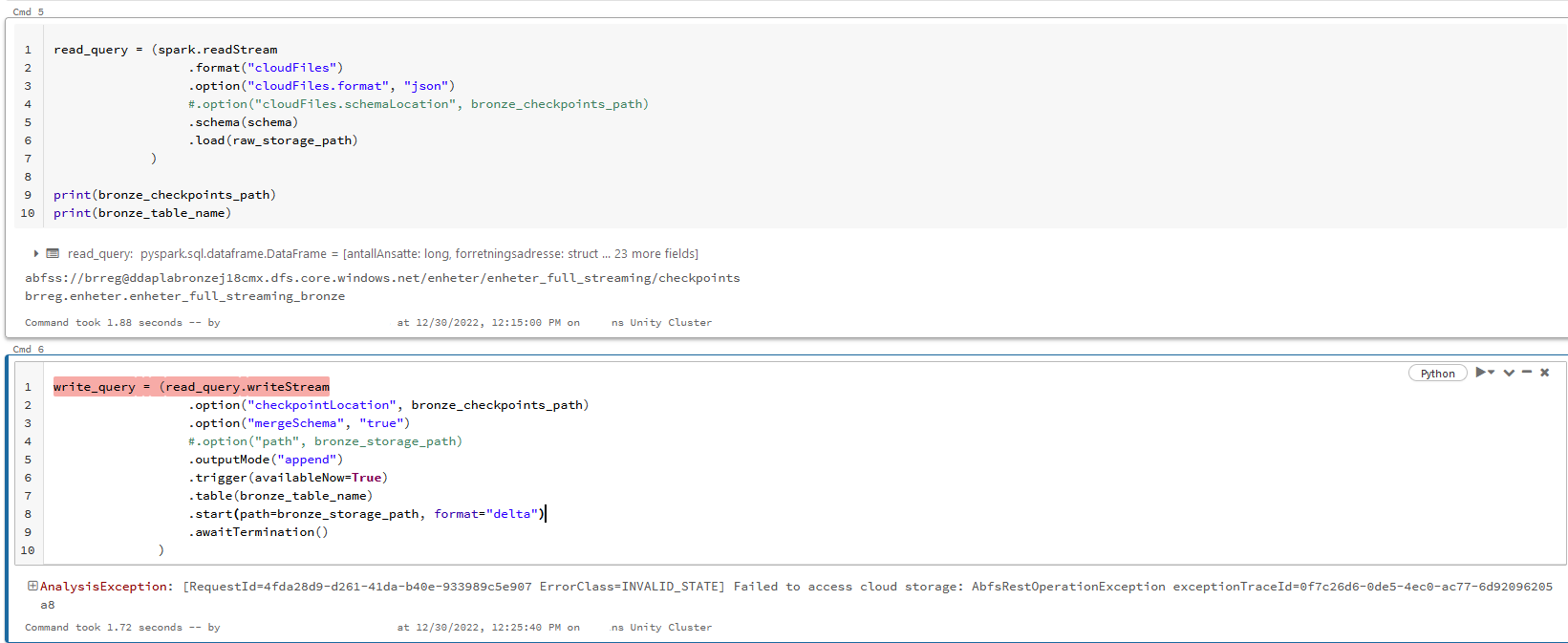
Without streaming everything works fine. When I try to set up some example structured streaming in my company's new Databricks workspace (we're trying it out) I can't seem to figure out the correct way to save it/write to storage.
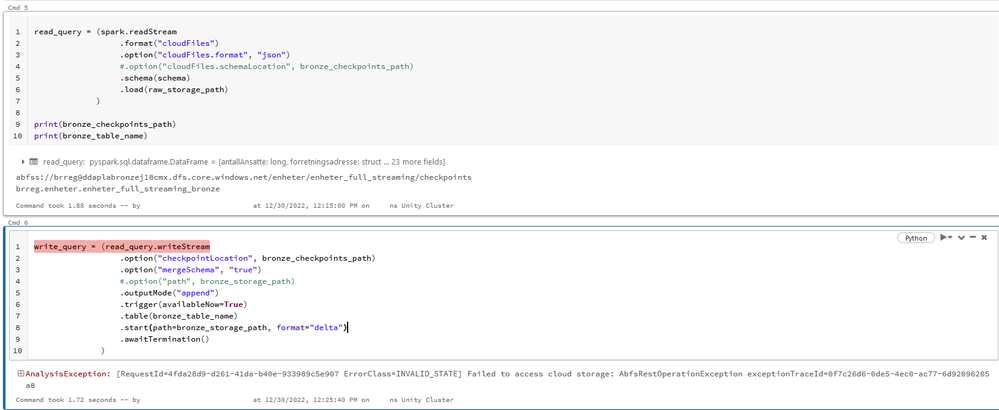
Please see the picture below. I don't think my code is correct. I tried to adapt some code I found. If I include the .table line (in the writeStream) then I get the error message as shown. The error message is so unclear I have no idea what I'm supposed to do. If I comment the .table line, then it will initialize the stream, create the directory in adls gen2 storage but never complete, just stuck at "Initializing stream". I do want the .table line though so I can specify catalog, schema and table name of the table.
We are using Unity Catalog and it works fine for normal non-streaming workloads, reading from the same files as this stream does and writing to the same storage accounts+containers.
- Labels:
-
Databricks workspace
-
Unity Catalog
-
Write

- Mark as New
- Bookmark
- Subscribe
- Mute
- Subscribe to RSS Feed
- Permalink
- Report Inappropriate Content
12-31-2022 08:42 AM
hey you code is correct , and after analyzing the error you got , is i guess you dont have a write access to that storage account or path , you only have the read permission not the write permission
refer this link ,
https://docs.databricks.com/external-data/azure-storage.html

- Mark as New
- Bookmark
- Subscribe
- Mute
- Subscribe to RSS Feed
- Permalink
- Report Inappropriate Content
01-03-2023 09:45 AM
Hi, This can be an issue where Storage Blob Data contributor role is missing. Please refer: https://docs.databricks.com/external-data/azure-storage.html