- Mark as New
- Bookmark
- Subscribe
- Mute
- Subscribe to RSS Feed
- Permalink
- Report Inappropriate Content
10-20-2022 11:14 AM
I like the approach @Arvind Ravish shared since you can't currently use %run in DLT pipelines. However, it took a little testing to be clear on how exactly to make it work.
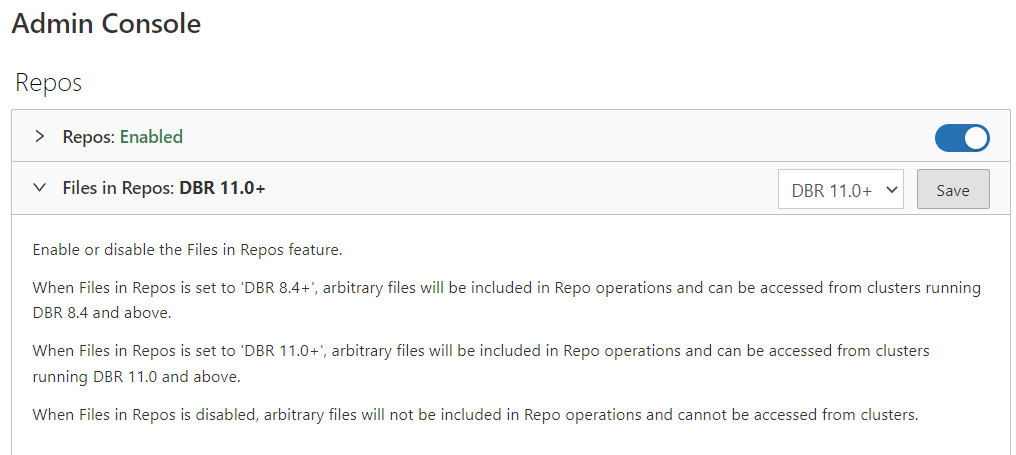
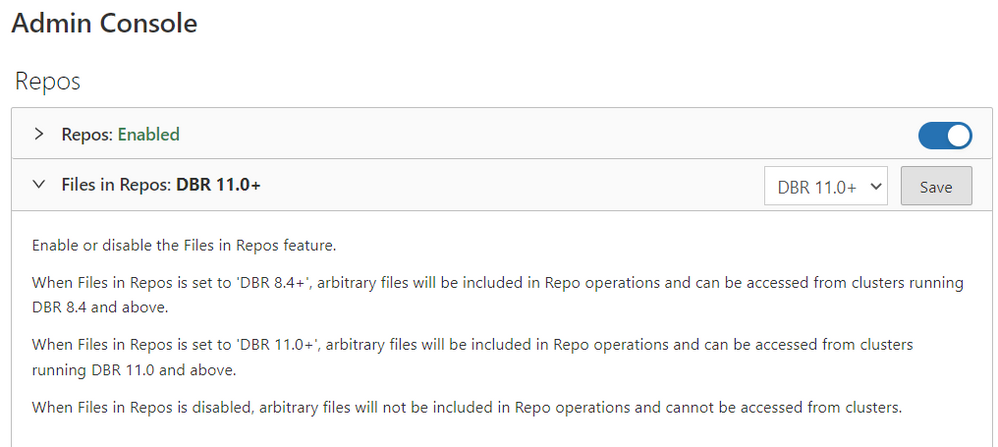
First, ensure in the Admin Console that the repos feature is configured as follows:
MYVAR1 = "hi"
MYVAR2 = 99
MYVAR3 = "hello"

def factorial(num):
    fact=1
    for i in range(1,num+1):
        fact = fact*i
    return fact
In the DLT notebook, the following code loads Import.py and executes the Python code in it. Then MYVAR1, MYVAR2, MYVAR3, and the factorial function will be available for reference downstream in the pipeline.
import pyspark.sql.functions as f

txt = spark.read.text("file:/Workspace/Repos/FolderName/RepoName/Import.py")

#concatenate all lines of the file into a single string
singlerow = txt.agg(f.concat_ws("\r\n", f.collect_list(txt.value)))
data = "\r\n".join(singlerow.collect()[0])

#execute that string of python
exec(data)
This appears to work in both Current and Preview channel DLT pipelines at the moment.
Unfortunately, the os.getcwd() command doesn't appear to be working in DLT pipelines (as it returns /databricks/driver even when the DLT pipeline notebook is in a Repo) so I haven't figured out a way to use a relative path even if your calling notebook is also in Repos. The following currently fails and Azure support case 2211240040000106 has been opened:
import os
import pyspark.sql.functions as f

txt = spark.read.text(f"file:{os.getcwd()}/Import.py")

#concatenate all lines of the file into a single string
singlerow = txt.agg(f.concat_ws("\r\n", f.collect_list(txt.value)))
data = "\r\n".join(singlerow.collect()[0])

#execute that string of python
exec(data)
I'm also having trouble using the import example from aravish without using a hardcoded path like sys.path.append("/Workspace/Repos/TopFolder/RepoName") when running in a DLT pipeline. The aravish approach is useful if you want to import function definitions but not execute any Python code and not define any variables which will be visible in the calling notebook's Spark session.
Note: Edited from a previous post where I made a few mistakes.