- Mark as New
- Bookmark
- Subscribe
- Mute
- Subscribe to RSS Feed
- Permalink
- Report Inappropriate Content
08-31-2022 10:48 AM
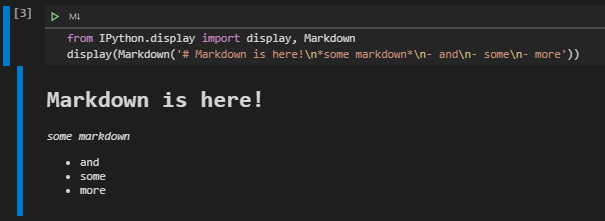
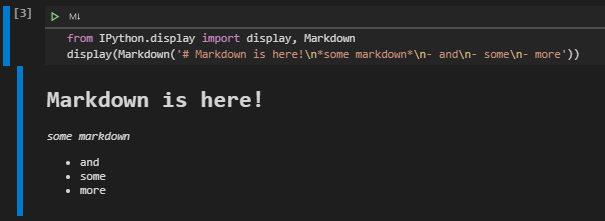
With IPython/Jupyter it's possible to output markdown using the IPython display module and its `MarkDown`class.
Question
How can I accomplish this with Azure Databricks?
What I tried
Databricks `display`
Tried using Databrick's display with the IPython Markdown class:
from IPython.display import Markdown
display(Markdown('*some markdown* test'))
but this results in the following error:
Exception: Cannot call display(<class 'IPython.core.display.Markdown'>)IPython `display`
I then tried to use IPython's display:
from IPython.display import display, Markdown
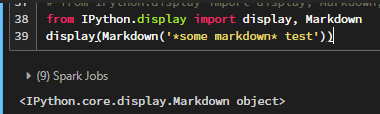
display(Markdown('*some markdown* test'))
but this just displays the text:
<IPython.core.display.Markdown object>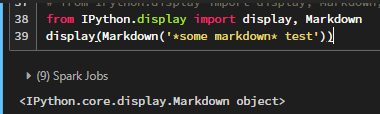
IPython `display_markdown`
Tried using IPython's `display_markdown`:
from IPython.display import display_markdown
display_markdown('# Markdown is here!\n*some markdown*\n- and\n- some\n- more')
but this results in nothing showing up:

Looking up documentation
Also tried checking Azure Databricks documentation. At first I visited https://www.databricks.com/databricks-documentation which leads me to https://docs.microsoft.com/en-ca/azure/databricks/ but I wasn't able to find anything via searching or clicking the links and I usually find Microsoft documentation quite good. However, according to this page, Databricks is using IPython kernel so I guess it's unclear what portions of IPython can be used and which cannot.
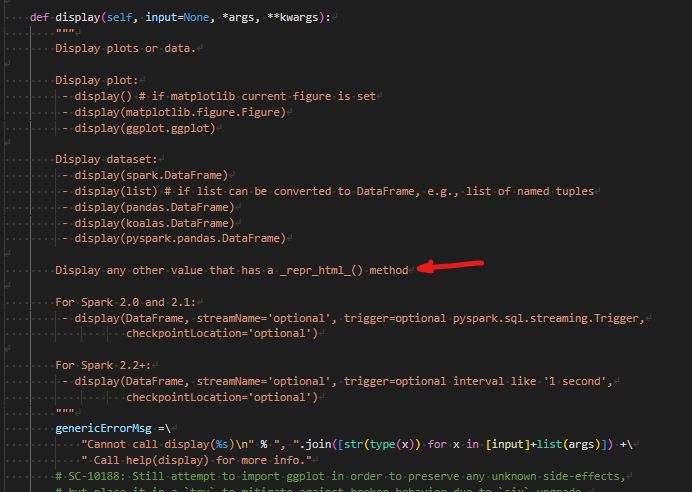
Checking Databrick's `display` source
According to Databrick's source for the `display` function, it will readily render any object that implements `_repr_html()`.
- Labels:
-
Azure
-
Databricks notebook
-
Markdown