
- Mark as New
- Bookmark
- Subscribe
- Mute
- Subscribe to RSS Feed
- Permalink
- Report Inappropriate Content
03-30-2023 04:31 PM
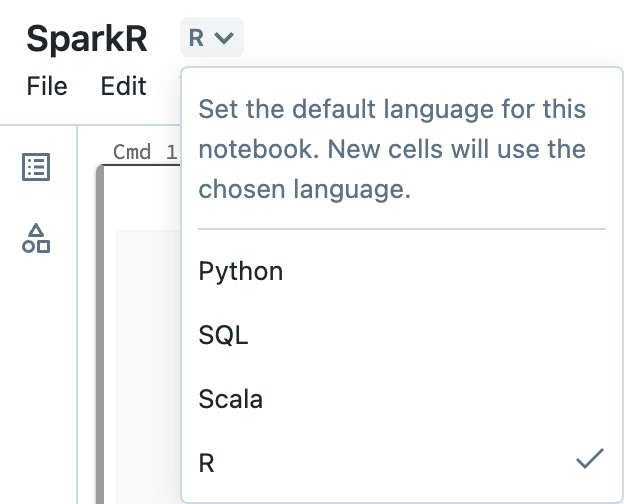
Yes, you can use SparkR in the Databricks notebooks so you can keep your native R code. You can select at the top part of the notebook in the Databricks GUI that the language will be in R so you are not needing to add %%R to every cell.
For collaboration, would it be possible that the person gets Databricks restricted access to work on the notebooks with you in the Databricks GUI? Our notebooks allow multiple people to make edits at the same time & you can share notebooks with one another. You can also leave comments for one another to help improve your collaboration.

