Options
- Mark as New
- Bookmark
- Subscribe
- Mute
- Subscribe to RSS Feed
- Permalink
- Report Inappropriate Content
01-31-2024 07:06 AM - edited 01-31-2024 07:13 AM
Hi @OvZ & @LandanG, as a point of clarification, the script provided is intended to be run in a notebook first. After running the below in a notebook, it creates the init script at the location "dbfs:/databricks/init_scripts/disable_jdbc_odbc.conf"
%scala
val initScriptContent = s"""
 |#!/bin/bash
 |cat > /databricks/common/conf/disable_jdbc_odbc.conf << EOL
 |{
 |  databricks.daemon.driver.startJDBC = false
 |}
 |EOL
""".stripMargin
dbutils.fs.put("dbfs:/databricks/init_scripts/disable_jdbc_odbc.conf",initScriptContent, true)
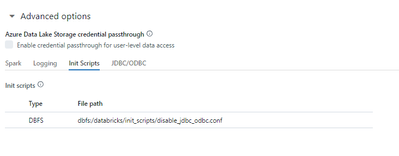
From there, it can be added as a cluster-scoped init script under Advanced options:
After cluster startup, you will notice that the JDBC/ODBC tab does not appear in the Spark UI:

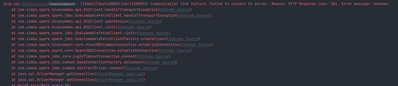
JDBC/ODBC connections will also fail with a 502 error: