- Mark as New
- Bookmark
- Subscribe
- Mute
- Subscribe to RSS Feed
- Permalink
- Report Inappropriate Content
04-05-2023 03:32 AM
Thank you for the reply. I am unfortunately facing some issues still.
What I did till now based on your reply:
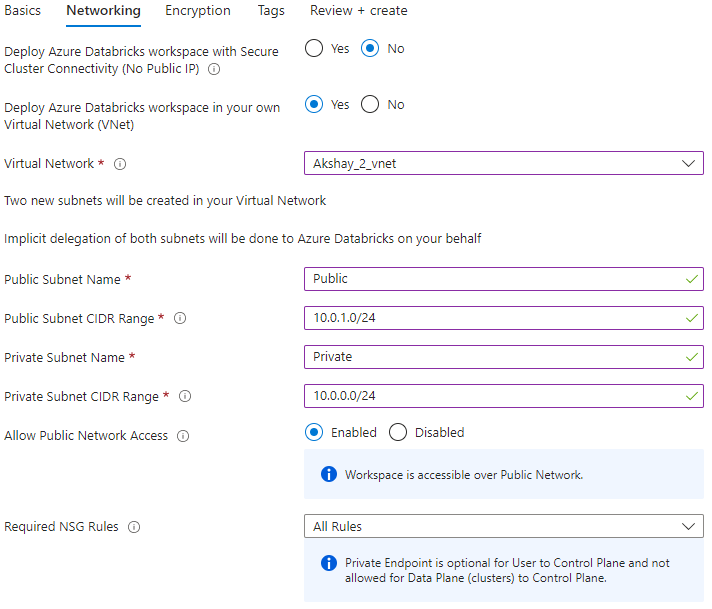
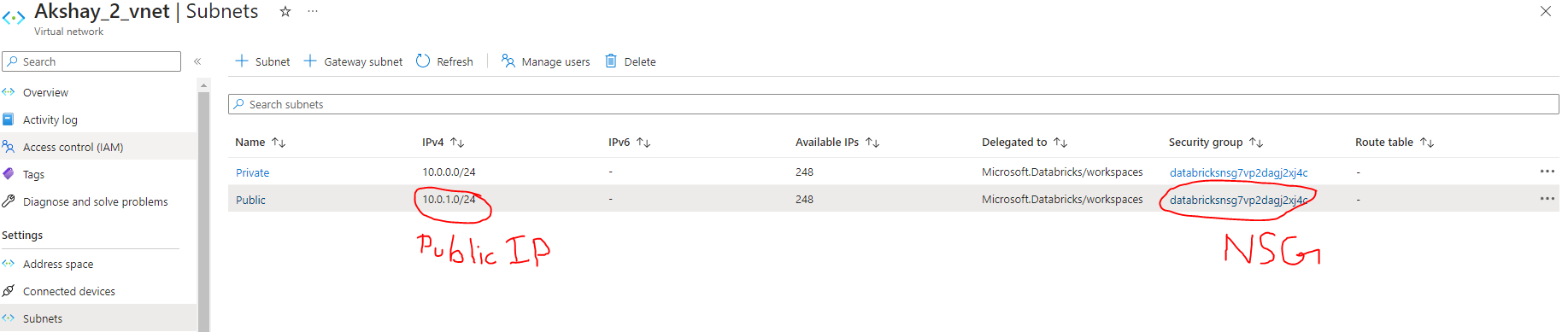
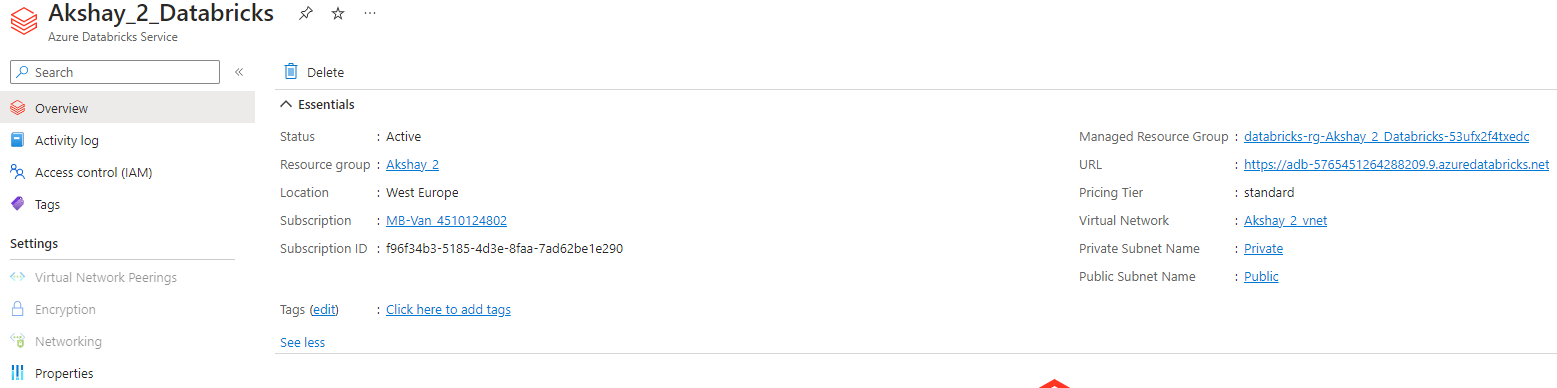
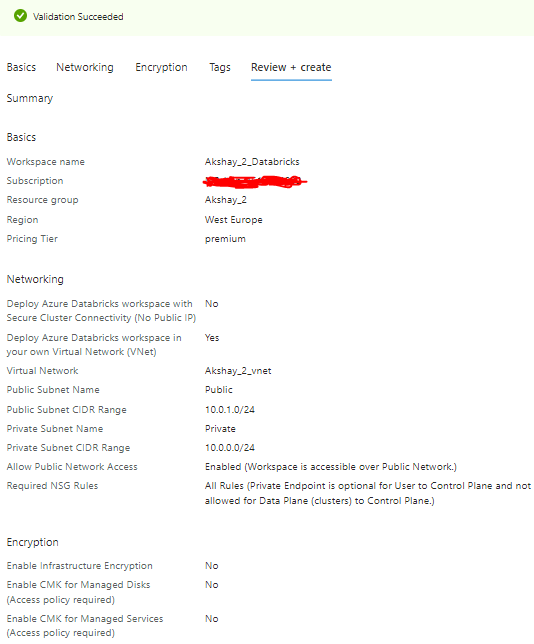
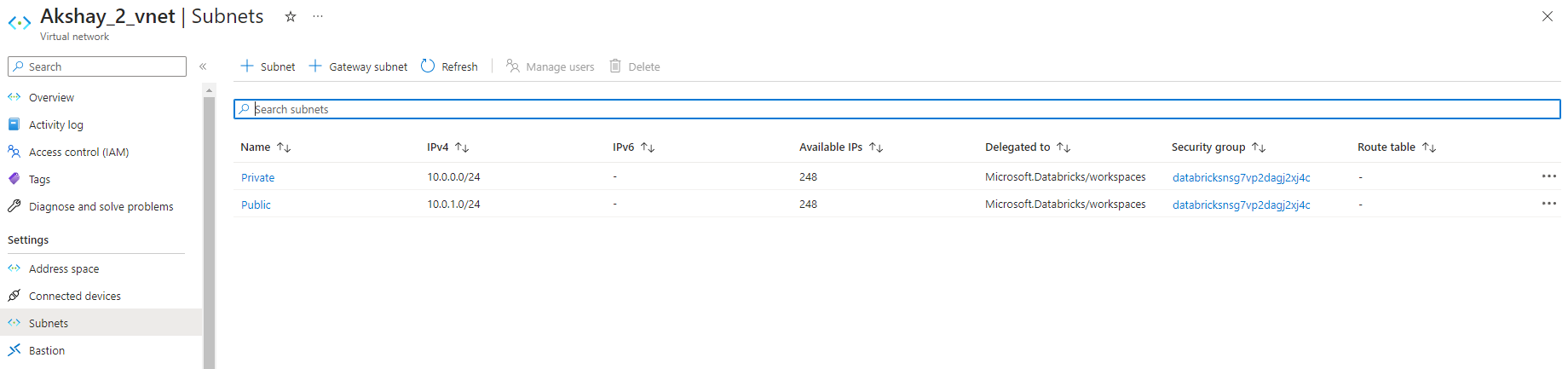
1) Created VNet called "Akshay_2_vnet" and added two subnets Private and Public.
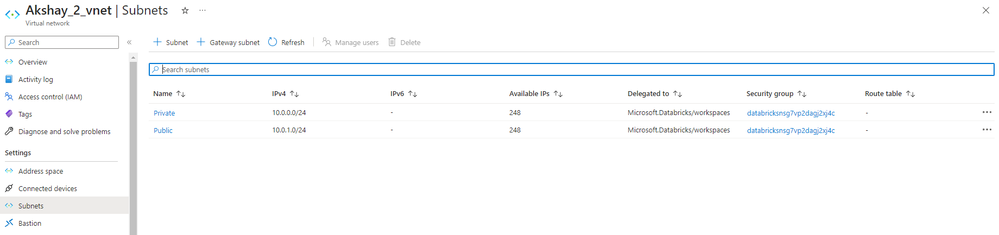
The Network configuration looks like this
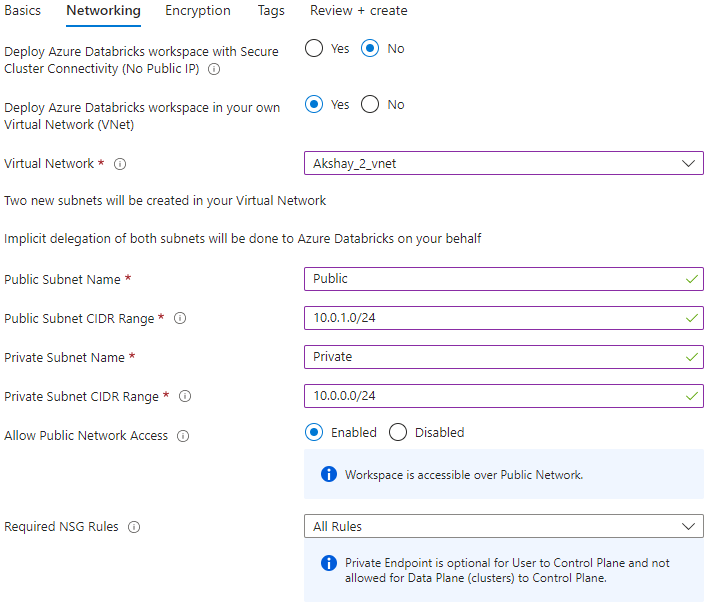
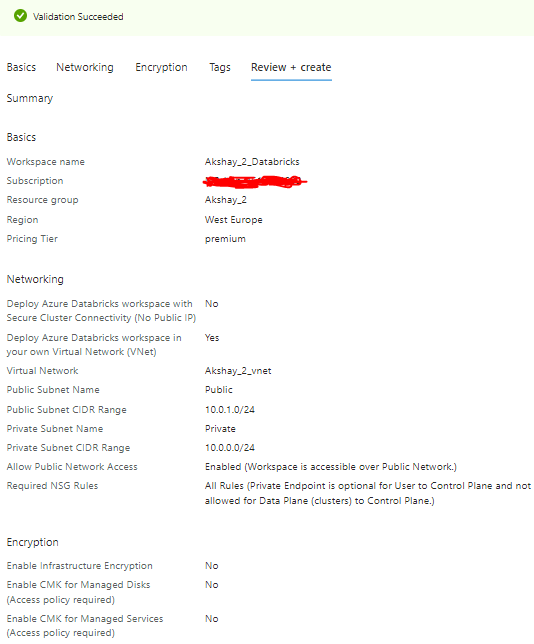
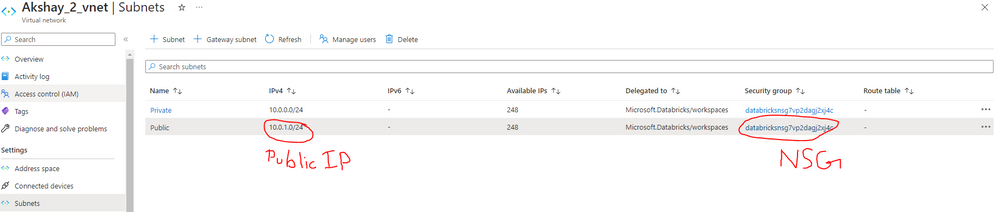
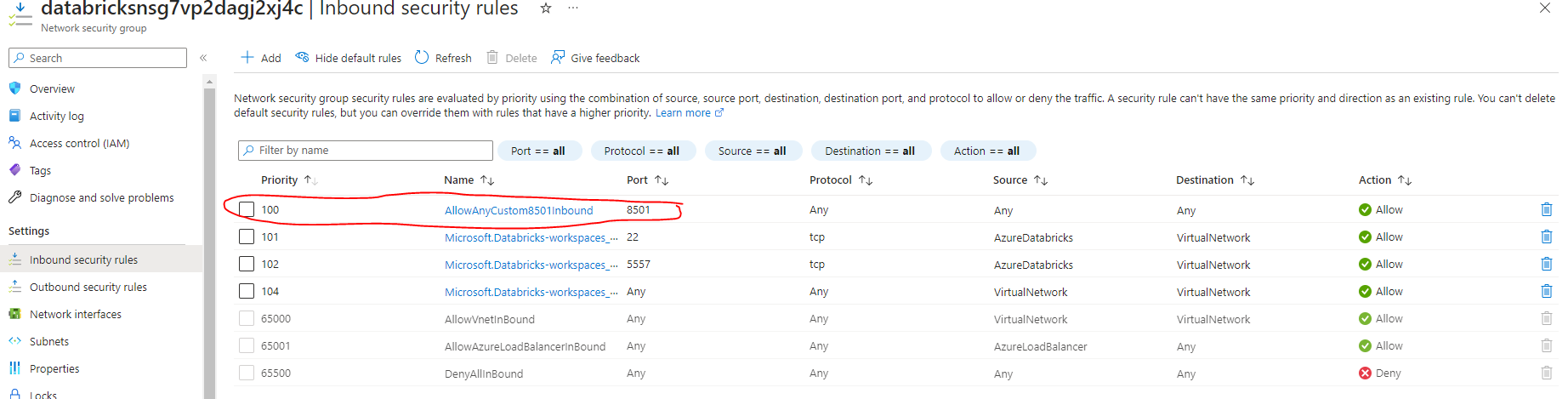
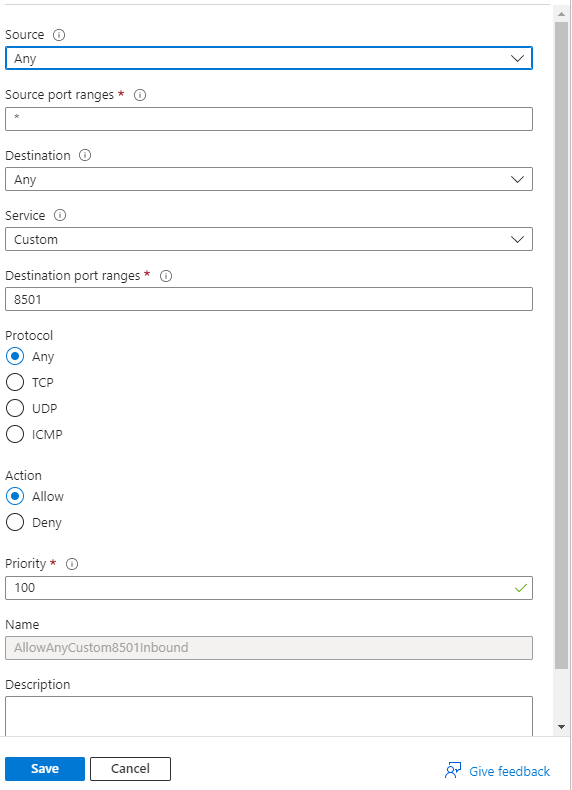
The configuration of the inbound rule looks like this:
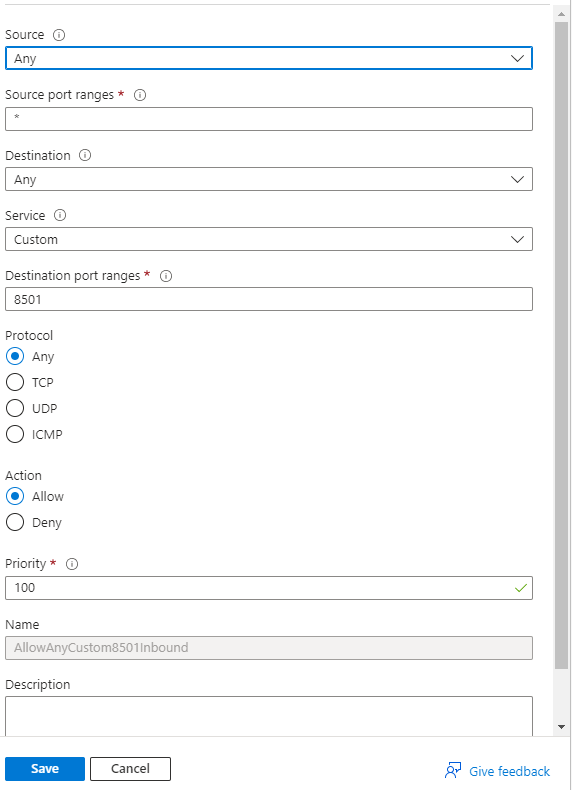
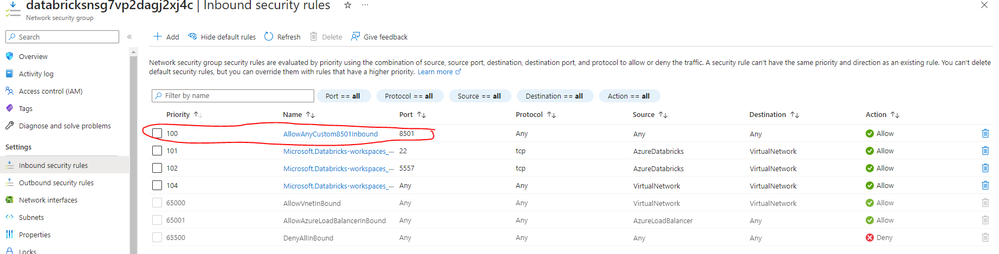
4) Then I started my cluster and ran the code. I ran my webapp on the port 8501
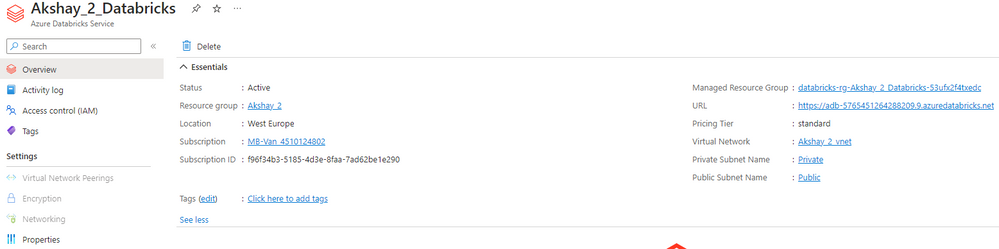
So now the webapp is hosted on the address : http://10.0.1.0:8501
But it still does not allow me to access to the web app in the browser. Could you please guide me where I am going wrong.
Thanks in advance 🙂
------------------------------------------------------------------------
Also when I ran the streamlit code, databricks suggested to run the following command to open the streamlit app in browser. Could you please explain me what this command means?
!streamlit run /databricks/python_shell/scripts/db_ipykernel_launcher.py