
- Mark as New
- Bookmark
- Subscribe
- Mute
- Subscribe to RSS Feed
- Permalink
- Report Inappropriate Content
11-10-2024 07:28 AM
I am using Databricks Community Edition. I am writing to seek assistance regarding an issue I encountered while attempting to upload a notebook to my Databricks Community Edition Workspace. I received the following error message:
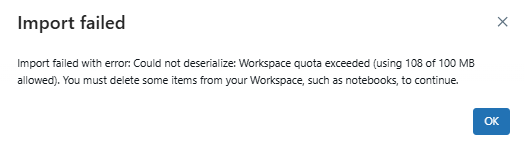
It appears that I have exceeded the allowed Databricks Community Edition quota. I would greatly appreciate your guidance on how to resolve this issue. Specifically, I would like to understand:
The best practices for managing and reducing Databricks Community Edition workspace storage.
Any immediate steps I can take to delete unnecessary items and free up space.
Potential options for increasing the Databricks Community Edition workspace quota, if available.
Thank you for your support. I look forward to your prompt response and assistance in resolving this matter.
