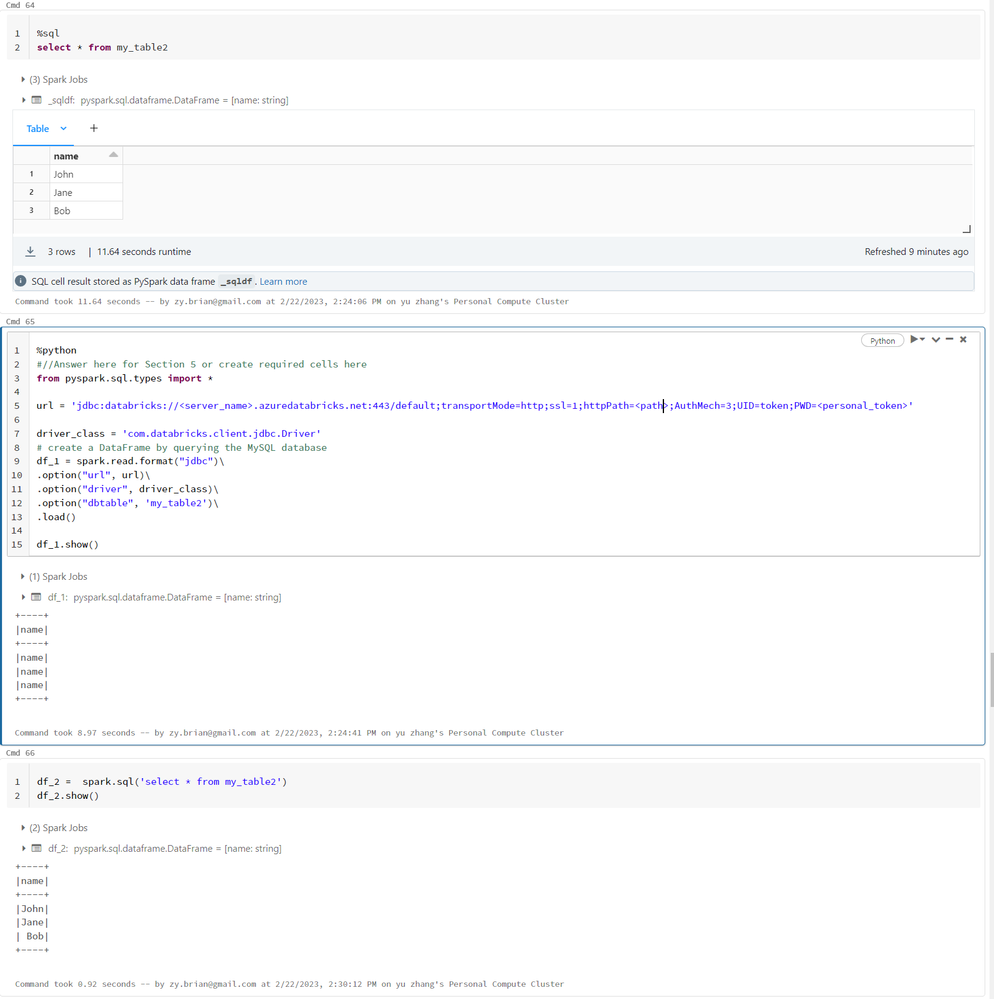
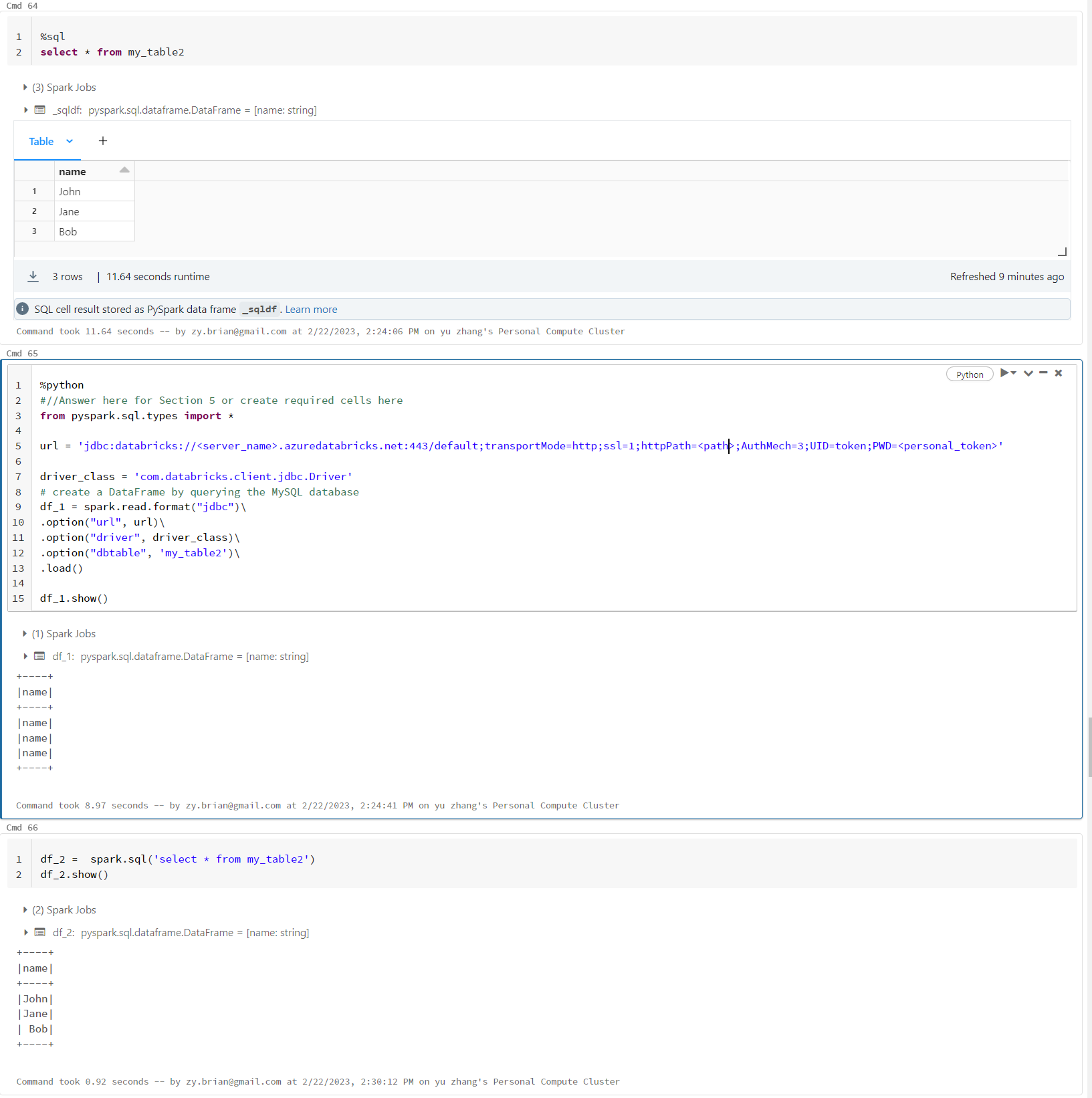
Use JDBC connect to databrick default cluster and read table into pyspark dataframe. All the column turned into same as column name

Options
- Mark as New
- Bookmark
- Subscribe
- Mute
- Subscribe to RSS Feed
- Permalink
- Report Inappropriate Content
02-22-2023 11:45 AM
I used code like below to Use JDBC connect to databrick default cluster and read table into pyspark dataframe
url = 'jdbc:databricks://[workspace domain]:443/default;transportMode=http;ssl=1;AuthMech=3;httpPath=[path];AuthMech=3;UID=token;PWD=[your_access_token]'

driver_class = 'com.databricks.client.jdbc.Driver'
# create a DataFrame by querying the MySQL database
df_1 = spark.read.format("jdbc")\
.option("url", url)\
.option("driver", driver_class)\
.option("dbtable", 'my_table2')\
.load()

df_1.show()
The final df_1 dataframe become
+----+
|name|
+----+
|name|
|name|
|name|
+----+
the final result should be
+----+
|name|
+----+
|John|
|Jane|
|Bob |
+----+
I also tested with code like
df_2 =  spark.sql('select * from my_table2')
df_2.show()
the result dataframe is correct. please advise. thank you!