SET configuration in SQL DLT pipeline not working

- Mark as New
- Bookmark
- Subscribe
- Mute
- Subscribe to RSS Feed
- Permalink
- Report Inappropriate Content
02-16-2023 04:03 PM
I'm not able to get the SET command to work when using sql in DLT pipeline.
I am copying the code from this documentation https://docs.databricks.com/workflows/delta-live-tables/delta-live-tables-sql-ref.html#sql-spec (relevant code below). When I run something similar, I get empty value for ${startDate}. Any way to set a variable for the sql inside a notebook for DLT pipelines?
This is the code in the documentation
SET startDate='2020-01-01';

CREATE OR REFRESH LIVE TABLE filtered
AS SELECT * FROM src
WHERE date > ${startDate}
This is the code I tried running:
SET startDate='2020-01-01';

CREATE OR REFRESH LIVE TABLE filtered
AS SELECT * FROM (select '2021-01-01' as date)
WHERE date > ${startDate}
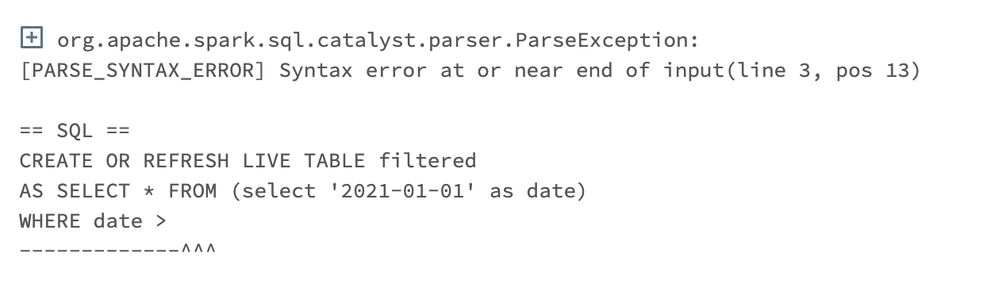
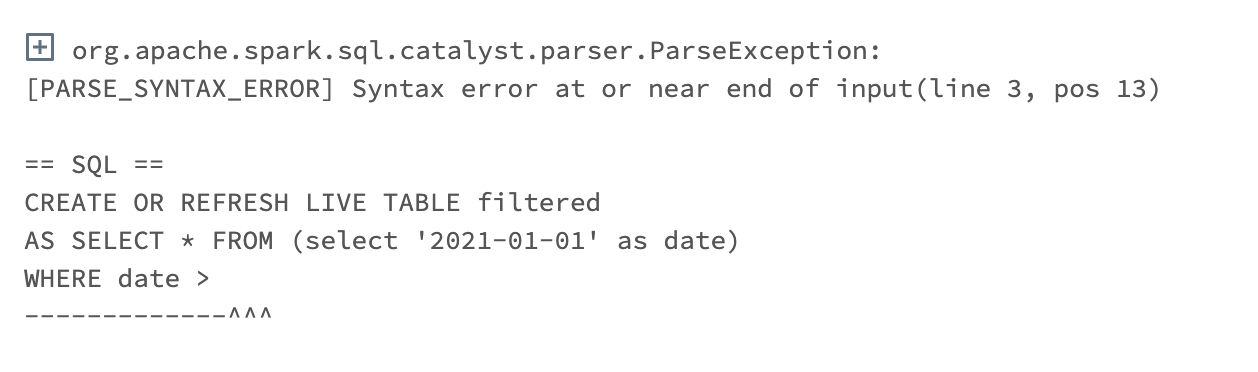
This is my error message when running dlt pipeline. It is setting ${startDate} to empty string. It works when I set the configuration value inside the settings of the dlt pipeline but not when I specify it in the notebook.: