
Options
- Mark as New
- Bookmark
- Subscribe
- Mute
- Subscribe to RSS Feed
- Permalink
- Report Inappropriate Content
09-17-2025 10:50 AM
So, since you're using databricks community edition I'm assuming that you're dealing with Hive metastore.
You can try following:
1. Go to Settings
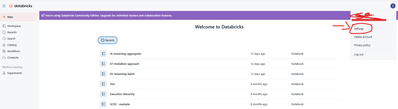
2. Now go to Advance (2) and turn on DBFS File Browser (3)
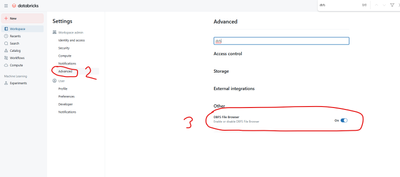
3. Now, click Catalog (4), then DBFS(5) and go to users -> hive -> warehouse and check if you can find the table that you want to delete (Country).
4. If the table is there, copy path to the table (just like I did for flattened_source table in screen below)
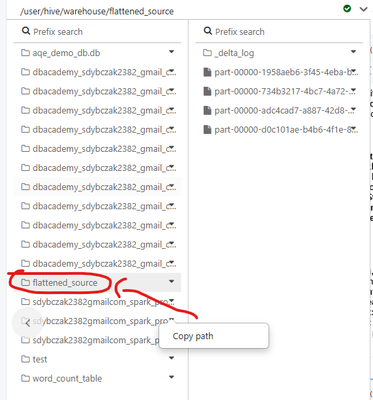
5. Then remove all files using dbutils.fm.rm
dbutils.fs.rm(dir="dbfs:/user/hive/warehouse/invoices_bz", recurse=True)6. Double check that there are no files in your ADLS related to Country table
7. Try to recreate it.
