- Mark as New
- Bookmark
- Subscribe
- Mute
- Subscribe to RSS Feed
- Permalink
- Report Inappropriate Content
02-27-2026 08:42 AM - edited 02-27-2026 08:43 AM
Hello,
I am trying to ingest data from an Azure SQL Database using lakeflow connect.
- I'm using a service principle for authentication (created the login and user in the DB am trying to ingest)
- The utility script was executed by a DB owner
=== Installation Summary ===
Platform: AZURE_SQL_DATABASE
Version: 1.5
✓ lakeflowDetectPlatform function created successfully
✓ lakeflowUtilityVersion_1_5 function created successfully
✓ lakeflowFixPermissions procedure created successfully
✓ lakeflowSetupChangeTracking procedure created successfully
✓ lakeflowSetupChangeDataCapture procedure created successfully
- Both "lakeflowSetupChangeTracking" and "lakeflowFixPermissions" were executed correctly
Platform: AZURE_SQL_DATABASE
Mode: INSTALL
Tables: dbo.Table1, dbo.Table2, dbo.Table3
Setting up change tracking infrastructure...
ℹ Change tracking already enabled at database level
Granting permissions to user: service-principle
✓ Granted SELECT on lakeflowDdlAudit_1_5 to service-principle
✓ Granted VIEW CHANGE TRACKING on lakeflowDdlAudit_1_5 to service-principle
✓ Granted VIEW DEFINITION to service-principle
Processing tables for change tracking enablement...
Processing specified tables: dbo.Table1, dbo.Table2, dbo.Table3
ℹ Change tracking already enabled on [dbo].[Table1]
ℹ Change tracking already enabled on [dbo].[Table2]
ℹ Change tracking already enabled on [dbo].[Table3]

=== Granting VIEW CHANGE TRACKING Permissions ===
Granting VIEW CHANGE TRACKING on specified tables...
  ✓ Granted VIEW CHANGE TRACKING on [dbo].[Table1]
  ✓ Granted VIEW CHANGE TRACKING on [dbo].[Table2]
  ✓ Granted VIEW CHANGE TRACKING on [dbo].[Table3]

VIEW CHANGE TRACKING permission summary:
  - Tables granted: 3
  - Tables with permission errors: 0
✓ VIEW CHANGE TRACKING permissions granted to user: service-principle

CT setup summary:
  - Tables processed: 0
  - Tables already enabled: 3
  - Tables with processing errors: 0
  - Tables skipped (no PK): 0
Change tracking setup completed successfully
Platform: AZURE_SQL_DATABASE
User: service-principle
Tables parameter: dbo.Table1, dbo.Table2, dbo.Table3
=== System Object Permissions ===
✓ Granted SELECT on sys.objects
✓ Granted SELECT on sys.schemas
✓ Granted SELECT on sys.tables
✓ Granted SELECT on sys.columns
✓ Granted SELECT on sys.key_constraints
✓ Granted SELECT on sys.foreign_keys
✓ Granted SELECT on sys.check_constraints
✓ Granted SELECT on sys.default_constraints
✓ Granted SELECT on sys.triggers
✓ Granted SELECT on sys.indexes
✓ Granted SELECT on sys.index_columns
✓ Granted SELECT on sys.fulltext_index_columns
✓ Granted SELECT on sys.fulltext_indexes
✓ Granted SELECT on sys.change_tracking_tables
ℹ Skipping cdc.change_tables (CDC not enabled)
ℹ Skipping cdc.captured_columns (CDC not enabled)
ℹ Skipping cdc.index_columns (CDC not enabled)
ℹ Skipping system stored procedure permissions on Azure SQL Database
Database users have implicit EXECUTE access to system stored procedures
=== Table-Level SELECT Permissions ===
Processing specified tables: dbo.Table1, dbo.Table2, dbo.Table3
✓ Granted SELECT on [dbo].[Table1]
✓ Granted SELECT on [dbo].[Table2]
✓ Granted SELECT on [dbo].[Table3]
Table permission summary:
- Tables processed: 3
- Tables with errors: 0
Permission fixes completed for user: service-principle- additional permissions were given to the SP:
GRANT EXECUTE ON [dbo].[lakeflowFixPermissions] TO [service-principle];
GRANT EXECUTE ON [dbo].[lakeflowSetupChangeTracking] TO [service-principle];
GRANT EXECUTE ON [dbo].[lakeflowSetupChangeDataCapture] TO [service-principle];
GRANT EXECUTE ON [dbo].[lakeflowDetectPlatform] TO [service-principle];
GRANT EXECUTE ON [dbo].[lakeflowUtilityVersion_1_5] TO [service-principle];

GRANT SELECT ON sys.objects TO [service-principle];
GRANT SELECT ON sys.tables TO [service-principle];
GRANT SELECT ON sys.schemas TO [service-principle];
GRANT SELECT ON sys.triggers TO [service-principle];
- The DB is discoverable. I could select the tables from the schema and even specify the columns (so it's not an authentication issue) in the "Source" step
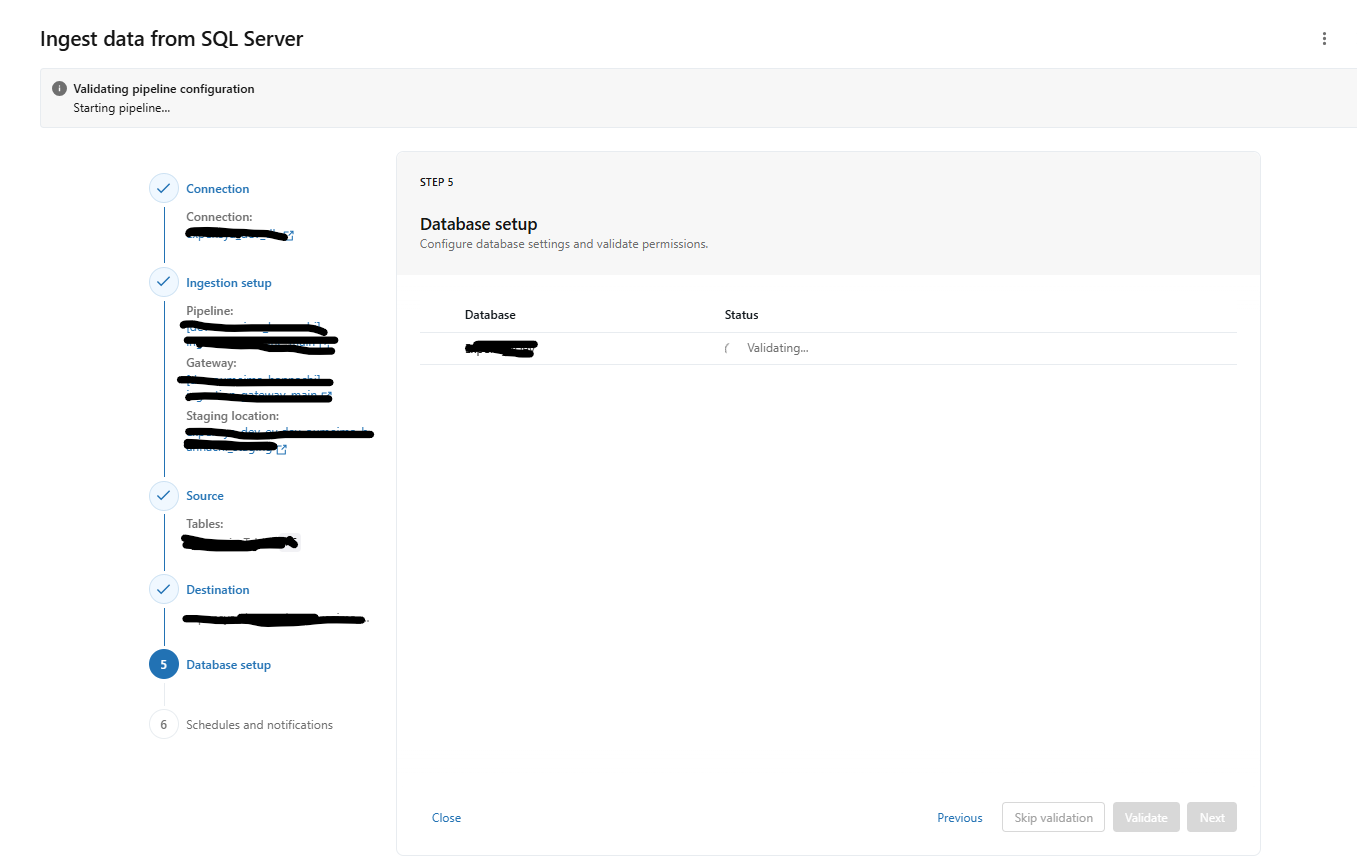
- Then when reaching the Database Setup step, it keeps running until it timeouts with the following error:
Timed out waiting for validation report. Verify that the Ingestion Gateway pipeline is running.which i suspect is not the real error.
Any idea what could be the issue and how i can troubleshoot this?
- Labels:
-
Workflows