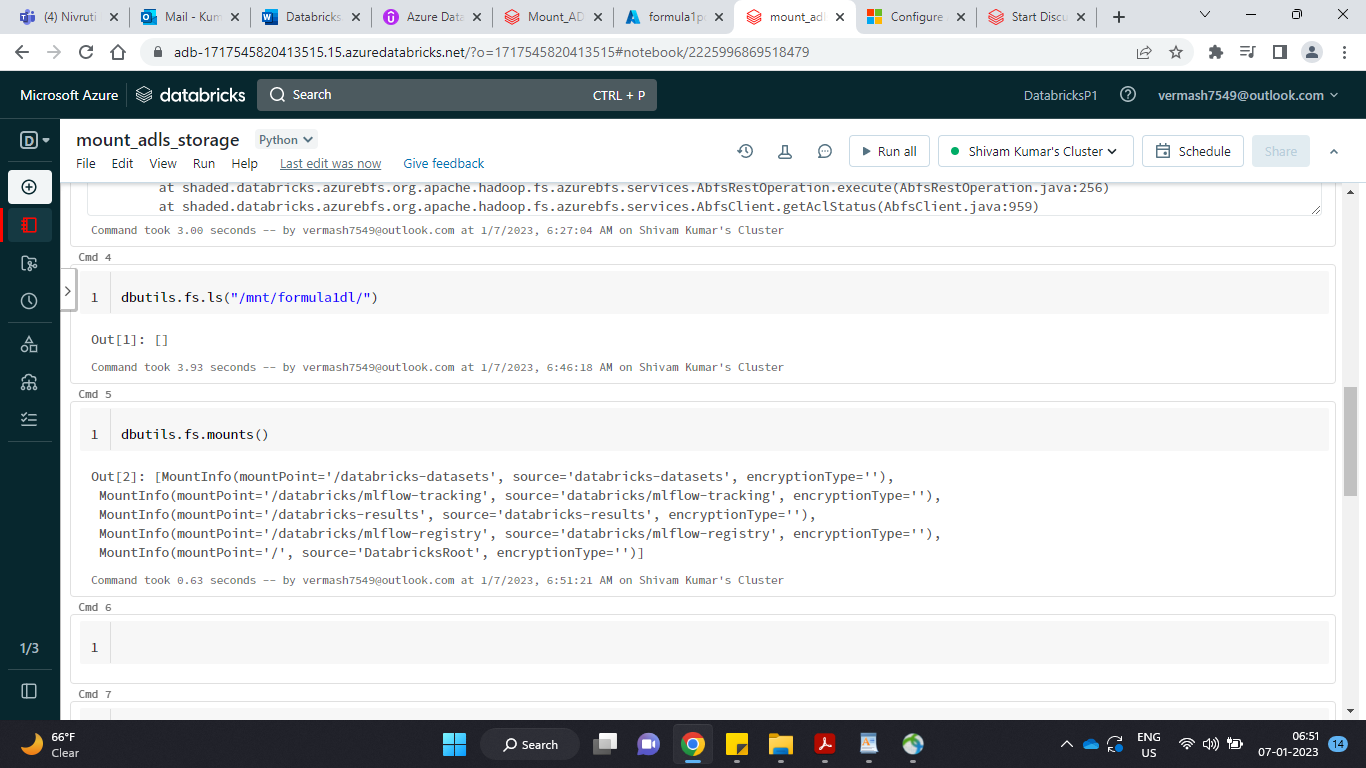
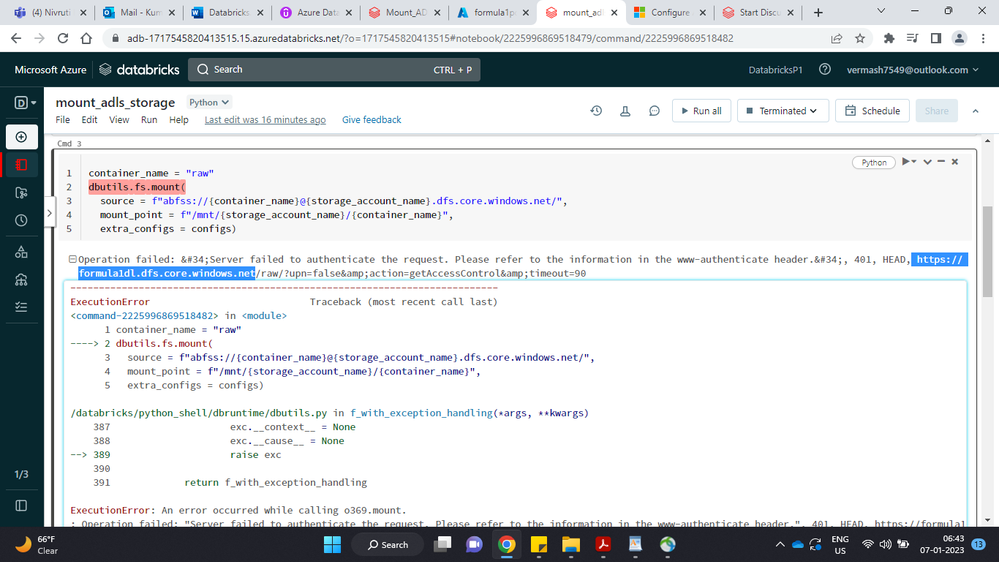
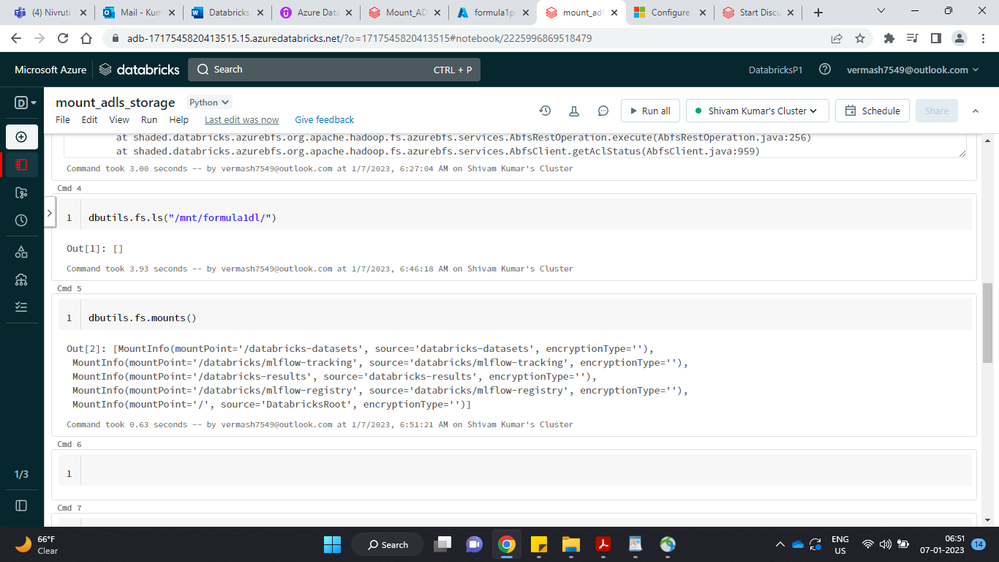
While mounting Azure Data Lake Storage Account to Azure Databricks, I am facing issue. How to fix this?

Options
- Mark as New
- Bookmark
- Subscribe
- Mute
- Subscribe to RSS Feed
- Permalink
- Report Inappropriate Content
01-06-2023 05:22 PM

Options
- Mark as New
- Bookmark
- Subscribe
- Mute
- Subscribe to RSS Feed
- Permalink
- Report Inappropriate Content
01-06-2023 07:31 PM
Do you have the "configs" defined to include the appropriate credentials? Per the Microsoft documentation, their example shows:
configs = {"fs.azure.account.auth.type": "OAuth",
          "fs.azure.account.oauth.provider.type": "org.apache.hadoop.fs.azurebfs.oauth2.ClientCredsTokenProvider",
          "fs.azure.account.oauth2.client.id": "<application-id>",
          "fs.azure.account.oauth2.client.secret": dbutils.secrets.get(scope="<scope-name>",key="<service-credential-key-name>"),
          "fs.azure.account.oauth2.client.endpoint": "https://login.microsoftonline.com/<directory-id>/oauth2/token"}

# Optionally, you can add <directory-name> to the source URI of your mount point.
dbutils.fs.mount(
  source = "abfss://<container-name>@<storage-account-name>.dfs.core.windows.net/",
  mount_point = "/mnt/<mount-name>",
  extra_configs = configs)
Options
- Mark as New
- Bookmark
- Subscribe
- Mute
- Subscribe to RSS Feed
- Permalink
- Report Inappropriate Content
01-07-2023 04:14 AM
Please mount ADLS storage as described here:
https://community.databricks.com/s/feed/0D53f00001eQGOHCA4
My blog: https://databrickster.medium.com/

Options
- Mark as New
- Bookmark
- Subscribe
- Mute
- Subscribe to RSS Feed
- Permalink
- Report Inappropriate Content
01-07-2023 08:02 AM
thanks for this details issue it will help other users
AviralBhardwaj