Options
- Mark as New
- Bookmark
- Subscribe
- Mute
- Subscribe to RSS Feed
- Permalink
- Report Inappropriate Content
12-05-2023 09:21 AM
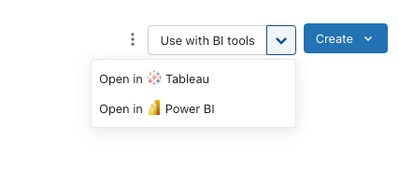
I had/have the same issue with the Tableau desktop. I'm not able to select the "Billing" schema because I don't see the "System" catalog. However, I found a workaround to resolve this issue. In databricks console, go to the "Catalog Explore" and select the schema. The upper right screen you will see "Use with BI tools". Select Open in Power BI. This will download a connection file. Open Power BI by clicking the downloaded file. This will open Power BI tool with a preselected "Billing" schema. This was what I did for Tableau. I hope this works for Power BI as well.