- Mark as New
- Bookmark
- Subscribe
- Mute
- Subscribe to RSS Feed
- Permalink
- Report Inappropriate Content
02-24-2023 11:56 PM
Hi,
I am trying to find queries I run in a notebook (running on a cluster) in Cluster Logs.
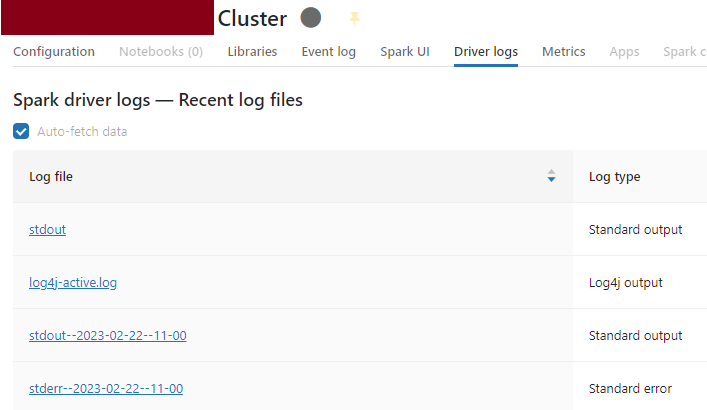
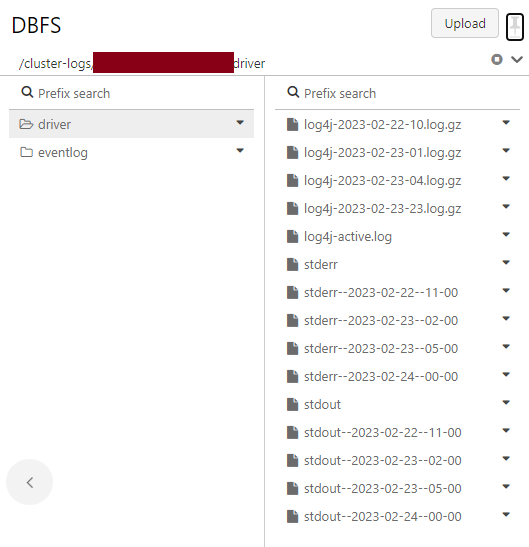
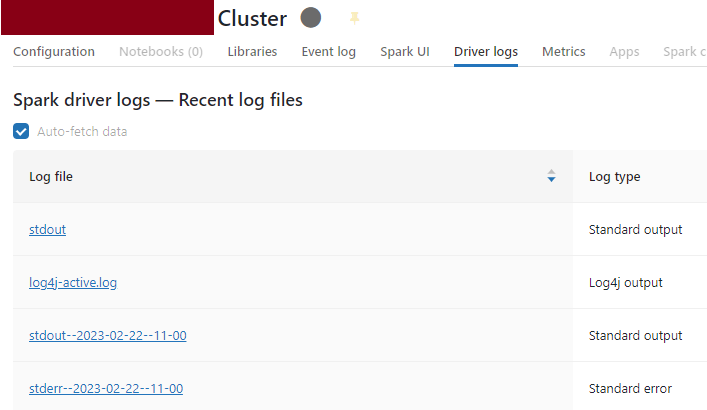
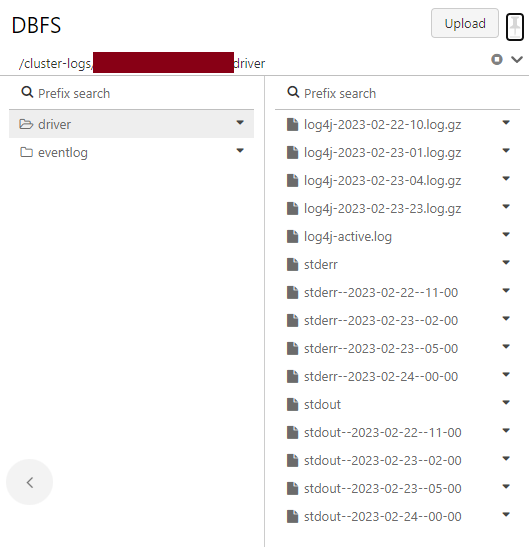
I set the cluster to deliver logs to a folder on DBFS and I can read log files from there.
I created a Databricks workspace on the premium pricing tier and it is not enabled for the Unity Catalogue. Tables are stored in hive_metastore based on my client's request.
I queried tables on specific days but I cannot find table names in the log files for those specific actions and timestamp.
I can see table names in log files "log4j" but seems that these are related to when I created tables (based on the timestamp).
What I understand is that "log4j-active.log" contains logs of the currently running cluster or the most recent logs. From time to time, Databricks archives the logs in separate gz files with the filename “log4j-Date-log.gz“. For example: “log4j-2023-02-22-10.log.gz”.
Please let me know where I can find information about table usage or queries (if there are any).
Also, note that I don't get logs for all activities. For example, I started the cluster on Feb 24th and run a few queries. But, there is no "log4j" file for that time even if I consider the GMT time zone.
- Labels:
-
Clusterlogs
-
Databricks Table Usage