- Mark as New
- Bookmark
- Subscribe
- Mute
- Subscribe to RSS Feed
- Permalink
- Report Inappropriate Content
02-07-2023 01:20 PM
I'm using Azure Databricks.
I've been following this guide to create a Unity Catalog metastore using a managed identity.
When I create the catalog and the validation step kicks off, I get this screen:
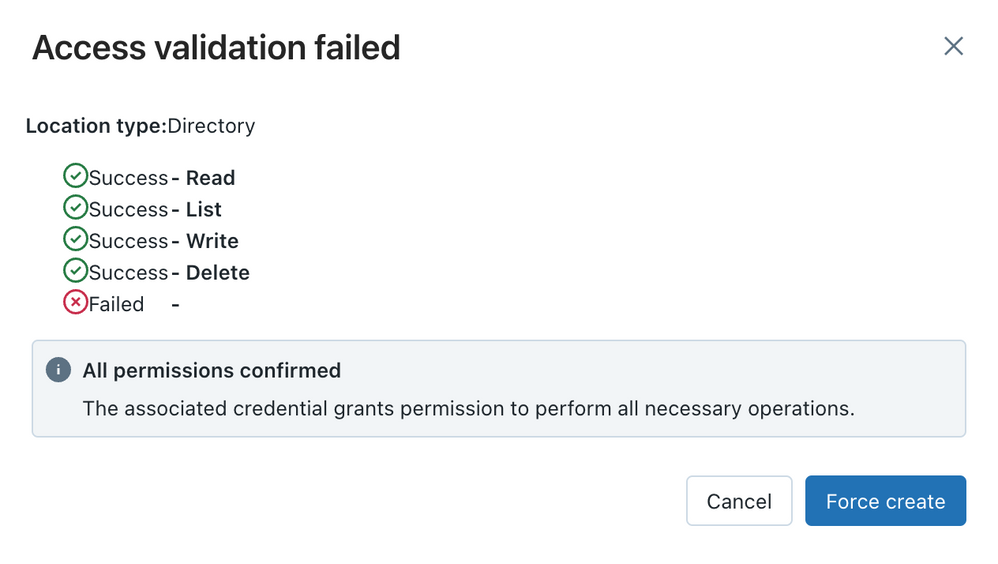
What does this mean?
If I click "Force create" and then assign the metastore to a workspace, I'm not able to write anything to the metastore. Eg, doing a simple "CREATE TABLE main.default.test" yields the following error:
[RequestId=<uuid> ErrorClass=INVALID_STATE] Failed to access cloud storage: AbfsRestOperationException exceptionTraceId=<uuid>I believe that the failed validation is correct given I can't create a table, but I have no idea what's wrong. Any thoughts or pointers?
EDIT: formatting.
UPDATE: When creating the metastore, the "ADLS Gen 2 path" must exist in the storage container. Meaning, if the ADLS Gen 2 path value is "foo@bar.dfs.core.windows.net/baz", the "baz" folder must exist in the "foo" container. That gets the validation to pass. However, creating a table still creates the same error mentioned above.
UPDATE2: The issue was fully resolved by @Tom Smith's comment in this thread, which recommends to follow the upgrade documentation.
- Labels:
-
Azure
-
Azure databricks
-
Unity Catalog