Uploaded Docker image into cluster. Used cluster for MLFlow experiment, but no experiment is logged/there are no experiment runs. Why is this?

- Mark as New
- Bookmark
- Subscribe
- Mute
- Subscribe to RSS Feed
- Permalink
- Report Inappropriate Content
08-02-2022 02:20 PM
Hi!
So I used this MLFlow experiment I found from the databricks website: https://docs.databricks.com/_static/notebooks/machine-learning-with-unity-catalog.html
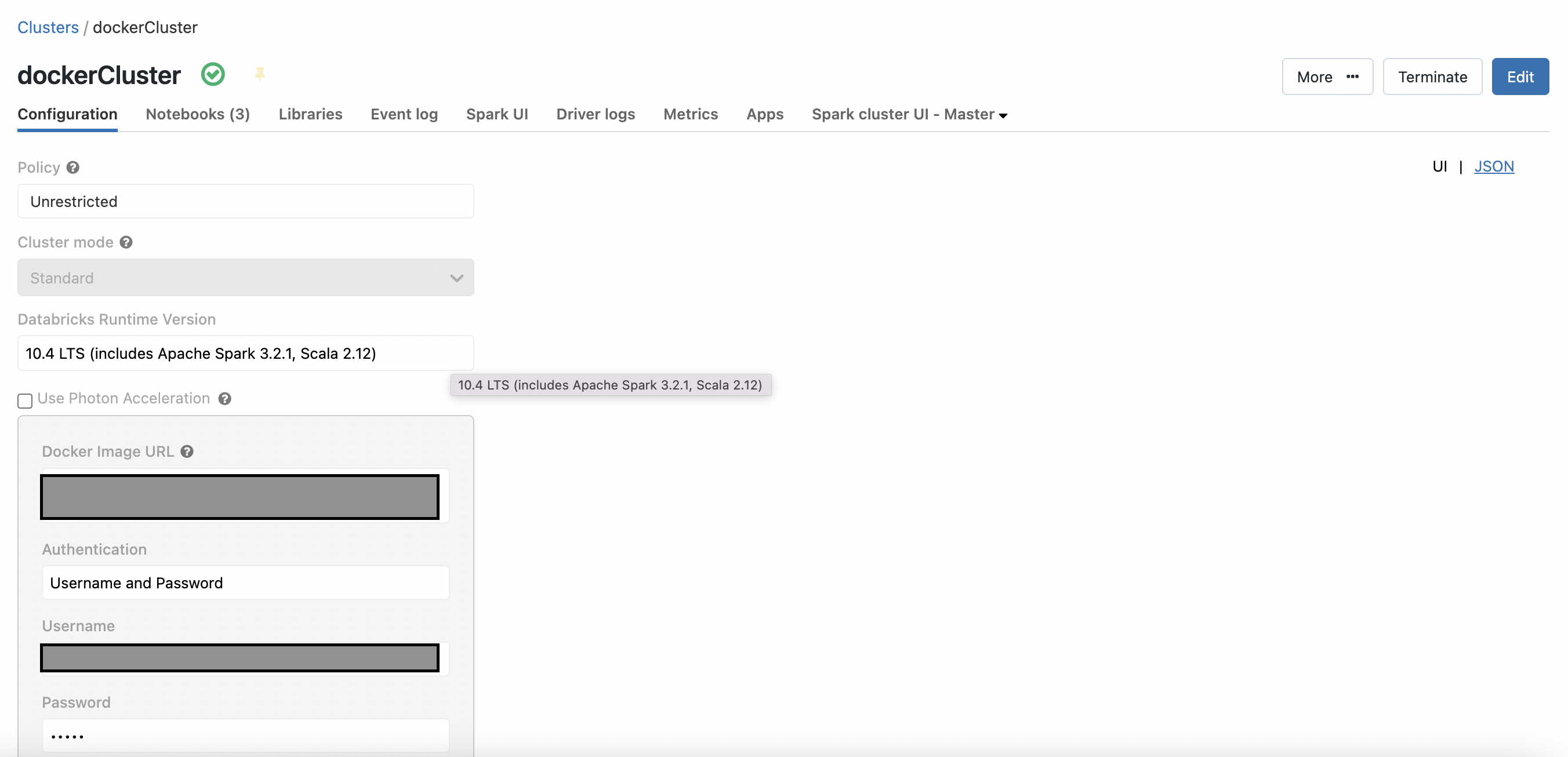
And I created this cluster using a custom Docker image I created myself: 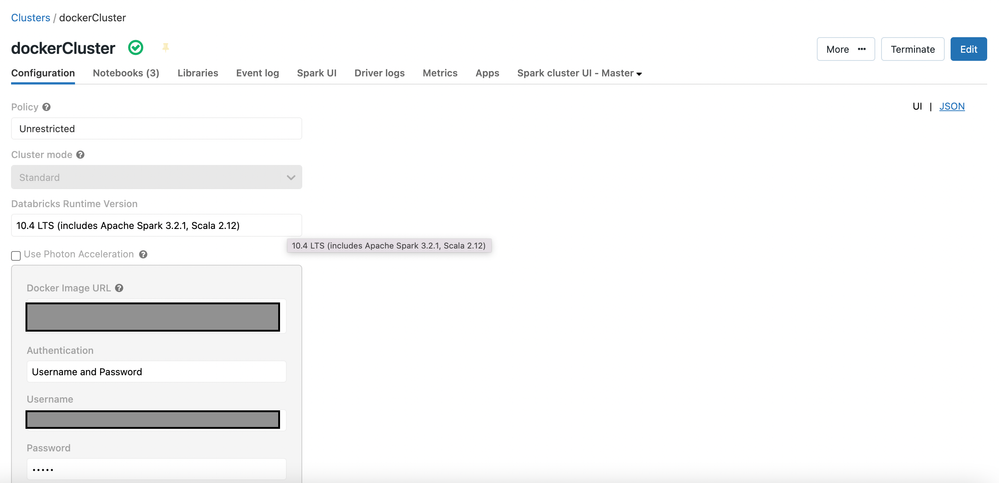
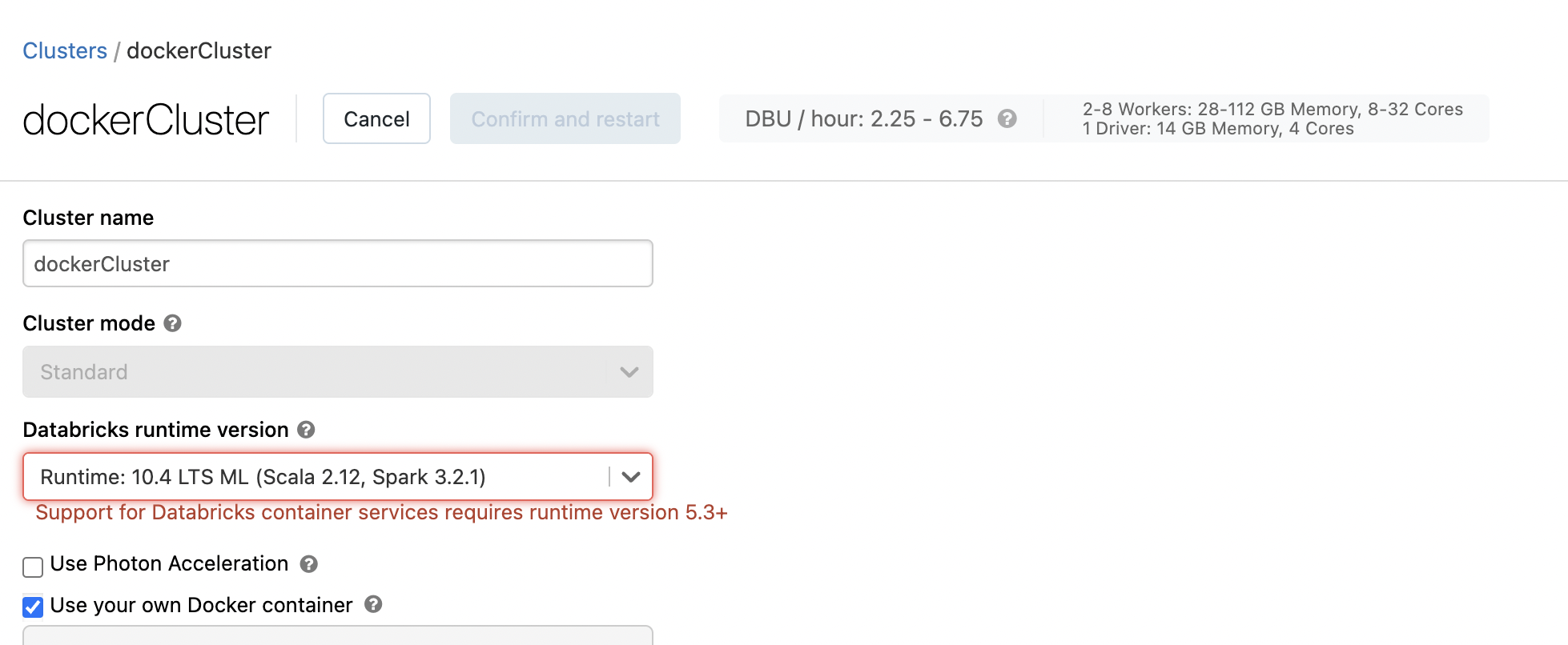
Usually when I create a cluster to run an MLFlow experiment, I use the ML version such as 10.4 LTS ML (includes Apache Spark 3.2.1, Scala 2.12). However, when I tried to select this for the Docker image, this error shows up:
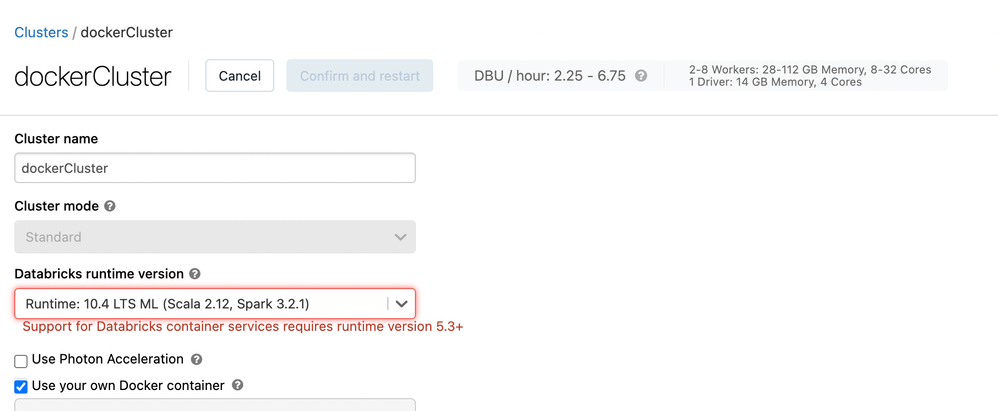
So I thought, I'll just use the regular 10.4 LTS one. But when I used this and ran my MLFlow experiment, nothing shows up in the experiment runs.
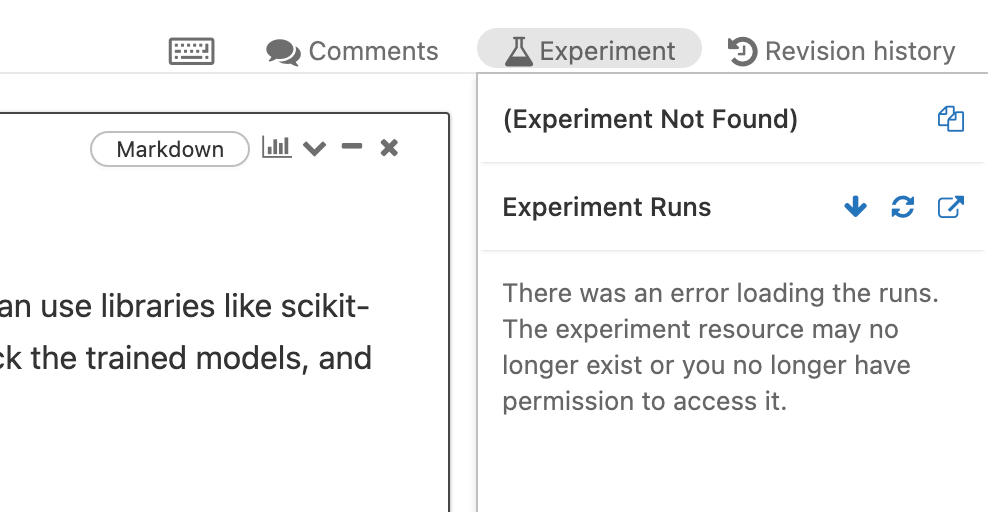
Why is this happening? What can I do to make this work?
Please help! Thank you very much!
- Labels:
-
MLflow Experiment

- Mark as New
- Bookmark
- Subscribe
- Mute
- Subscribe to RSS Feed
- Permalink
- Report Inappropriate Content
08-02-2022 02:39 PM
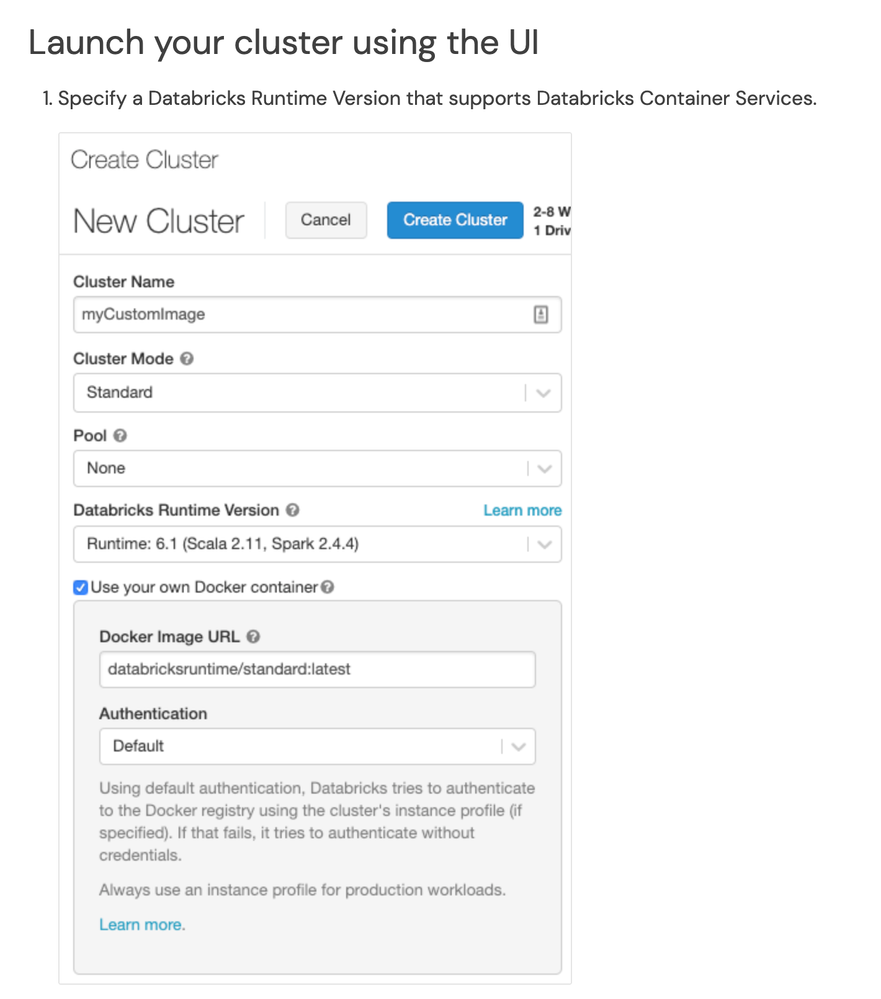
Have you tried the steps mentioned in the below URL:
https://docs.databricks.com/clusters/custom-containers.html#step-3-launch-your-cluster
- Mark as New
- Bookmark
- Subscribe
- Mute
- Subscribe to RSS Feed
- Permalink
- Report Inappropriate Content
08-02-2022 02:54 PM
Hi @Debayan Mukherjee!
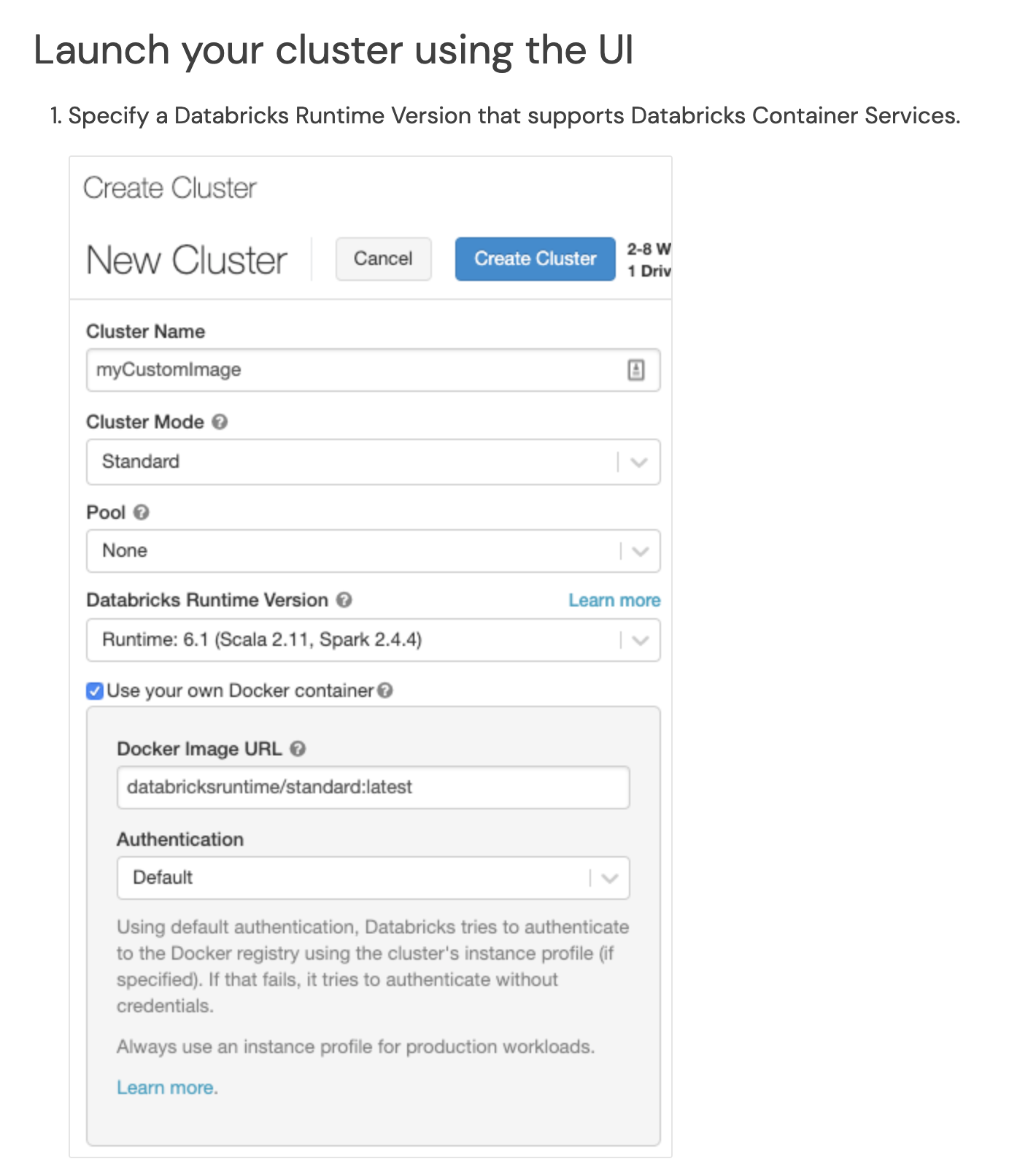
Yes, I've been following this URL and have gone through step 3 for launch your cluster for the UI. This is what I have and it is pretty similar to the screenshot you have: 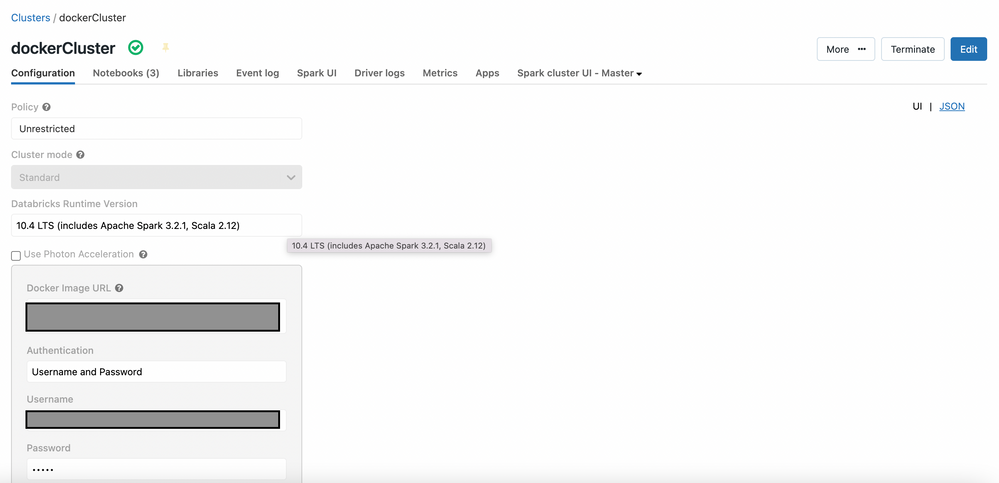
The cluster was successfully created with the Docker image, but I cannot use the cluster for running MLflow experiments. I'm not sure what I did wrong.
Thank you!
- Mark as New
- Bookmark
- Subscribe
- Mute
- Subscribe to RSS Feed
- Permalink
- Report Inappropriate Content
08-08-2022 05:50 AM
While initializing the experiment, do you see any errors?
Also Could you please check if the permissions are provided correctly: https://docs.databricks.com/security/access-control/workspace-acl.html#mlflow-experiment-permissions....
Also, you can go through https://docs.databricks.com/applications/mlflow/tracking.html#experiments.

- Mark as New
- Bookmark
- Subscribe
- Mute
- Subscribe to RSS Feed
- Permalink
- Report Inappropriate Content
08-30-2022 10:23 AM
Hi @Margie Kale,
Just a friendly follow-up. Did Debayan's response help you to resolved your questions? please mark it as best. Otherwise, please let us know if you still need help.