- Mark as New
- Bookmark
- Subscribe
- Mute
- Subscribe to RSS Feed
- Permalink
- Report Inappropriate Content
09-09-2025 09:47 AM
I am trying out a Genie space to be used as a MCP server with a client. When i add the URL details and authentication PAT I get an error .. attached image file for more details.
Unable to validate mcp server capabilities! Error: MCP server validation failed: Error acquiring tool definitions from MCP server:

- Mark as New
- Bookmark
- Subscribe
- Mute
- Subscribe to RSS Feed
- Permalink
- Report Inappropriate Content
09-17-2025 09:59 AM
Hi @kbaig8125
I would recommend that you do the following:
1. Install the MCP inspector from the following location: https://github.com/modelcontextprotocol/inspector. Before you do so, make sure Node.js is also installed.
2. Configure the PAT token in your workspace and select the Genie space you would like to use.
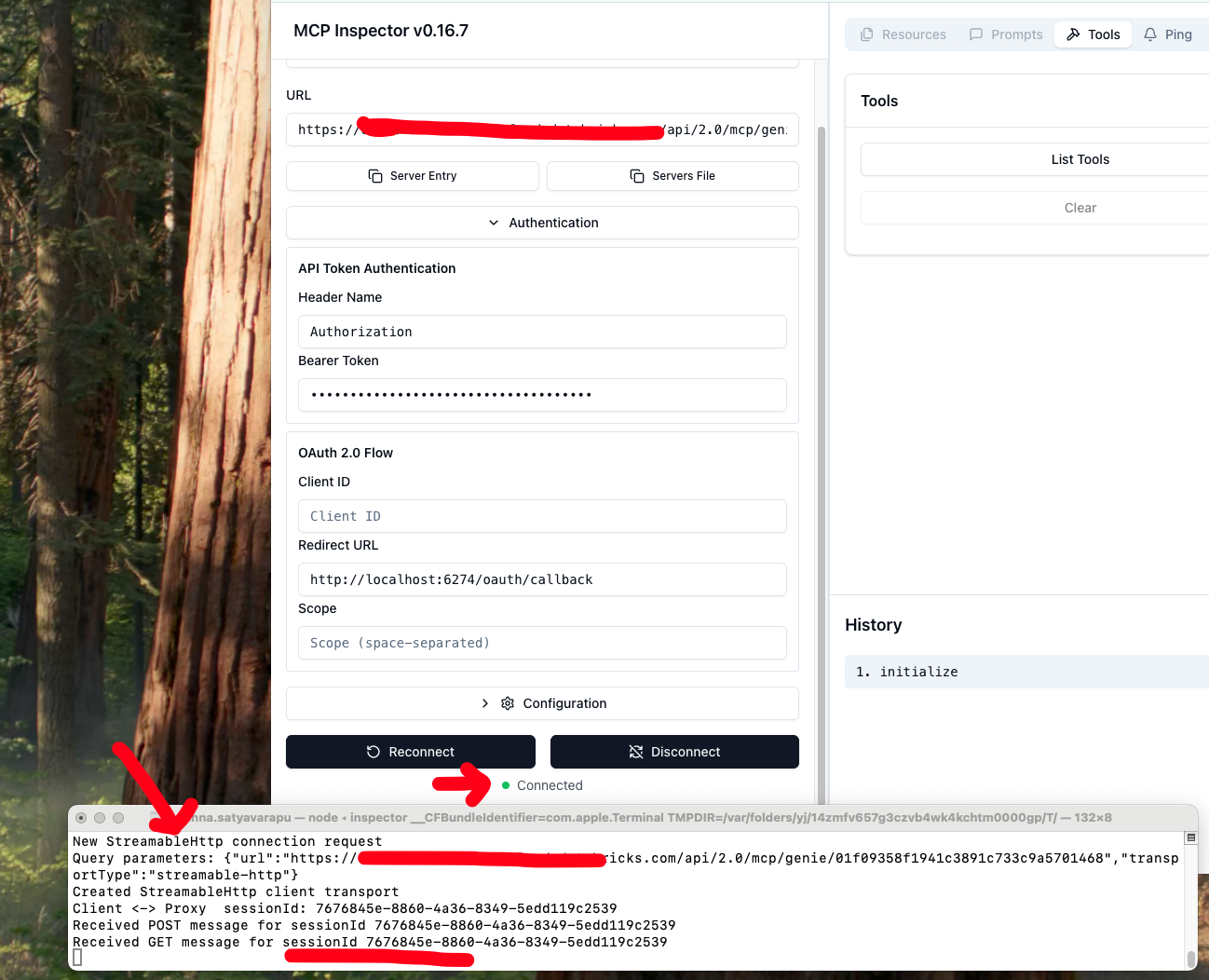
3. Set the values in the MCP inspector as shown below
Make sure it is a StreamableHttp connection and the Bearer token only has the PAT token.
Check the image attached.


- Mark as New
- Bookmark
- Subscribe
- Mute
- Subscribe to RSS Feed
- Permalink
- Report Inappropriate Content
09-25-2025 08:11 AM
Hello @kbaig8125!
Did the steps shared above help resolve your issue? If yes, please consider marking it as the accepted solution. If you found a different approach, please share it with the community so others can benefit as well.