Options
- Mark as New
- Bookmark
- Subscribe
- Mute
- Subscribe to RSS Feed
- Permalink
- Report Inappropriate Content
09-17-2025 09:59 AM
Hi @kbaig8125
I would recommend that you do the following:
1. Install the MCP inspector from the following location: https://github.com/modelcontextprotocol/inspector. Before you do so, make sure Node.js is also installed.
2. Configure the PAT token in your workspace and select the Genie space you would like to use.
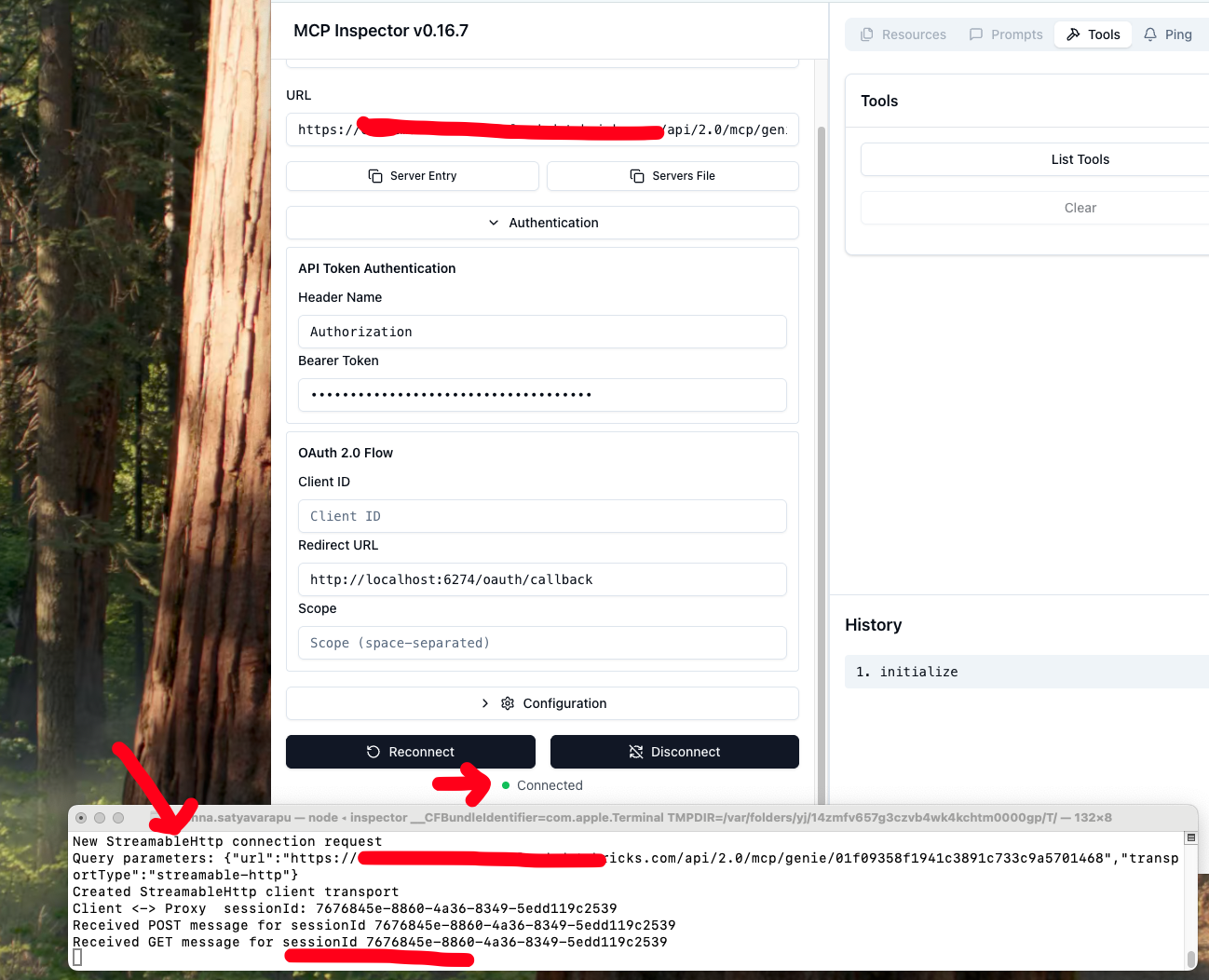
3. Set the values in the MCP inspector as shown below
Make sure it is a StreamableHttp connection and the Bearer token only has the PAT token.
Check the image attached.
Visual testing tool for MCP servers. Contribute to modelcontextprotocol/inspector development by creating an account on GitHub.