- Mark as New
- Bookmark
- Subscribe
- Mute
- Subscribe to RSS Feed
- Permalink
- Report Inappropriate Content
05-06-2024 11:07 PM
Hello there,
I am trying to start a serverless databricks SQL cluster in GCP. I am following this databricks doc: https://docs.gcp.databricks.com/en/admin/sql/serverless.html
I have checked that all my requirements are fulfilled for activating the cluster
I am following the steps as mentioned
Go to the feature enablement tab of the account console settings page.
A banner at the top of the page prompts you to accept the additional terms. Once you read the terms, click Accept. If you do not see the banner asking you to accept the terms, this step has been completed already.
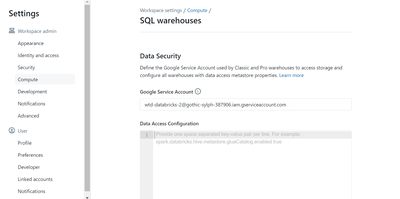
Go to the settings page.
Select Compute.
Click Manage next to SQL warehouses.
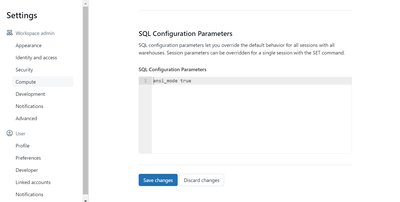
Turn on Serverless SQL warehouses (On).
I am not able to find any button or thing to turn on the serverless SQL warehouse, what am I doing wrong?