- Mark as New
- Bookmark
- Subscribe
- Mute
- Subscribe to RSS Feed
- Permalink
- Report Inappropriate Content
09-15-2022 07:09 AM
I am a bit lazy and trying to manually recreate a cluster I have in one workspace into another one.
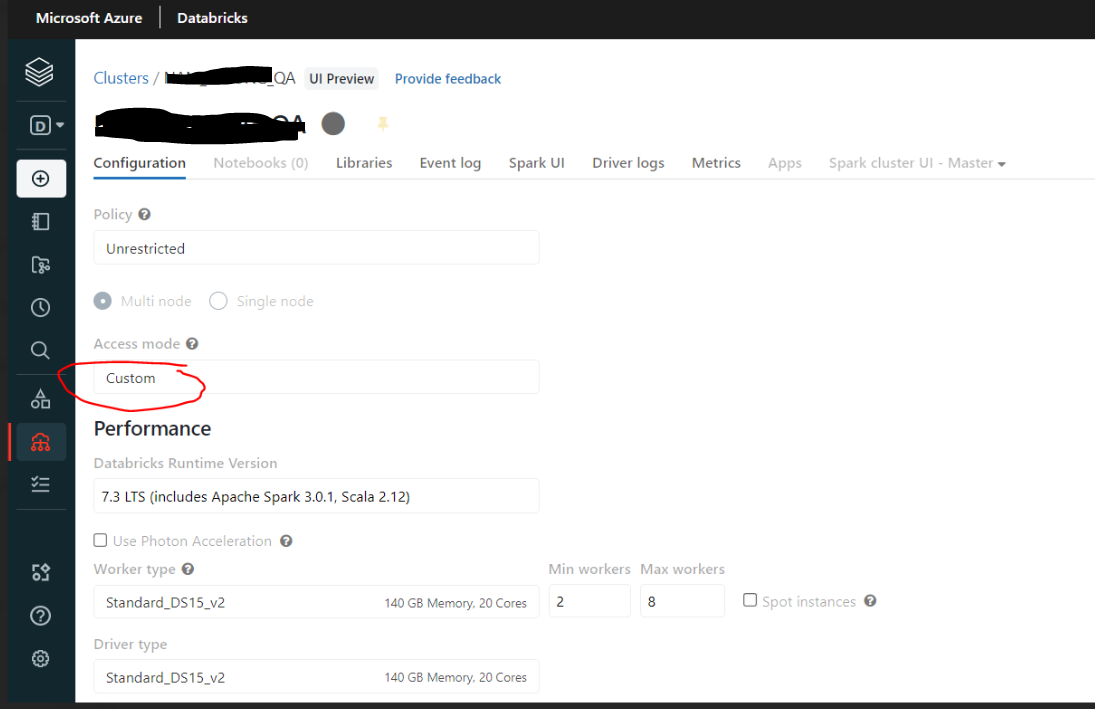
The cluster was created some time ago. Looking at the configuration, the access mode field is "custom":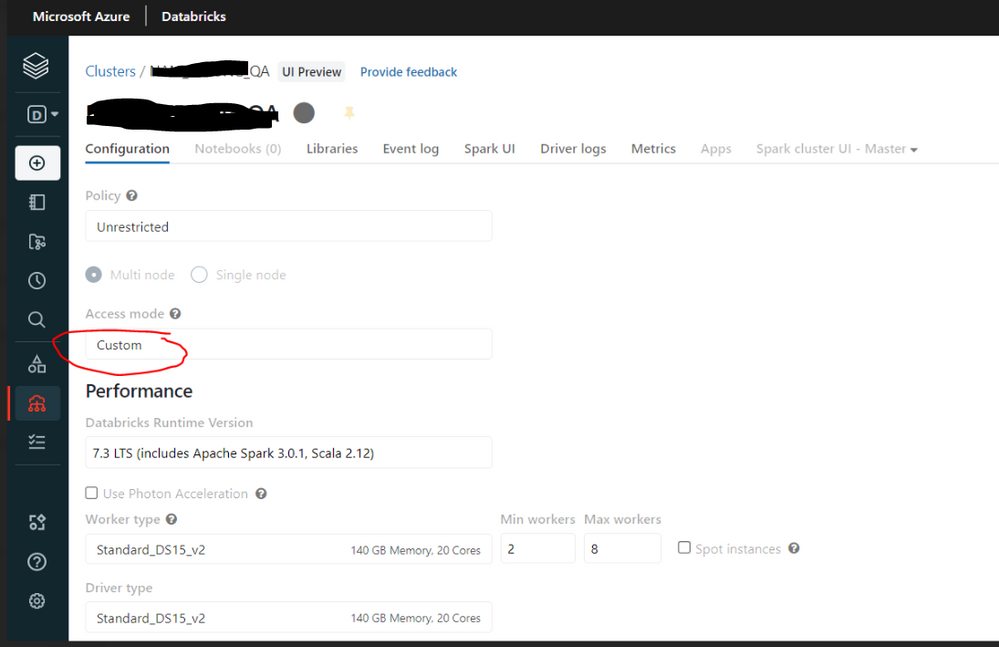
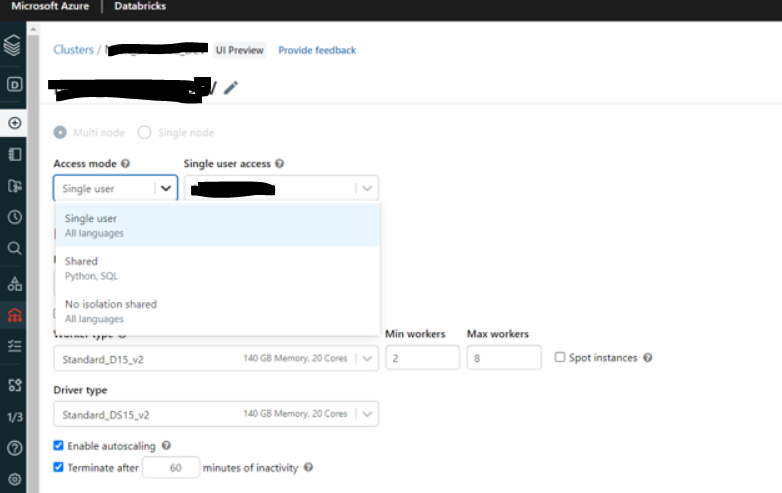
When trying to create a new cluster, I do not have this option. I have 3 others but not custom.
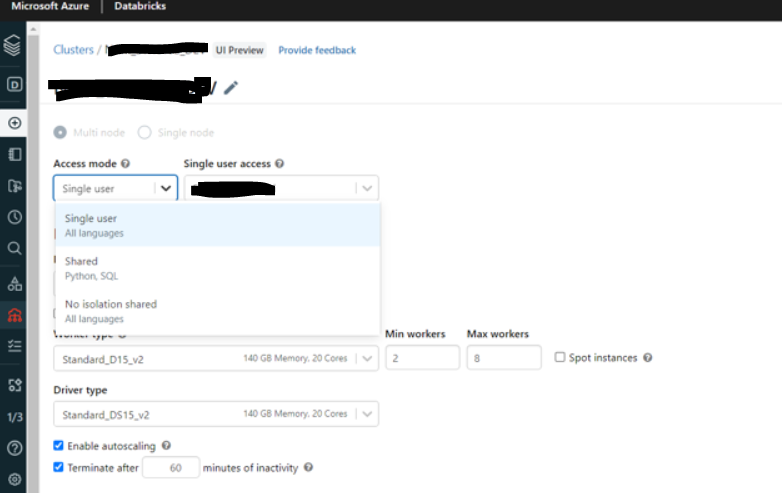
Is this a new option added recently or I did something wrong in a configuration?
Ideally, I want to have this option configured the same way as in my existing cluster
TIA
- Labels:
-
Cluster

- Mark as New
- Bookmark
- Subscribe
- Mute
- Subscribe to RSS Feed
- Permalink
- Report Inappropriate Content
09-15-2022 07:47 AM
There was a change in the Databricks UI recently, here you can find this documented: https://docs.databricks.com/clusters/cluster-ui-preview.html#what-is-cluster-access-mode
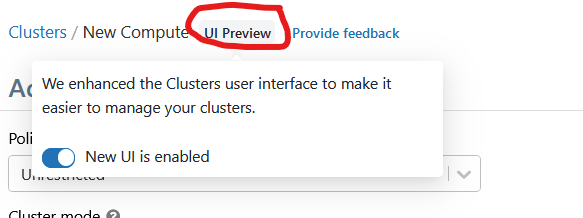
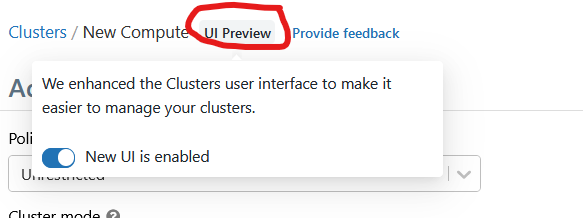
It seems like it was High Concurrency access, to access this option you need to switch the view to old UI:
- Mark as New
- Bookmark
- Subscribe
- Mute
- Subscribe to RSS Feed
- Permalink
- Report Inappropriate Content
09-16-2022 02:38 AM
Thanks Pat,
You are right. When switching to old UI, there is no option as "Access mode".
I could have now created a new cluster with old UI. Then edit it with a new UI and now in "Access mode" this custom option was available to select.
Thanks a lot 🙂

- Mark as New
- Bookmark
- Subscribe
- Mute
- Subscribe to RSS Feed
- Permalink
- Report Inappropriate Content
04-03-2024 10:15 PM
I am facing the same type of issue and now changing back to old UI option is not available, cause of this issue i am not able to view cluster metrics

- Mark as New
- Bookmark
- Subscribe
- Mute
- Subscribe to RSS Feed
- Permalink
- Report Inappropriate Content
10-01-2024 01:37 AM
Hi All - I am new to databricks and trying to create my first workflow. For some reason, the cluster created is of type -"custom". I have not mentioned it anywhere in my asset bundle.
Due to this - I cannot create get the Unity Catalog feature. Could someone please help.
Thanks.