- Mark as New
- Bookmark
- Subscribe
- Mute
- Subscribe to RSS Feed
- Permalink
- Report Inappropriate Content
12-17-2025 03:57 AM - edited 12-17-2025 04:09 AM
Hi Databricks Community!
This is my first post in this forum, so I hope you can forgive me if it's not according to the forum best practices 🙂
After lots of searching, I decided to share the peculiar issue I'm running into in this community.
I try to load a JSON format that is exposed via the Home Assistant /api/history/period/ endpoint. The format consists of an array of arrays:
[
   [
      {
         "entity_id": "sensor.solaredge_lifetime_energy",
         "state": "19848848.0",
         "attributes": {
            "state_class": "total",
            "unit_of_measurement": "Wh",
            "device_class": "energy",
            "friendly_name": "solaredge Lifetime energy"
         },
         "last_changed": "2025-12-14T23:00:00+00:00",
         "last_updated": "2025-12-14T23:00:00+00:00"
      },
      { ... }
   ],
   [ ... ]
]
Each array contains measurements of a specific sensor. Every object has the same 5 properties / fields.
The file(s) live in S3 and I try to read them as follows:
schema = StructType([
   StructField("entity_id", StringType(), False),
   StructField("state", StringType(), True),
   StructField("attributes", MapType(StringType(), StringType()), True),
   StructField("last_changed", TimestampType(), False),
   StructField("last_updated", TimestampType(), False),
])

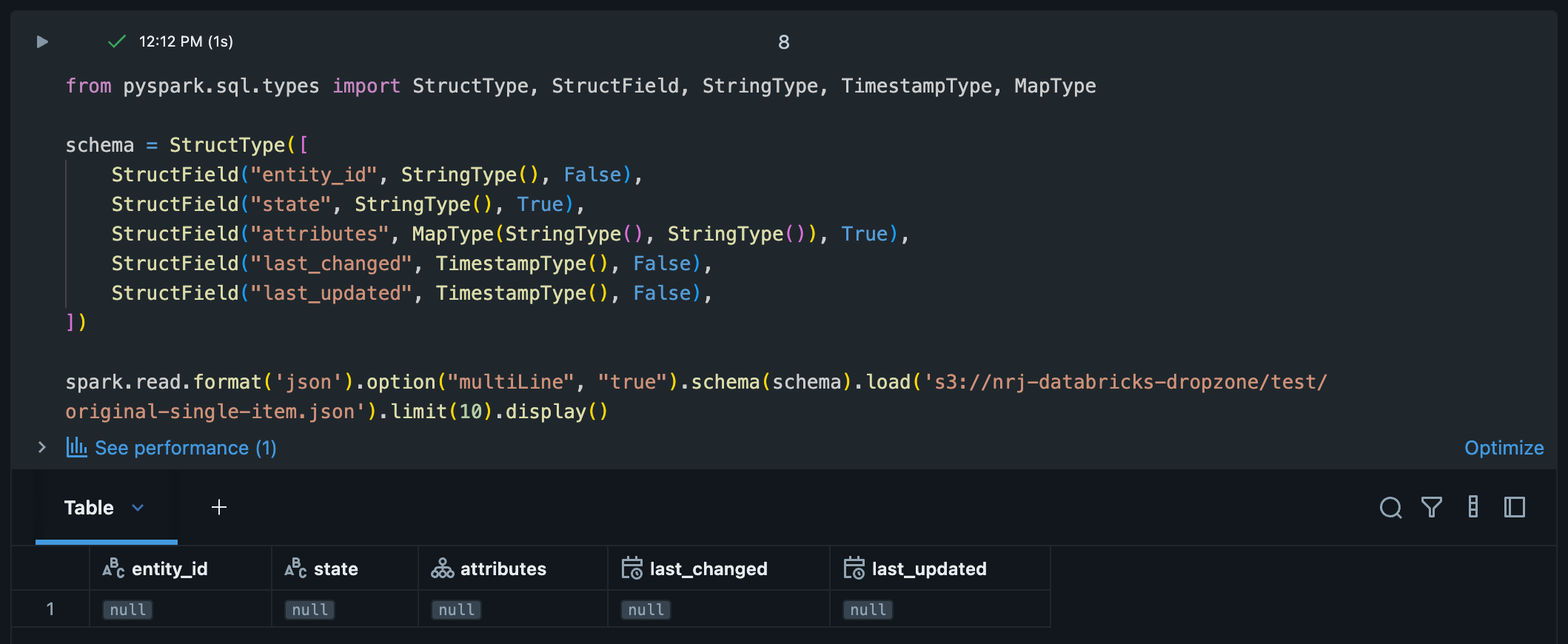
spark.read.format('json').option("multiLine", "true").schema(schema).load(<S3 location>).limit(10).display()
For some strange reason the result is 1 row per file with all null values, while the correct columns are there.
I tried / checked different things so far:
- Validated the JSON: The JSON file is valid and doesn't contain any malformed / missing values.
- I 'flattened' the list of lists to a single top-level list using flattened = [element for sub_list in data for element in sub_list]. The resulting JSON is loaded just fine and is exactly what I want as the output.
- I tried removing the schema definition, but the result remains the same.
Any suggestions? I don't think I should transform the source JSON in order to be able to load it using Spark.
- Labels:
-
Spark