How do I move existing workflows and jobs running on an all-purpose cluster to a shared jobs cluster?

- Mark as New
- Bookmark
- Subscribe
- Mute
- Subscribe to RSS Feed
- Permalink
- Report Inappropriate Content
07-05-2022 10:32 AM
A Databricks cluster is a set of computation resources that performs the heavy lifting of all of the data workloads you run in Databricks. Databricks provides a number of options when you create and configure clusters to help you get the best performance at the lowest cost.
This post will help you switch your jobs running on an all-purpose cluster to a shared jobs cluster. Job clusters help you by reducing resource usage and cost.
Pre-req
- You have permissions to create and manage clusters in your Databricks workspace - Cluster overview AWS, Azure, GCP
- You have Jobs running – Jobs Quickstart AWS, Azure, GCP
Steps to move existing jobs and workflows
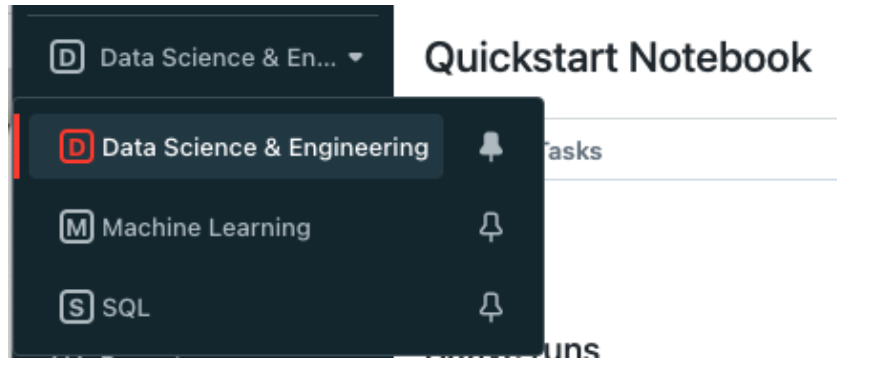
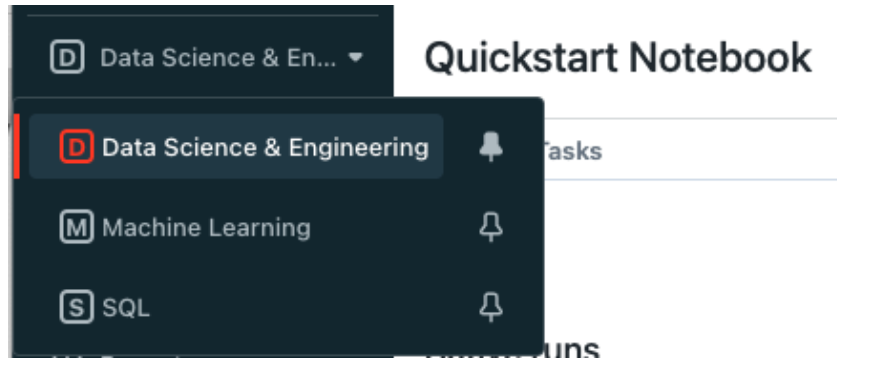
- Navigate to the Data Science & Engineering homepage
- Click on Workflows
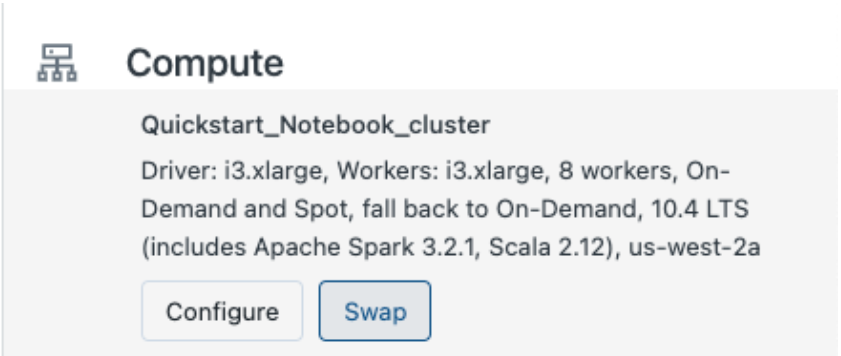
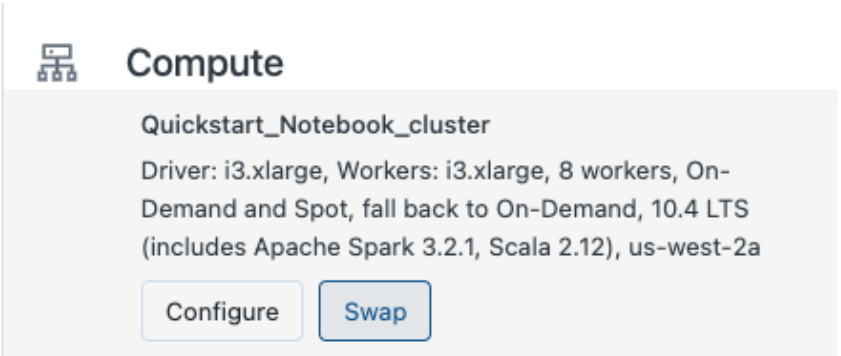
- Click on a Job Name and find the Compute in the left panel
- Click the Swap button
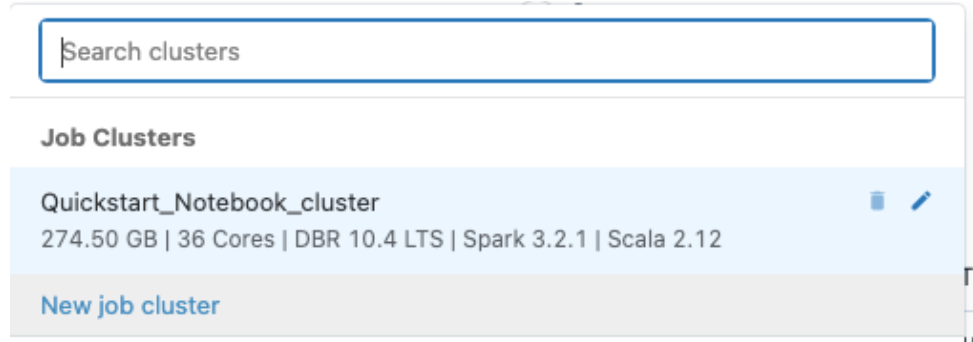
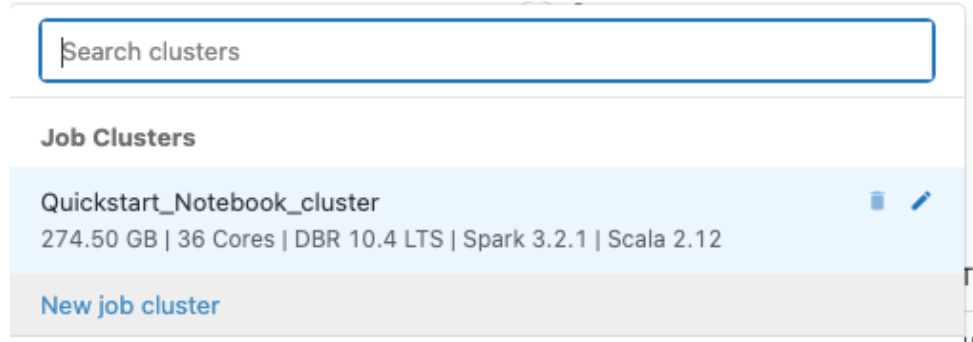
- Select an existing Jobs Cluster (if available) or click `New job cluster` to create a new Jobs Cluster

You can also use the Jobs API. The job_clusters object lets you partially update a list of job cluster specifications that can be shared and reused by tasks of this job.
Learn more
- Databricks Academy Introduction to Jobs
- watch this Workflows demo
- read the blog for details on a 7-task workflow
- check out our Workflows documentation
- feel free to contact us.
Drop your questions, feedback and tips below! 👇
- Labels:
-
Azure
-
Cluster
-
Jobs Cluster
-
Workflows