How to download a pytorch model created via notebook and saved in a folder ?

- Mark as New
- Bookmark
- Subscribe
- Mute
- Subscribe to RSS Feed
- Permalink
- Report Inappropriate Content
03-26-2024 04:40 PM
I have created a pytorch model using databricks notebooks and saved it in a folder in workspace. MLFlow is not used.
When I try to download the files from the folder it exceeds the download limit. Is there a way to download the model locally into my system?
- Mark as New
- Bookmark
- Subscribe
- Mute
- Subscribe to RSS Feed
- Permalink
- Report Inappropriate Content
03-27-2024 10:37 PM - edited 03-27-2024 10:38 PM
Hi @Retired_mod, Thanks for your response.
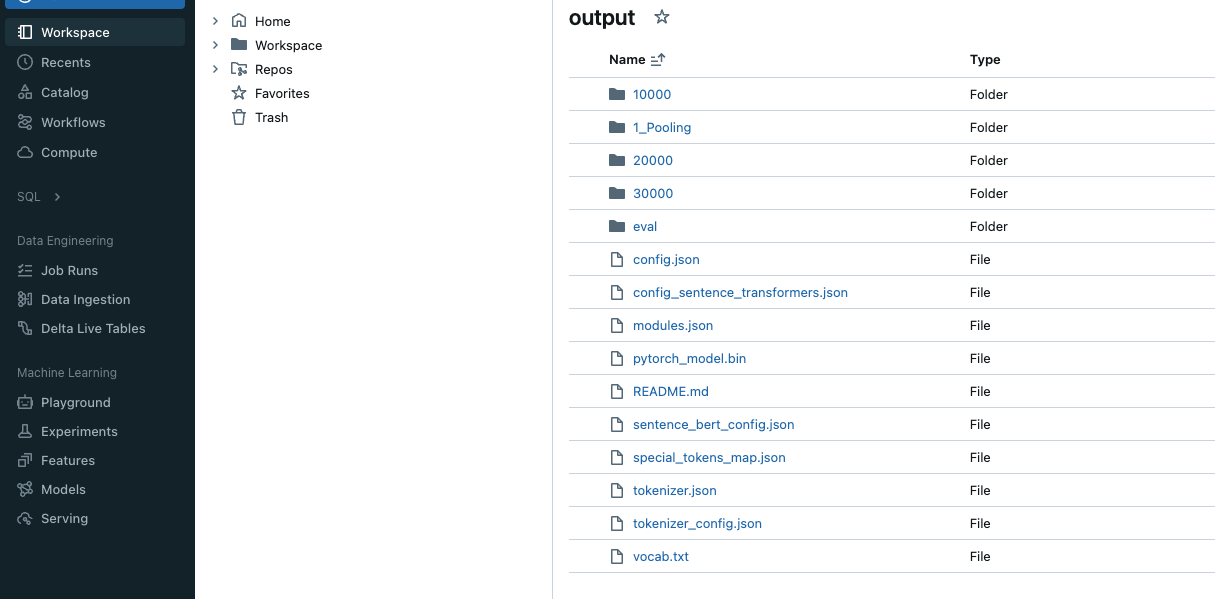
Unfortunately, I don't have the the model deployed anywhere. I have access to the databricks cloud UI, where I use notebooks for experimentation and have create and saved my model through the notebook, in a specified folder location in my workspace. And when I try to downlaod the files manually by exporting the files (for example in the screenshot below pytorch_model.bin) locally it gives limit exceeded error. Below are the screenshots for your reference.
I tried running your suggested command in the notebook with the path as the path to the folder where this model is stored (/Workspace/Shared/Data/Model/best_model/output/). It says schema missing