- Mark as New
- Bookmark
- Subscribe
- Mute
- Subscribe to RSS Feed
- Permalink
- Report Inappropriate Content
02-23-2023 05:14 PM
@Owo Akilo
What I have found so far.
If Workspace is enabled for Unity Catalog:
I set up Azure Log Analytics following the documentation. Now, I get the logs in Azure Log Analytics Workspace.
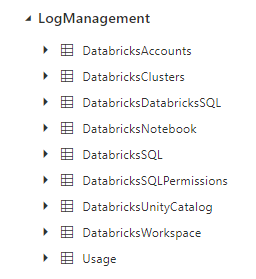
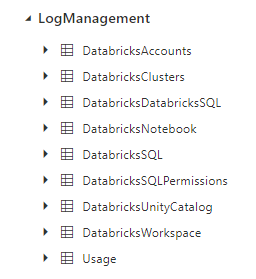
There is a table named "DatabricksUnityCatalog" where I can find the action name "getTable". Here, I can see table names. But, for some reasons that I don't understand, Databricks doesn't save all table usage information in "DatabricksUnityCatalog".
I queried tables for a few days but I only see "getTable" action for one of the days.
If Workspace is not enabled for Unity Catalog:
What I found is:
1) Using cluster logs for queries run in a notebook (Ref).
After enabling cluster logs, I can see table names in a text file "log4j-active" but this file changes whenever I start the cluster. Seems that this file is archived as gz files but I cannot find table names in the archived files for most queries I had in the notebook.
2) Query history for queries run in the SQL persona (Ref).
We can see the query history in the Databricks user interface but I am looking for a way to send it to the Power BI, and extract table names.
I don't understand how API works and how to use API Specification file (Ref)