For years, there was no simple way to disable a single task in a Databricks workflow.
Let that sink in 🙂
If you wanted to skip a task, you had to get creative
- Add custom flags
- Wrap logic in if/else blocks
- Or build your own workaround just to not run something
It worked, but it came at a cost. All that extra logic cluttered the code, made pipelines harder to read, and turned what should be a simple toggle into a maintenance headache.
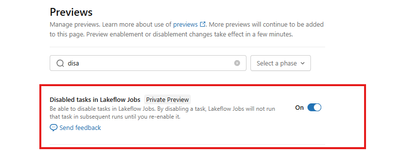
Now, we finally have the ability to disable individual tasks in Lakeflow Jobs - while keeping everything intact for later.
Worth knowing:
-
A disabled task in an Azure Databricks Lakeflow job is skipped at runtime without being removed from the job.
-
Disabled tasks retain their configuration and run history, so you can re-enable them later without rebuilding anything.
-
The feature is currently in private preview. To enable it, go to Previews and switch the toggle to ON.