Hi @amekojc,
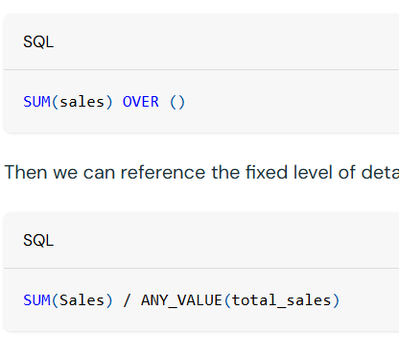
The approach in your screenshot is the fixed LOD pattern, where you first define a total such as SUM(emissions) OVER () and then divide the grouped value by that total. That approach works for a basic per cent-of-total calculation, but it will not automatically recalculate when a regular global field filter removes some category values, because fixed LOD is computed before visualisation groupings and filters are applied. The relevant public doc is Level of detail (LOD) expressions.
If the goal is... show each category’s share of only the categories that are still selected in the dashboard filter.... then the better option in dashboards is to use a coarser LOD expression instead of fixed LOD. Databricks documents coarser LOD specifically for dynamic groupings and filter-aware aggregations, including percent-of-total use cases.
For example, in a dashboard custom calculation, the pattern would look like this..
SUM(emissions) / (
  SUM(emissions) AGGREGATE OVER (PARTITION BY * EXCEPT (category))
)
That tells the denominator to aggregate across the current partition while excluding category, which is what makes the share recalculate over the remaining filtered categories rather than over the original full dataset.
If you want to stay with fixed LOD, the caveat is that dashboard field filters will not affect it. In that case, the supported workaround is to make the filter a parameter that changes the underlying dataset SQL rather than relying on a normal field filter. The same LOD doc above explicitly calls this out.
I also think you can use metric views for this. Metric views do support this kind of logic, but again, the distinction is between fixed LOD and coarser LOD. Fixed LOD in metric views is also computed before query-time filters, so it is not the right choice if you want the denominator to update as the user’s selection changes. The public doc for this is Use level of detail (LOD) expressions in metric views.
For metric views, the filter-aware option is coarser LOD implemented through window measures with range: all. Databricks documents this as the way to support dynamic groupings and query-time filter-aware percent-of-total calculations in metric views. The caveat is that window measures are currently marked experimental. You can see that in Advanced techniques for metric views.
A metric view version would look roughly like this:
measures:
  - name: emissions
    expr: SUM(emissions)

  - name: all_category_emissions
    expr: SUM(emissions)
    window:
      - order: category
        range: all
        semiadditive: last

  - name: emissions_share
    expr: MEASURE(emissions) / MEASURE(all_category_emissions)
This is achievable, but not with a fixed LOD denominator if the category selection is just a regular global field filter. In dashboards, the recommended path is coarser LOD with AGGREGATE OVER (PARTITION BY * EXCEPT (...)), and in metric views the equivalent is coarser LOD via window measures, with the caveat that window measures are still experimental.
Hope this helps.
If this answer resolves your question, could you mark it as “Accept as Solution”? That helps other users quickly find the correct fix.
Regards,
Ashwin | Delivery Solution Architect @ Databricks
Helping you build and scale the Data Intelligence Platform.
***Opinions are my own***