Hi !
I am building a django web app, its in local for now. I am using databricks -sql-connector to run a simple query
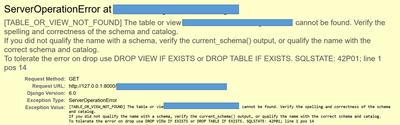
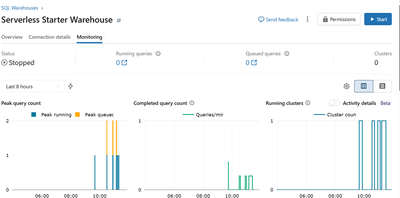
'select * from catalog.schema.table_name' and display it on an html page. I keep getting an error that the view or table is not found. I can confirm that the table exists, the configuration of the host, http_path, and token is correctly configured. I can also confirm that the sql query is also run on the serverless-monitoring.But, its not returnning any result to my html page.
views.py
from django.shortcuts import render
from django.http import HttpResponse
from databricks import sql
import os
def index(request😞
return HttpResponse("Hello, world. You're at the polls index.")
# Create your views here.
```
def get(request😞
your_host='xxx.cloud.databricks.com'
your_http_path='/sql/1.0/warehouses/xxx'
your_access_token='xxx'
connection = sql.connect(
server_hostname= your_host,
http_path= your_http_path,
access_token= your_access_token)
cursor = connection.cursor()
cursor.execute('SELECT * FROM `scidstools.assetmanager.trucks`')
result = cursor.fetchall()
context = {
'query_results': result,
'headers': ['TruckId', 'FleetType','Status'] # Manually define headers
}
context ='hello world'
cursor.close()
connection.close()
return render('test/','index.html',context)
```
index.html
<html>
<h1>Custom Query Results</h1>
<table border="1">
<thead>
<tr>
{% for header in headers %}
<th>{{ header }}</th>
{% endfor %}
</tr>
</thead>
<tbody>
<!-- 'row.0' accesses the first column, 'row.1' the second, etc. -->
{% for row in query_results %}
<tr>
<td>{{ row.0 }}</td>
<td>{{ row.1 }}</td>
</tr>
{% endfor %}
</tbody>
</table>
Would appreciate any help.
Thanks all







