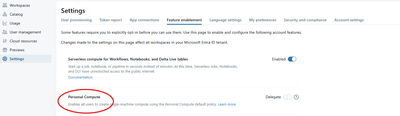
You might need to check if when you created the workspace, you chose the Hybrid option and NOT the Serverless option.
If you chose the Serverless option, you will not be able to access custom compute.
So, you will need to create another workspace with the Hybrid option enabled. Once you select Hybrid and successfully create your databricks workspace, you will be able to click on Compute on the left bar and finally have access to compute clusters. And it won't keep redirecting you to SQL Warehouse (very annoying lol).
Look at my screenshot below when creating Databricks workspace:

Screenshot of access to compute clusters:

Also, bear in mind that when running a Datafactory pipeline, you might run into errors in a Databricks notebook block if the Databricks workspace is Serverless. For that, you'll also need to recreate your workspace with Hybrid option enabled.