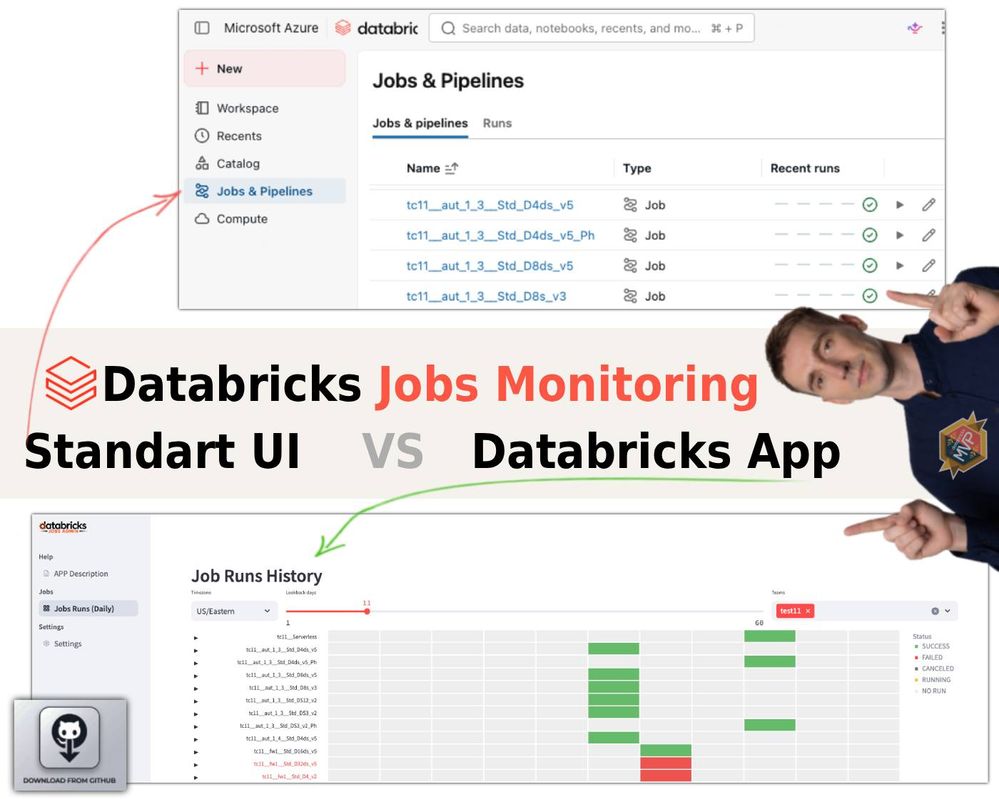
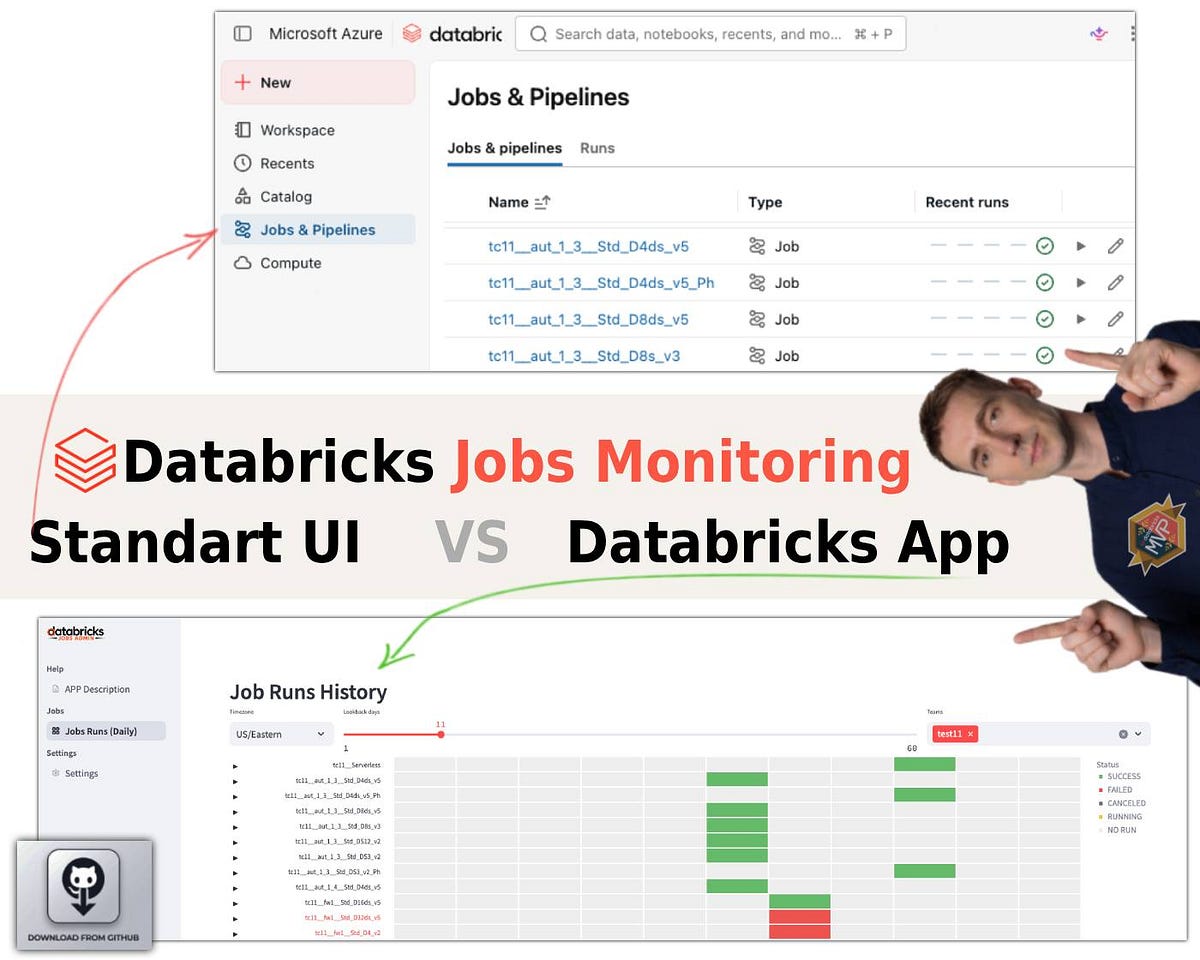
If you run dozens of scheduled jobs on Databricks, you already know the two native options for catching failures — email/Teams alerts and the Monitoring dashboard — both let you down at scale. You forget to wire up alerts on new jobs, and the dashboard only shows the last five runs across too many pages. So I built a small Streamlit Databricks App that talks to the Jobs API via the SDK, pulls every job into a single view, and — the part I actually care about — normalizes every schedule into one timezone. It runs for free locally through the Databricks CLI (no cluster needed). The code is open source. Here's what it does and how to deploy it.
You're an active Databricks user with a few dozen scheduled jobs. By default there are exactly two ways to know when a job fails:
- Set up alerts (email / Teams) — per job.
- Open the Monitoring dashboard in Databricks.
Both have the same failure mode at scale. You forget to configure alerts on some jobs, so failures go silent. And the native dashboard only displays the last five runs, spread across a lot of pages to click through. When you own dozens of jobs, that's not a control panel it's a maze.
Databricks is like a construction kit: once you understand how it works, you can bolt on custom solutions to automate the boring parts. So I used a Databricks App to build a more usable dashboard.
link to the post
link to the Repo in GitHub