Excited to share that the Lakeflow Pipelines Editor is now generally available! This is the new experience for building Lakeflow Spark Declarative Pipelines (formerly Delta Live Tables pipelines). We shipped a few new features inside it that we'd love your feedback on.
Redesigned layout for AI first development
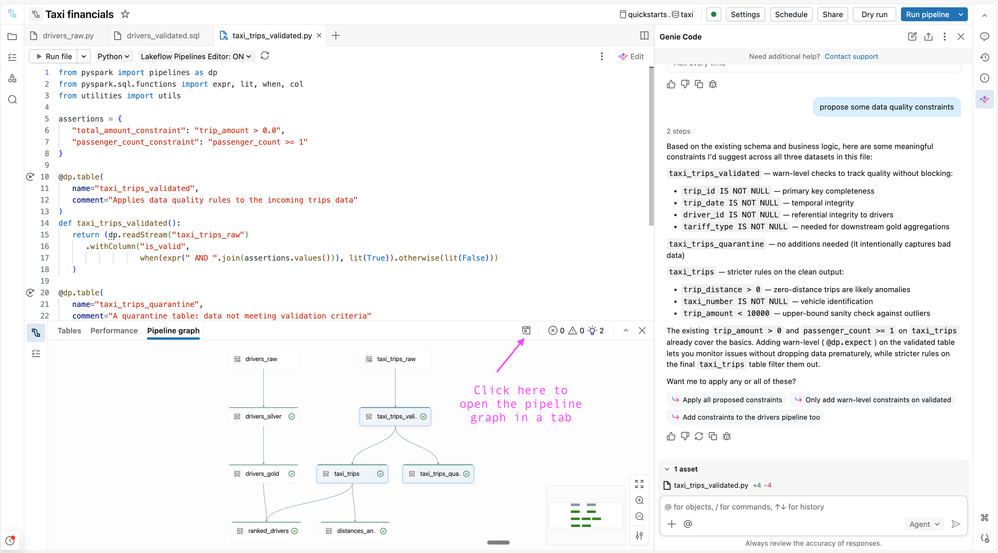
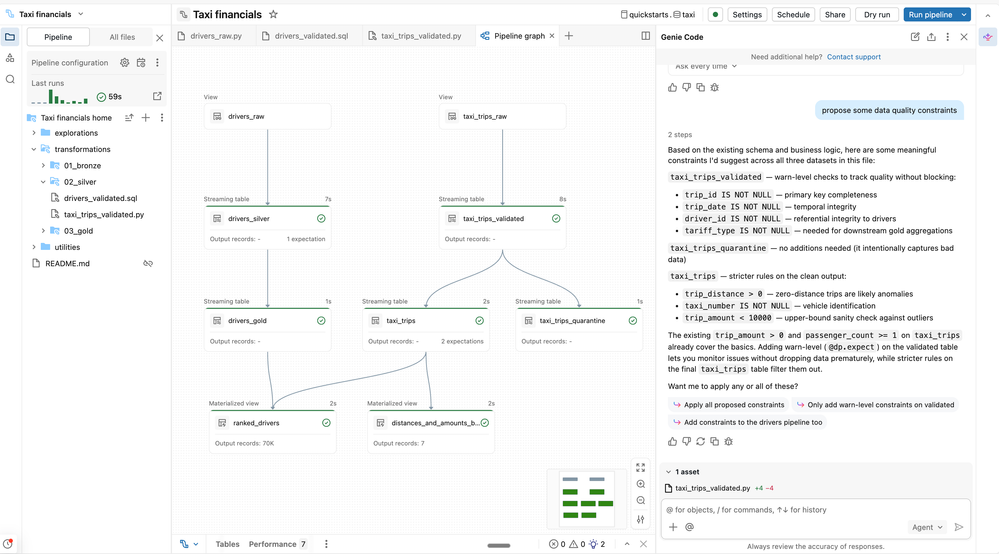
We now land users directly into the code and offer flexibility on where to dock the pipeline graph. By default you will now find it in the bottom panel with the option to open it up in a dedicated tab. This makes it easier to view your code, pipeline graph / table metrics and Genie Code chat window side by side. (Genie Code is GA.)
Native Genie Code integration
Genie Code is directly built into the editor and can help you create a new pipeline. Pick a pattern like medallion architecture and Genie sets it up for you, including an opinionated folder structure and data quality checks in the silver layer. As you build, Genie also helps you debug issues directly in your code.


Run selected SQL code to preview data
Previously, the only way to see what a query produced was to materialize the table and re-run the pipeline. You can now highlight a block of SQL in a pipeline source file and run just that selection to preview the result — no materialization needed. Useful when you're working on a transformation and want to inspect the output before running the pipeline and materializing the data.

Let us know if you are interested in seeing the same feature supported for Python!
Incrementalization insights
Materialized views let you declaratively define data transformations and save compute costs through incremental refreshes. The editor flags common reasons a query may not support incremental refresh directly in your code.

You can also see their aggregation in the issues panel so you can see them across the whole pipeline at a glance.
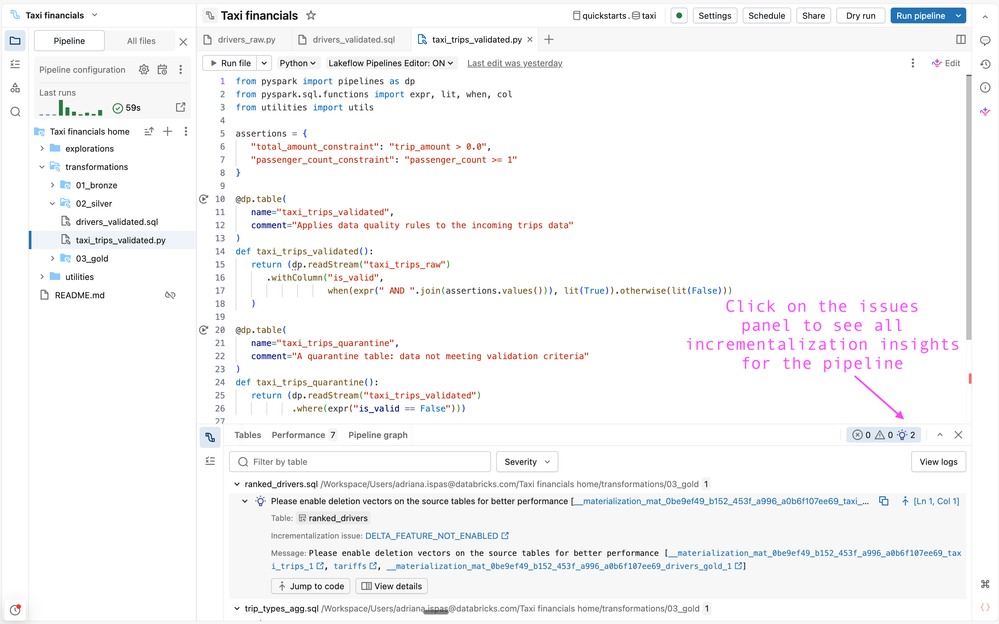
We are still working on increasing our coverage so would love to hear your feedback as we improve this experience.
Unit testing – Coming soon in Beta!
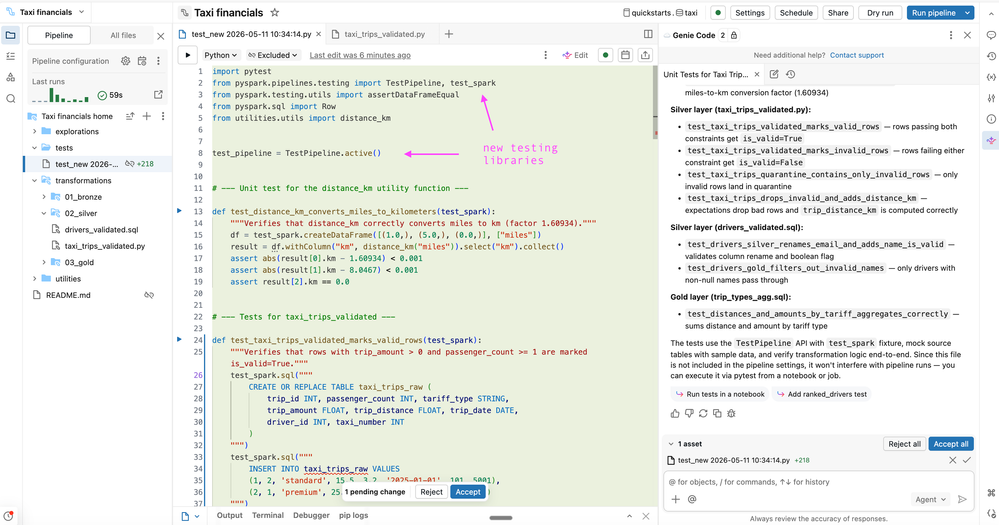
You can now write Python unit tests for your pipelines directly in the editor, or generate them with the help of Genie Code. Mock your data in an isolated test catalog and run individual tables or full pipelines without touching production data. This makes it easier to test edge cases and validate logic that uses Auto CDC, streaming tables, expectations, and append flows. Unit testing for SDP will be in Beta soon. Stay tuned for public docs.


To learn more, you can check out our docs!