Hi @suranga,
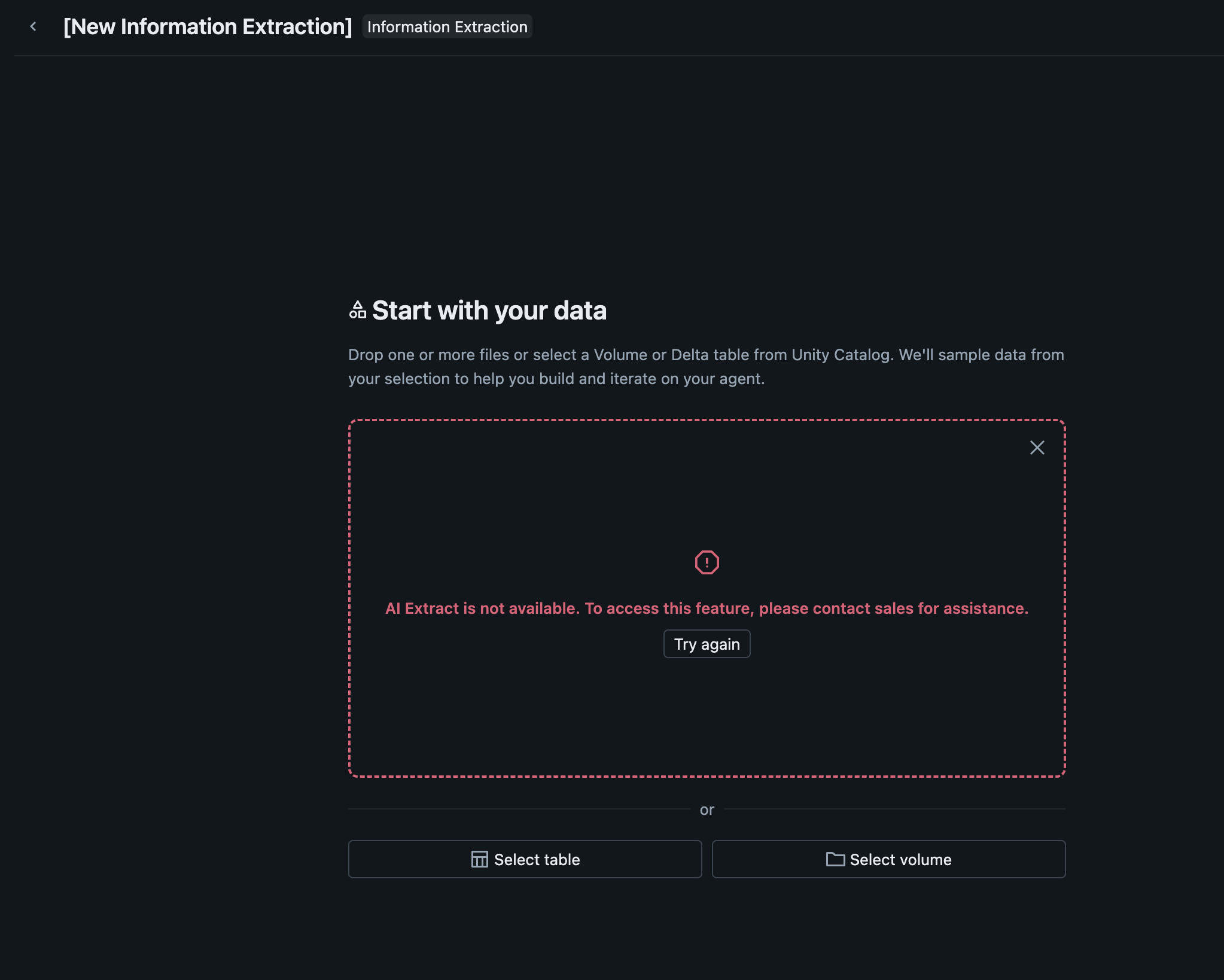
I have checked this internally. What you're seeing is most likely a workspace availability issue rather than a problem with JPEG files in a Unity Catalog Volume. The public Information Extraction documentation lists a few workspace prerequisites for the UI, including serverless compute, Unity Catalog, access to a serverless usage policy with a nonzero budget, and region support for the feature.
On the file side, JPEGs in a Volume are a supported path. The public ai_parse_document documentation explicitly says files in a Unity Catalog Volume can be read with the binaryFile reader, and it lists JPG/JPEG as supported formats.
One subtle point is that ai_extract being GA does not automatically mean the no-code Information Extraction experience is available in every Azure workspace and region. The Azure release notes say ai_extract is GA, but the Information Extraction docs still note limited regional availability and point to the feature availability matrix.
It’s also worth noting that AI Extract does not take raw files directly. For document and image workflows, the public docs show it being used downstream of ai_parse_document, so the expected pattern is to parse first, then extract.
So the checks I'd suggest are:
- Confirm the workspace region against the public feature availability page
- Confirm serverless compute is enabled
- Confirm Unity Catalog is enabled
- Confirm the workspace has access to a serverless usage policy with a nonzero budget
If those prerequisites are already satisfied and the UI still shows "contact sales," I'd treat that as a workspace access or availability issue for the Information Extraction UI, not as a JPEG-in-Volume support issue.
If this answer resolves your question, could you mark it as “Accept as Solution”? That helps other users quickly find the correct fix.
Regards,
Ashwin | Delivery Solution Architect @ Databricks
Helping you build and scale the Data Intelligence Platform.
***Opinions are my own***